Moving directories after they are imported, leaving them "where they are"

I have imported several directories, and left them "where they are". Now I want to move them, but when I move them outside Capture One, it shows the photos as "offline". How do I tell Capture One where the directory is now, after I moved it? Note that I cannot drag a directory in Recent Imports to a different folder hierarchy in Capture One, it doesn't allow it.
-
I am a Mac user. If you have moved a folder (not using Capture One to move it) it will still show in the catalog, but as offline. From the File menu in Capture One, select Locate Folder... and point Capture One to the new location of the folder.
Better if possible to do the moving from within Capture One. As SFA says, you can't move Recent Imports as it is only a virtual collection. But you can go to the Folders section of the Library tool, find the folder you want to move, and drag it to a new location within the file system (All within Capture One.)
Ian
1 -
Thanks, Ian Wilson and @SFA, that's a great help!
0 -
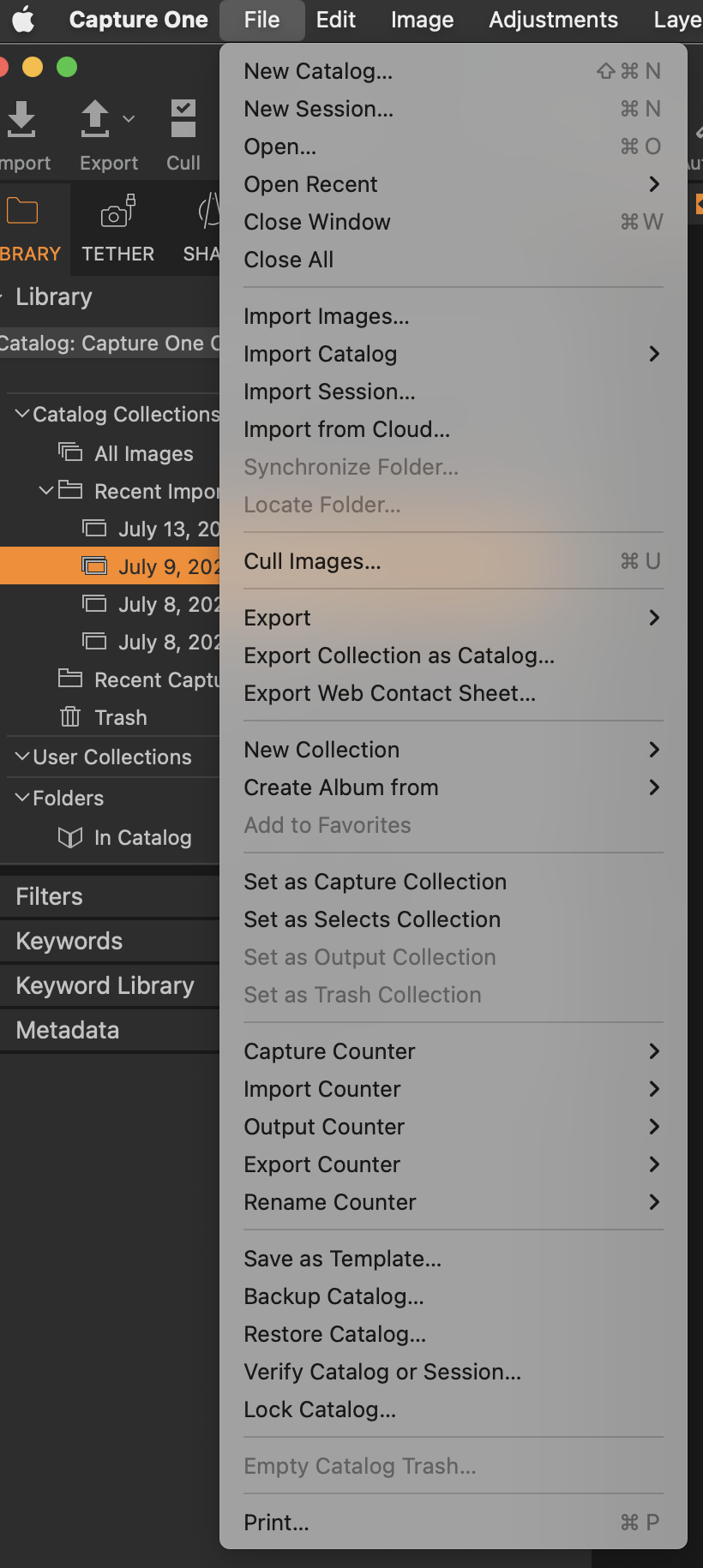
Ok, I tried this, and although for a given image I can use Locate Image when it shows offline, the Locate Folder option is always greyed out for the folder I moved:
 0
0 -
I'm guessing that using the "Keep files in place" option of import doesn't expect you to ever move them.
0 -
Yes, the Locate Folder option is greyed out because you are not in the folder, you are in the Recent Imports, which is NOT a folder - it's just virtual collection. Scroll down to the Folders section to the actual folder. If you are not sure what folder it is, right click one of the images and choose Show in Library, and it will go to the folder it thinks it should be in.
Ian
1 -
Keep files in place doesn't mind at all if you move them later. But see the previous explanations about how to do it.
Ian
1 -
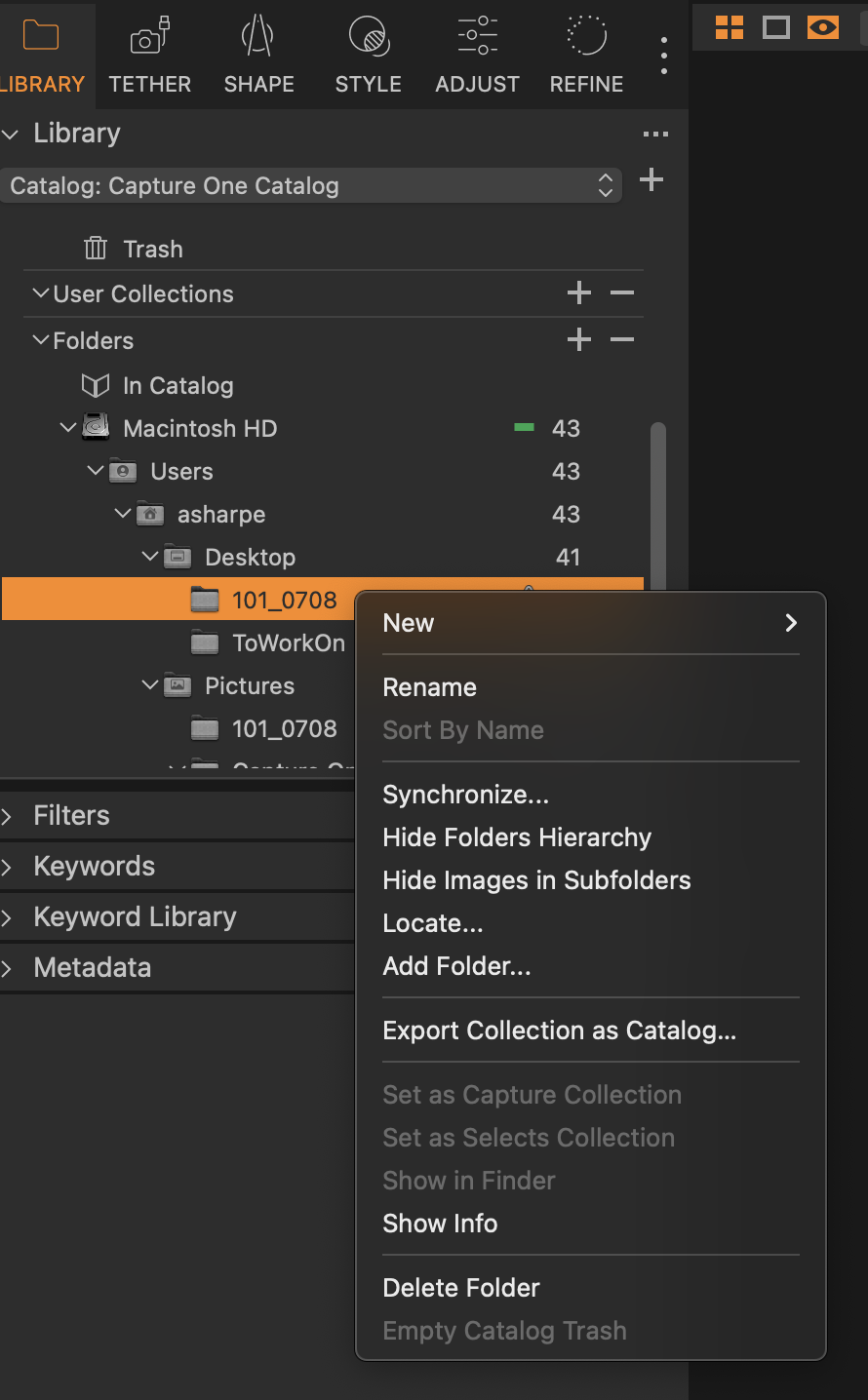
Aha! Found it. You have to find the imported folder in the folder hierarchy, and right click to get the Locate item. And... it works. Thanks again for your help.
 0
0 -
Yes, sorry I was a bit sluggish figuring out what you were saying. I was playing with it and missed your followup comments, and when I came to post that I had figured it out, I saw that you had already explained it quite well. :). Anyway, thanks. I'm still using the trial version, but so far, it is far more intuitive than any other editor I have used, and I've used a lot of them. I'm still not sure whether purchasing outright or subscription is better; I think Capture One would rather I do subscription (guaranteed revenue), but I tend to like to buy things outright (buying versus renting, so to speak).
0

Post ist für Kommentare geschlossen.
Kommentare
8 Kommentare