Stop C1 generating previews everytime I open the exact same project

UPDATE: I just discovered another way of knowing that something is either set wrong by me, or something is corrupted somehow, or this is ABSOLUTELY a bug or a severe shortcoming on C1 side. If this is a useful feature to some, especially those who make $300k per shoot. Great. Allow me to switch it off cause it wastes my resources for no benefit to me.
I discovered another great example of what I am talking about. I am working in a session. The session and all it's contents runs from an external SSD. I moved the images from two albums I created, to the Selects folder just to be sure. For ease of description, Album A and Album B.
If I click on Album A, with with all images Selected, and I have the activity monitor box open, C1 starts to Generate Previews for all the images in that Album. I wait for this to complete.
I then click on Album B, with all images Selected, and C1 starts to generate previews for the images as seen in the activity monitor box. I wait for C1 to complete the generation.
If I then click on Album A, again, then C1 starts to generate previews for all the images in Album A...again. I wait for the generation to be complete.
If I then click on Album B, C1 starts to generate previews for all the images in that Album, again.
I can go back and forth like this the whole day it seems.
Please tell me I'm a bafoon cause setting XYZ is off (or on) or whatever.
Activity Monitor I refer to: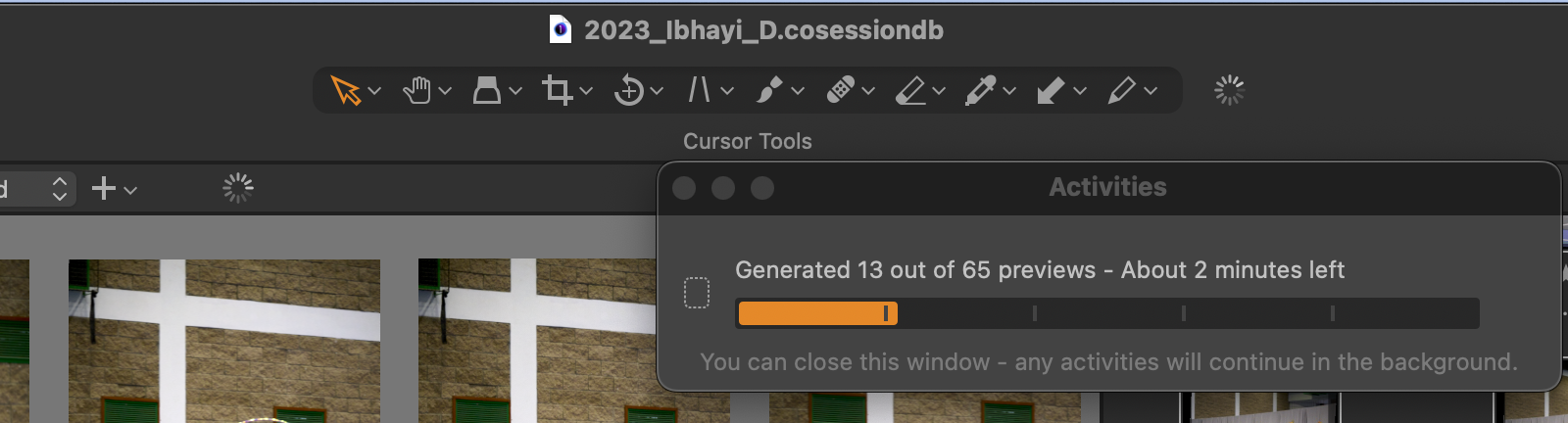
My settings regarding Previews: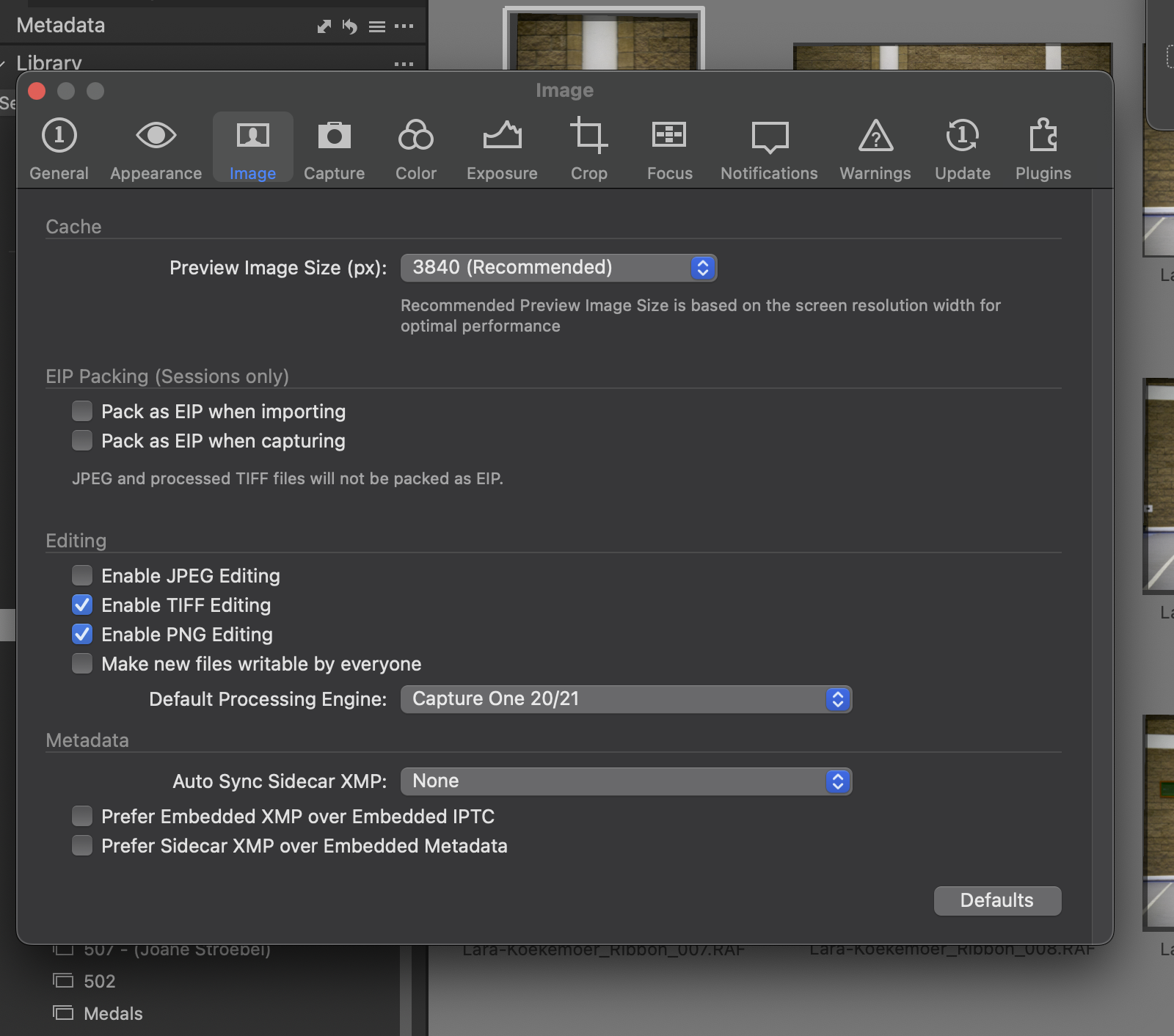
____________________________________________________________________________
Why C1 does this I don't know?
Have I found a way to de-activate it? No. I might be at fault for missing the check mark.
C1, at least I only noticed it now on the latest C1 Pro, that everytime I open a project, even if I close a project and open it again, C1 starts to generate previews. Cool, I like previews, supposedly makes viewing files faster. However, why C1 generates the previews again, I don't know. I can close C1 after all previews have been generated, open the same Session again, and C1 starts to generate previews....again. I didn't do anything!
Like I said, maybe I'm being stupid and I missed a setting somewhere.
Macbook Air M1 Base Model. Latest version of Ventura and C1 23 Pro.
-
You don't say whether you are on Mac or Windows. I mention it because I seem to remember that there used to be more of a problem with Capture One regenerating previews on Windows than on Mac. I don't know if it still is. And what version of Capture One (and Windows or MacOS) are you using?
Ian
0 -
Hi Ian. I'm on MacOS. Latest OS, latest C1. M1 Air.
I am honestly hoping I'm being a bafoon with some setting somewhere.0 -
Maybe c1 thinks the adjustments are newer than the previews. Can you check the modified datetime of the .cos files? Close the session and c1, note the datetimes, start and open the session again, compare the datetimes.
0 -
I'll check on that BeO.
Something interesting I just noticed as well, since previews are front of mind. I selected about 200 images just now, used the batch rename tool in C1, renamed them, and C1 decides to start Generate Previews again, for the same set of images I just browsed through zoomed in whilst culling.0 -

Mine does the same thing. In the Session folder there is a sub-folder called CaptureOne, inside that are two folders, called Cache, inside that is a folder called Thumbnails that contains hundreds of .cot files. Every time I open C1 it creates new .cot files (it does not delete the old ones). This folder can get huge, not sure if this is related to the previews or not, but it creates new .cot files every time I re-open a session.
0 -
What about the .cos (capture one settings) files modified date in sub-folder called CaptureOne/Settingsxyz? Are these files updated everytime you open the C1 session and look at the images in the browser?
The .cot files are capture one thumbnail files and similarly the the .cop proxy (preview) files I would expect them to be updated if the cos settings files are updated. Do you have more .cot files than image files?
0 -
The .cos files are getting updated each time I open the session. I have no idea why.
I have duplicate .cot files for some images, but only the ones that have been edited.
0 -
I just tested something whilst working on finalising images for exports, please someone tell me what I am missing. I created a whole bunch of Albums in order to manage the various people I photographed.
All these images are in my Capture Folder still.
When I click on an Album, C1 generates previews for the collection of images in that album. Let's call it Album A.
When I click on a different Album, call it Album B, C1 generates previews for the collection of images in Album B.
When I click on Album A, C1 generates previews for the collection of images in Album A.
I have made sure to wait for the preview generation to be completed and STILL C1 just starts all over again with Preview Generation. I have not touched a setting ANYWHERE during me clicking from one album to the next and back again.
SURELY I am missing some setting somewhere. This can't be normal behaviour? If this is normal what is the point of the Caches folder that C1 creates with Proxies (assuming it's the previews) in it? 0
0 -
I reported a bug that the .cos files are updated each time I restarted C1 and looked at the images in the broswer for Windows10, C1 version 15.4. It did work correctly with 15.2. I did not notice that previews are re-generated though.
Two months ago I tested 16.2.x as a trial version (don't remember the exact build no.), the bug was solved. They did not notify me about this fix (which wouldn't have helped anyway as I am a perpetual license owner). I'm still with 15.2.
If you are using the latest version maybe they have re-introduced this or a similar bug (or never solved it for the Mac version).
I am complaining about regression defects/broken functionaltiy for a while now, sadly the CEO has a different opinion about the quality of his software than I have. At least he claims so.
0 -
It's sad the regression of C1 for a piece of software that costs 4x as much as Lightroom and seems to have half the features.
This project has seriously made me reconsider how much I really need C1 and whether it is really worth it on any level of use. I haven't tried LR or Darktable for tethered shooting as this is something I do from time to time as it helps with certain workflows.
At the least I might return to version 15.2 of C1 as the latest version is just frustrating the hell out of me.0 -
I started with version 8 and 15.2 is probably the best Windows version from the ones I've installed so far.
Anyway, I think it makes sense if you'd submit a bug report.
0 -
Another thing I noticed, after all previews have been generated, simply changing the names via Batch Rename, has C1 start to generate previews yet again for the same set of images.
0 -

One more instance in that this happens is, when the camera date and time is set in the future compared to your system time and date - it will regenerate previews everytime you go back and forth in a folder.
0 -
That is an interesting point, I will have to check it. How does one change this for a given session? Would I have to import the images into a new session?
0


Post ist für Kommentare geschlossen.
Kommentare
14 Kommentare