Apply Adjustments Default Shortcut CMD+SHIFT+V not working on Macs

Apply Adjustments Default Shortcut CMD+SHIFT+V not working on Macs anymore. Can we fix it?
Tried on 3 Macs, 2018 to 2021, under Sonoma and Ventura.
-
I never use the shortcut, as I just use the toolbar buttons. However I just tried it and it works OK for me. (I'm on Capture One 16.3.1 and MacOS Sonoma 14.0.)
Are you sure that your keyboard shortcut hasn't been set to something else. It should show what Capture One thinks it is if you look on the Adjustments menu.
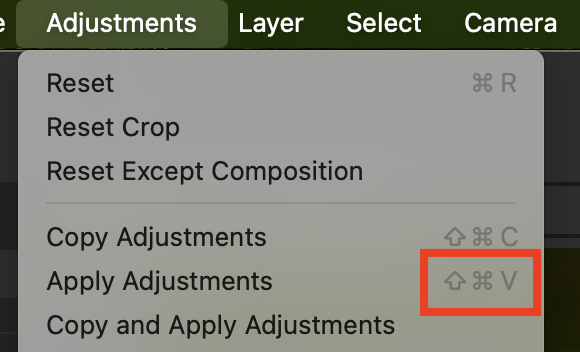
If it is correct, perhaps you need to check whether that key combination is set in System Preferences to do something else. Or whether you have some other app running that uses it for something else. (Bizarre things can happen - I discovered yesterday that if I have WhatsApp running on my Mac, then the keyboard controls in Apple Music don't work properly!)
Ian
0 -
... and please could you delete your other blank post on the subject?
Ian
0 -
Thank you, Ian. It was a grammar and spelling app in a tray that block this shortcut. Thank you again.
0

Post ist für Kommentare geschlossen.
Kommentare
3 Kommentare