Define format subfolders during import

Using the below format setting, you can create subfolders for separate formats like RAW, JPG oder MOVIE during import. It is not necessary to create small albums after importing!

-

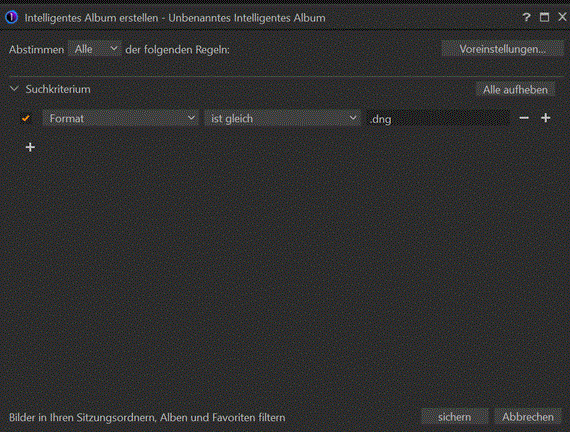
What you are referring to? You mean creating a Smart Album that filters for the file format? Works for me with this example:
 0
0 -
This is not what I mean.
I looked for a solution to create corresponding subfolders during the import process. And it works using the subfolder structure as shown in my first screenshot, by using the "format" token as the "key" token to create corresponding subfolders.
If you look at the screenshot below, you may understand my method of working:
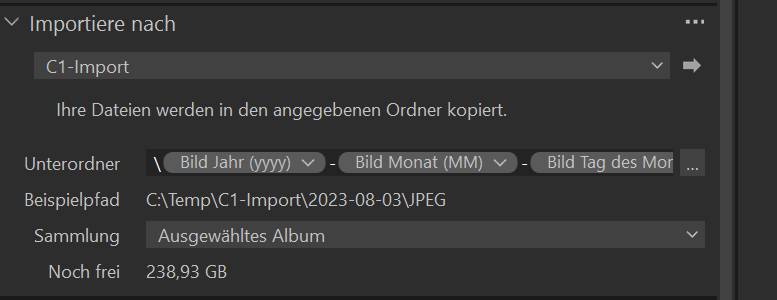
Following my selection in the import window, in my example, the second level of subfolder defines the format type of the asset, e.g. RAW picture, JPG picture or .MP4 or .MOV file.
0
Post ist für Kommentare geschlossen.
Kommentare
2 Kommentare