Can't delete keyword: "The action cannot be applied to any of the selected items"

When I try to delete a specific keyword in the Keyword Library, I get the message: "The action cannot be applied to any of the selected items".

I've tried creating a new keyword and was able to delete it without any issues, so it appears that the problem is with this specific keyword only.
Any suggestions what's going on?
(I've verified the catalogue.)
-

I am seeing the same issue - any suggestions?
0 -
I get the same message when I try to rename this keyword.
0 -
If this is a keyword library, presumably it is available across all sessions and catalogs. What happens if you create a completely empty session then try to delete the offending keyword from the keyword library.
0 -
As far as I can see, this keyword library is specific to this catalogue – the keyword libraries of my other catalogues contain different (though partly overlapping) sets of keywords. As I understand it, they're not connected in any way.
Just to be clear, by "keyword library" I mean what is listed under Catalog Keywords in the Keyword Library tool:
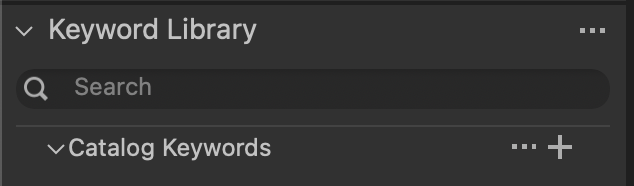 0
0 -
If it's catalog keywords, then they are specific to the catalog in question. I use a number of keyword libraries and the advantage of them is that they are available across all my sessions and catalogs.
As I understand it, "catalog keywords" are all the keywords that are attached to items in that catalog. So if you have say the keyword "cabbage" attached to to some images, and you delete "cabbage" from the catalog keywords, it will warn you that it will remove the keyword from the images that are tagged with it. It makes sense that you can't delete "cabbage" from the "catalog keywords" if some of those images are not editable... Have you checked that there aren't, for instance, images with the rogue keyword in the catalog trash?
Ian
1 -
Thanks for the tip, Ian!
After emptying the catalogue trash, I was able to delete the keyword.
0 -
I'm glad we were able to track it down in the end!
Ian
1

Post ist für Kommentare geschlossen.
Kommentare
7 Kommentare