Cannot delete files

I've just updated the software and now I cannot move items to the trash folder. It's hindering my work flow. I try to manually move the file, not an effective use of time, it cannot move for an unknown reason. I press delete, I cannot move the file for an unknown reason. No matter what I try, I cannot move for an unknown reason. PLEASE HELP
-
Please give a few more details. Presumably you mean that you have updated to version 16.5.0.
- Mac or Windows, and what version of the OS?
- Are you working in a session or a catalog?
- If you create a new session or catalog do you still have the same problem. (If you don't try verifying and repairing the session or catalog that has the problem.)
- Where are the images located? Internal or external drive? And if it's a catalog are they referenced or managed images?
Ian
0 -

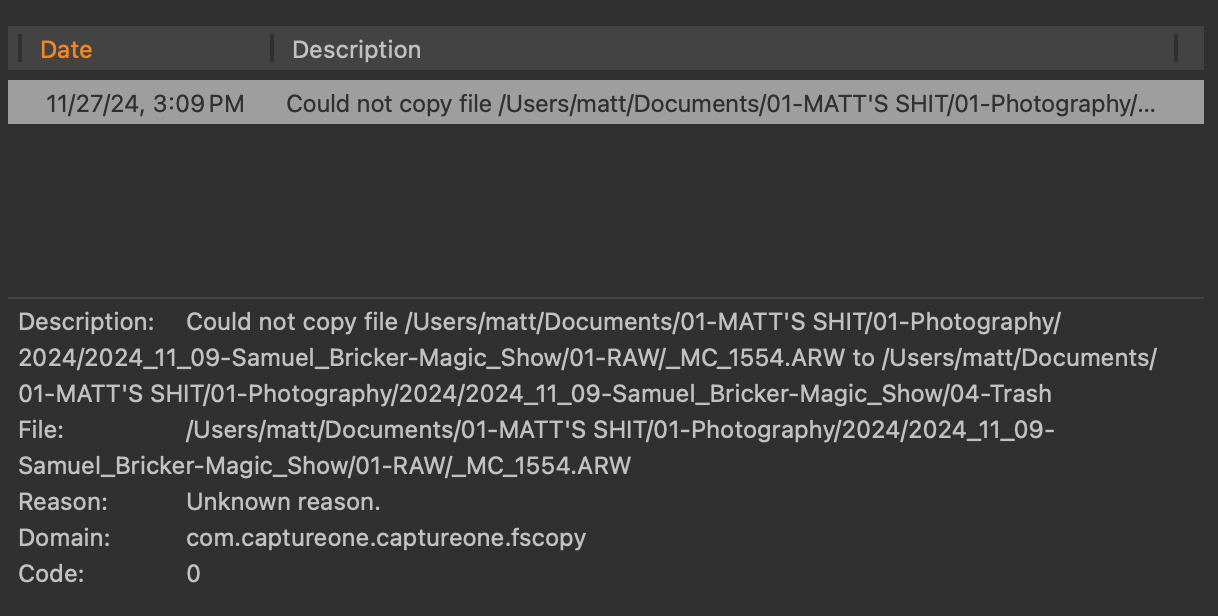
I am having this same issue. I just updated my M1 Max Macbook pro to the newwest OS to see if that fixed it and it didn't change a thing.
I am running MacOS Seqoia 15.1.1 (24B91)
CaptureOne 16.5.1.14
I have tried it in multiple Sessions and get the same error.
All images are located on my internal Hard Drive.
 0
0

Post ist für Kommentare geschlossen.
Kommentare
2 Kommentare