Filter by name in Import tab is not working

Im trying to import raw files.
And as i type file names fullly or not, nothing happens.
Before, in older version. i just pasted my file names and every file is selected. now its not working
Here in image u see that in filters i typed an file name, but its not selecting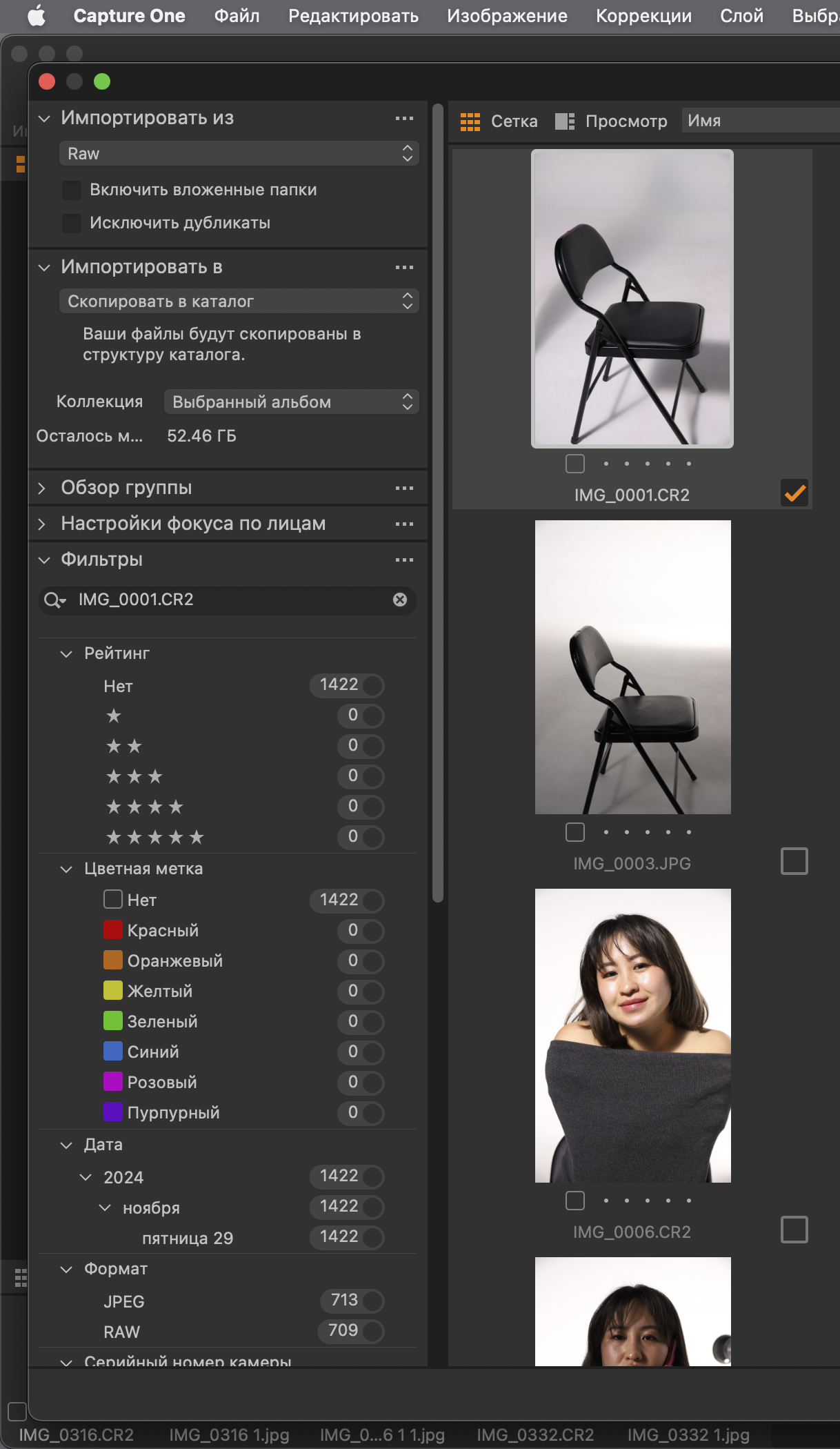
-
I don't think you can do that. The Filter search only works with the things that are in the Filter list. And in the Import panel you only get a limited number of options for filtering. In the regular Filter in the Library tool you can customise the filter to include all kinds of things including, for instance keywords, which can work well with the Search box. But with the Filter facility in the Import panel, it looks as though you can't customise the filters, and none of the ones that are provided include anything about the file name, or indeed any text that could be reachable. So I can't actually see any use for the search box in the Import filter tool. The only thing it seems to be good for is if you click whether I have indicated in my screenshot...
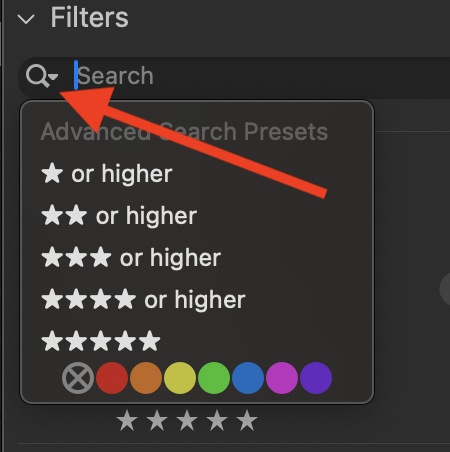
... you get Advanced Search Presets, so for example, you can filter for ** or higher.
Nevertheless, the Filter tool in the Import panel does have some usefulness - I most commonly use it if I want to limit my import to files from a certain date.
You can also, as your screenshot shows click the button to just import raw, and not jpg.
Ian
0

Post ist für Kommentare geschlossen.
Kommentare
1 Kommentar