Unable to delete C1 files from Apple Trash

I'm using C1 16.5.3.1 on an iMac 27" running Sequoia 15.1.1/ I've had an ongoing problem where files from different sessions appear in my trash folder after I've worked on them, despite my not sending anything to the Trash, and as I understand it Capture One simply deletes the files completely if I trash them from within the application. I've emptied the Mac trash without any consequence to the original files within the session, so at least there's that.
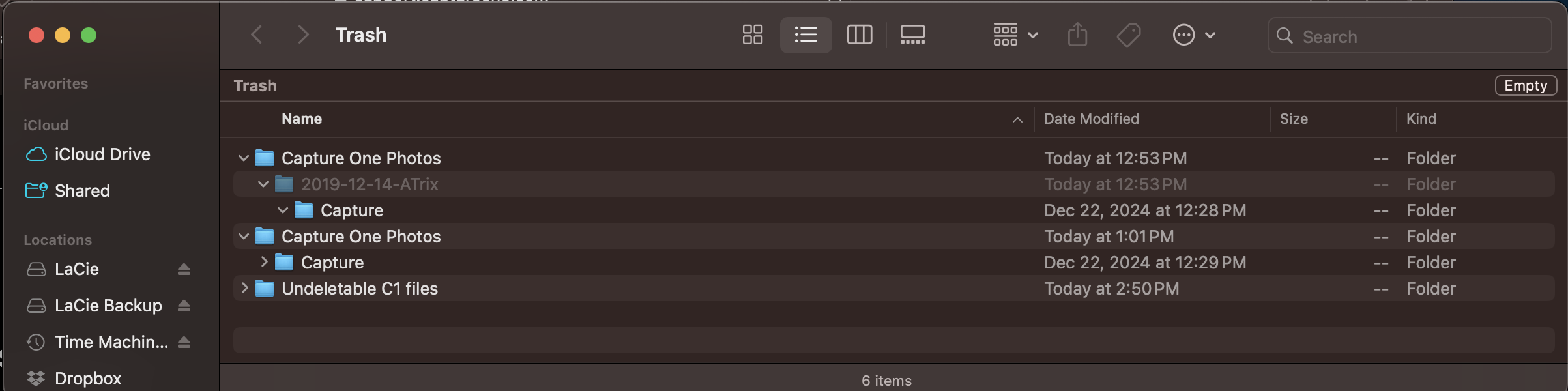
Now, I have an issue where several folders and files are sitting in the trash and cannot be deleted because they're "in use" according to a dialog the comes up when I try to empty the trash. I've tried changing permissions on the files, selecting "delete immediately" and none of this works. From rooting through the forums, this is not a new issue, though I gather it's also been resolved in the past and then re-appeared in subsequent updates.
Any help would be appreciated, I've generally been happy with my switch from Lightroom to C1 over the past few years, but these kinds of issues, where I start to question the integrity of its file handling, are concerning.
Thanks for any help you can provide.
-
Things I can think of that may be worth trying.
- Can you drag them put of the trash and then delete them (Option-Command-Backspace to delete them by-passing the trash folder)
- Can you start the Mac in Safe Mode, and then empty the trash?
Ian
0 -
Hi Ian - thanks for this. Unfortunately no luck with either of those approaches. The "Atrix"invisible file is actually the name of a session file I have, so I went back to check it out to see if there was anything in the trash folder there that might be influencing this but there isn't and everything seems to be ok with it. I should note also that when I drag the files to the desktop, I hadn't noticed before, but they're not moved - they're copied. (The "Undeleted folder is one I put there with those files, and I've subsequently deleted it." Im guessing at this point I should submit a support request.
Chris
0

Post ist für Kommentare geschlossen.
Kommentare
2 Kommentare