View Image Size On Screen

Hello. In Capture One Studio, what are the steps to turn on any feature to view the size of the images being worked on in an editing session? (I know I can sort by size in the vertical window that appears on the right side of the screen; but the actual size numbers don't show.) Image size is a necessary detail not only for storage and export, but when organizing any photo editing project. Thanks in advance.
-
The crop tool can display the size. But what is displayed is dependent on the output recipe that is selected. The image in my screenshot shows 2048 x 1363 pixels.
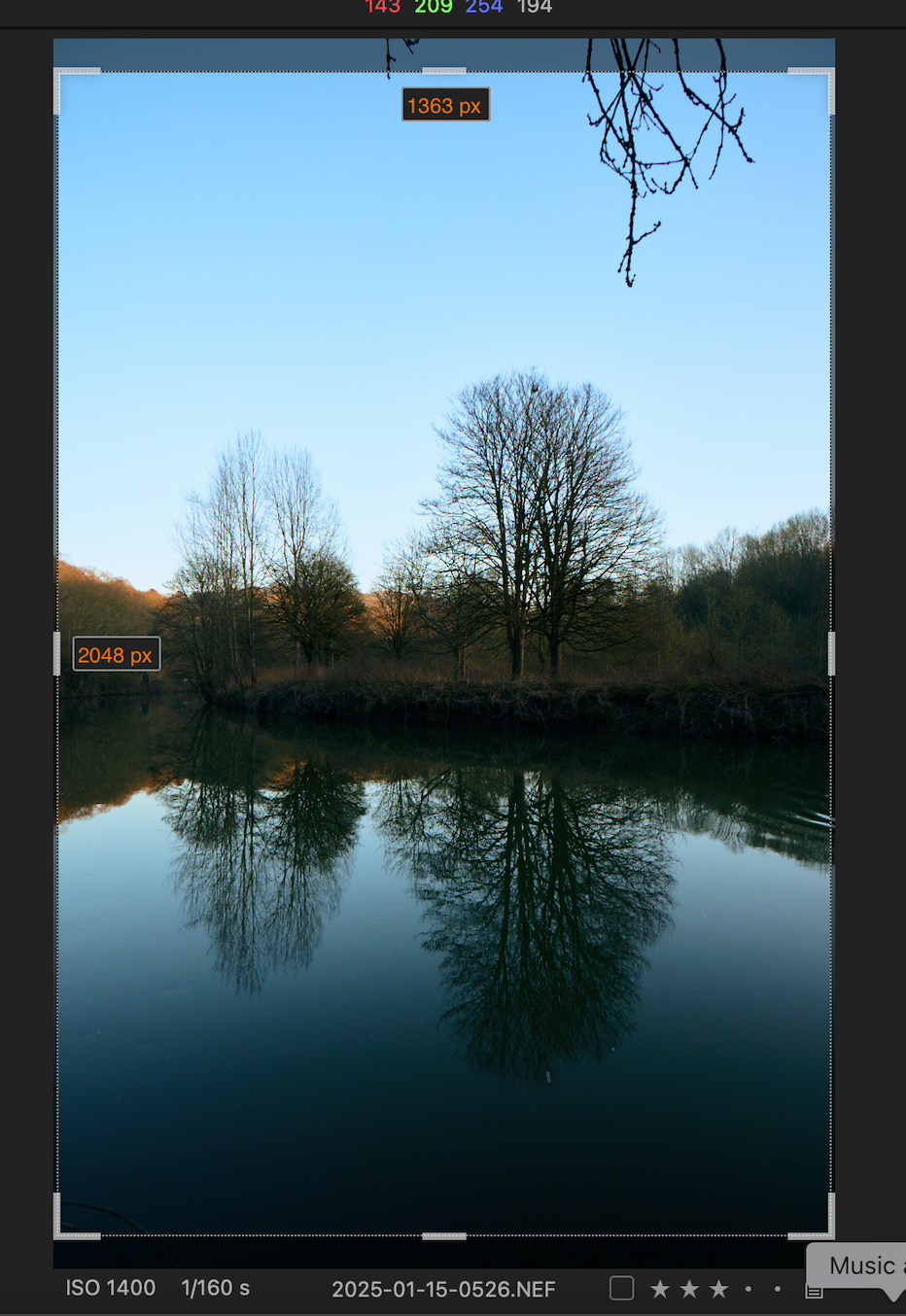
... but in fact the image size is 6048 x 4024, as shown in the metadata panel.
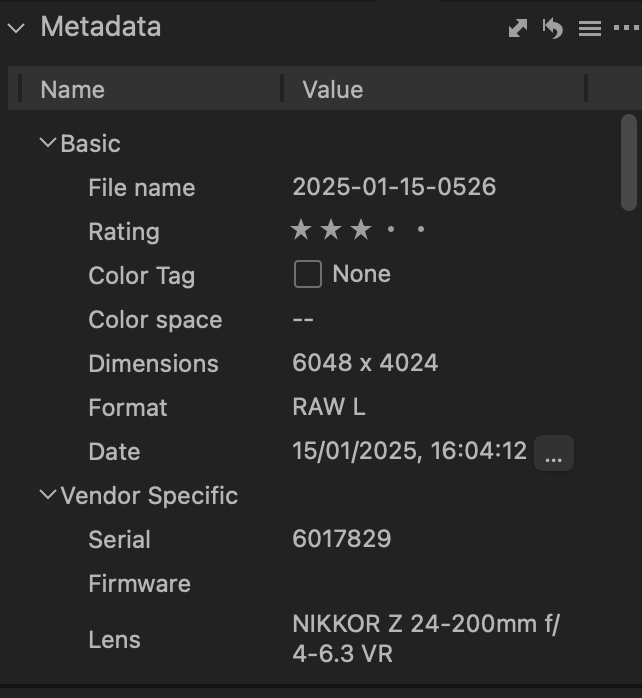
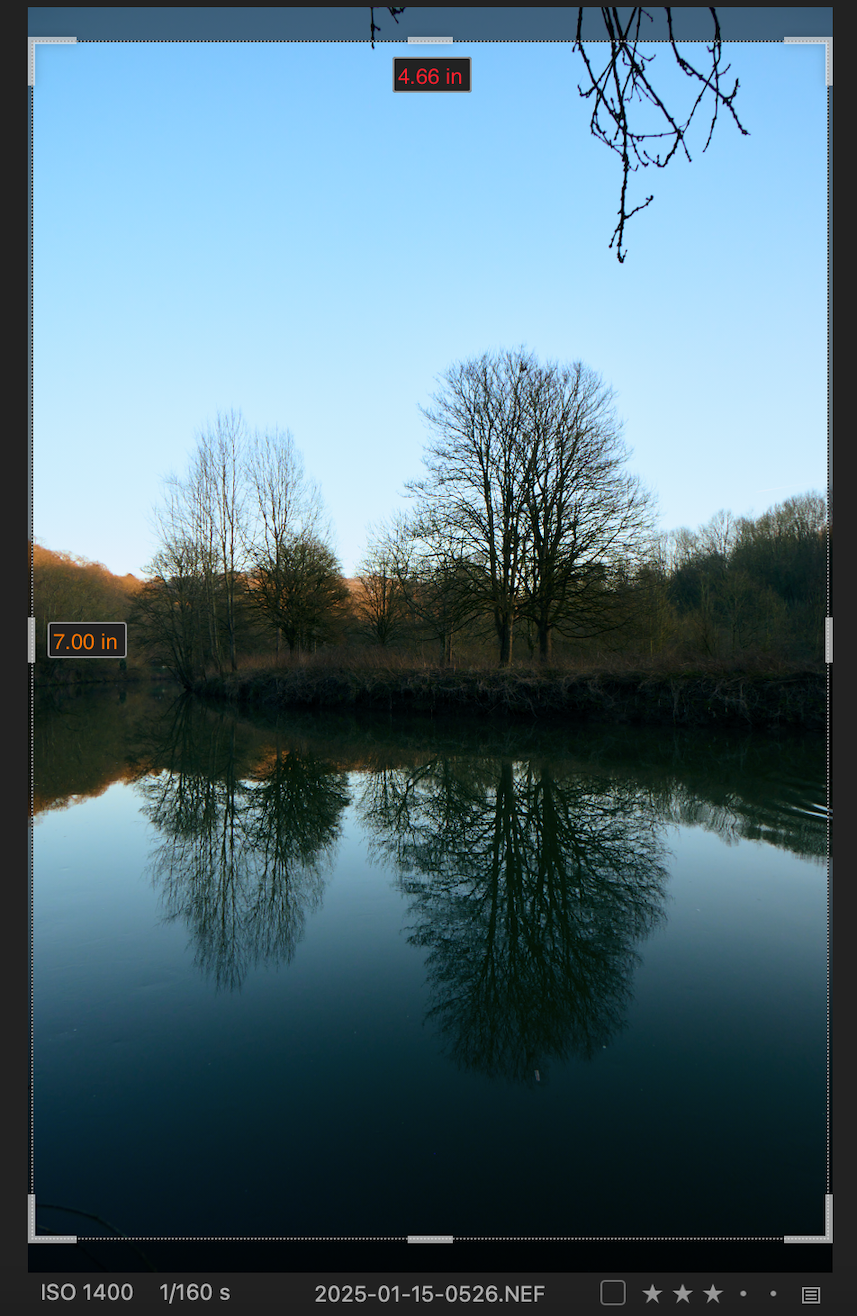
The displayed 2048 x 1363 dimensions are the result of using a recipe set to produce output at 2048 on the longest side. If I were using a recipe set to produce a print at say 7 inches x 5 inches, the crop tool would display inches rather than pixels.
However, if you are thinking of the kind of thing you can see in some other apps, like this...
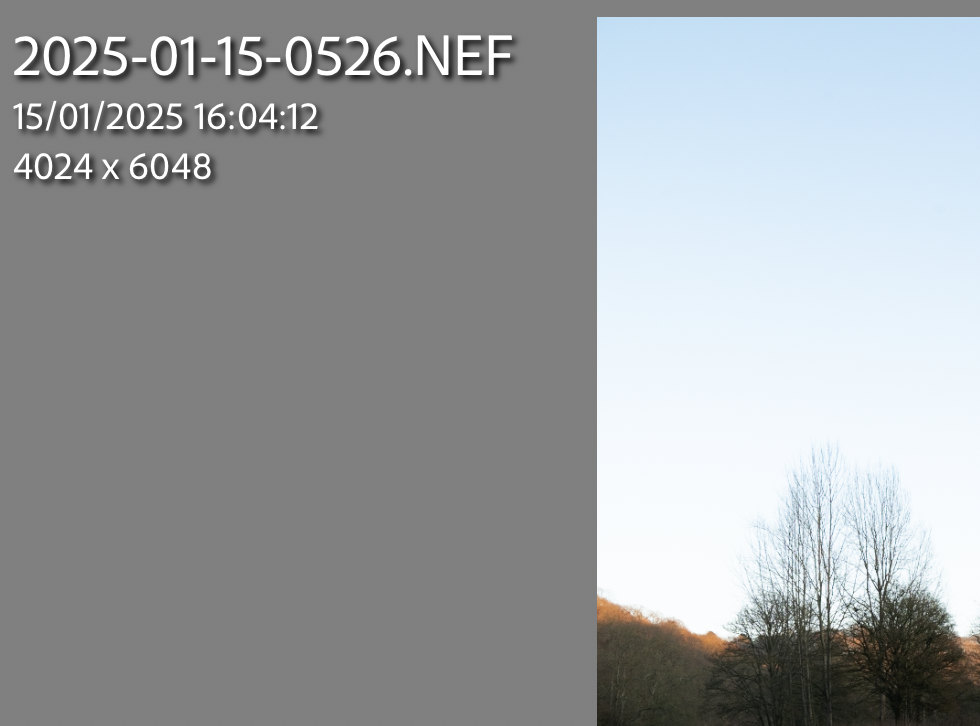
there is no facility to do that. If you think it would be a good feature to have, you could consider making a feature request, which you can do at the following link.
https://captureone.ideas.aha.io/
Ian
0

Post ist für Kommentare geschlossen.
Kommentare
1 Kommentar