Thumbnails have large exclamation mark and ...

...no image shows, also the image has exclamation mark. I restarted C1, rebooted without success. All files on the same external HDD behave the same but are OK work normal on other drives.
Interesting note: My other SW DXO read all folders and files without problem on the suspect drive. What does the exclamation mark indicate?
Interesting note: My other SW DXO read all folders and files without problem on the suspect drive. What does the exclamation mark indicate?
0
-

Session or Catalog?
An exclamation mark means that Capture One can not locate the image, thumbnail and preview in the location it was before.0 -
I am using catalogs. I am aware of the small exclamation mark indicating that the connection is lost, this one is very large in the middle of the image and in each thumbnail. Clicking on the thumbnail reveals the correct location on the external drive, locating function does not help. I wish I could post a screen image, but have not found how to do it.
To me it appears to be an HDD issue since all other HDD work, except this one. On the other hand I connected another MBP using C1 V12 to the same HDD and it works as expected with the subject HDD. I will keep investigating0 -
You can paste a link to an image in your post. It then will either display the image or the link. In the latter case, other members can paste that link in their browser to see the image. 0 -

Do 'command Shift 4' to take a screen shot. 0 -
/Users/johnkubler/Desktop/Screen Shot 2020-01-11 at 16.40.20.png -1 -
This is the link to Flickr:
https://www.flickr.com/gp/jmkubler/8P1nu60 -
NN247612UL wrote:
https://www.flickr.com/gp/jmkubler/8P1nu6
Thanks for posting. The thumbnails for the browser are lost, the preview for the viewer is still there, the thumbnail have the 'eye' icon. Are the images read-only, meaning you can not change sliders and so forth?
Does this happens to all images in that catalog for that La Cie drive? If that is the case, you could create a new catalog and import some of the same images. If the result is the same, it is the drive. If it works well, it is the catalog.
In case of any irregularity I always verify the catalog (File menu) first.0 -

Hello everyone
Seems I have the same problem as NN247612UL.
It happens to all the images in the catalog. The images can be located on the drive, so C1 knows were they are.
I created a new catalog, imported some of the same images and everything was fine. So the drive should be okay.
What does the exclamation mark indicate?
Can anyone help?
Thanks for your support!
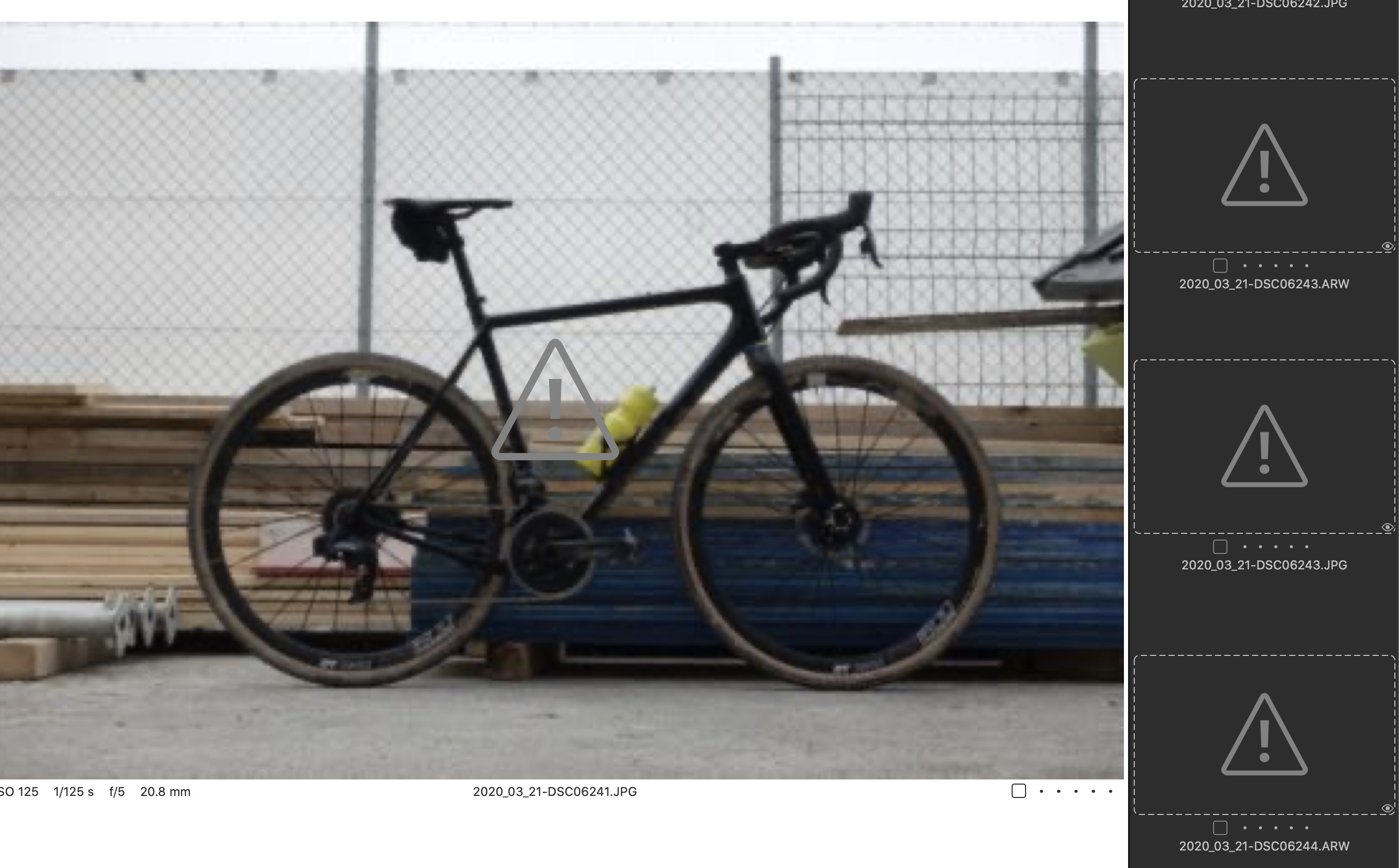 0
0 -
It seems that Capture One can not read the thumbnail. Try to regenerate the previews for these images (right-click or File menu).
0
Post ist für Kommentare geschlossen.
Kommentare
9 Kommentare