Dual-monitors with different dpi

My main monitor on which I have the viewer has recently been upgraded to a 4k one. Now, however, the monitor with the main window is using the same font/dpi as for the 4k one although it is only 1080. I have this in portrait mode so nothing fits properly.

-

On my Windows system, which has a fairly high-end graphics card with multiple output ports, I am able to set monitor resolution independently. Right click a blank area of either monitor, click Display Settings. This opens the Windows display settings where you will see a representation of your 2 monitors. Click the monitor you want to change. Scroll down to the resolution drop down and pick the resolution you need for that monitor. Do the same for the 2nd monitor. This seems to stay put except for this: occasionally Windows updates, or even some software installations will swap your monitor numbering system which takes a bit of unscrambling after the fact. Annoying but fixable. I don't know if all graphics cards allow this.
Regards
0 -
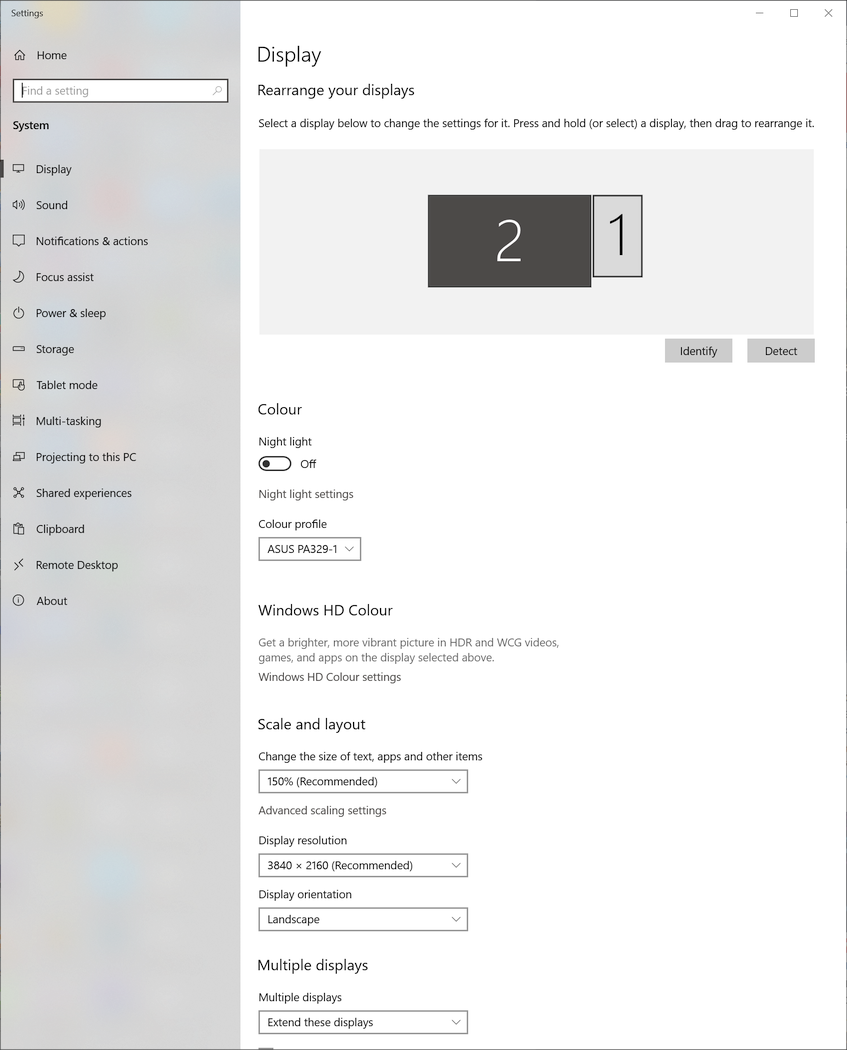
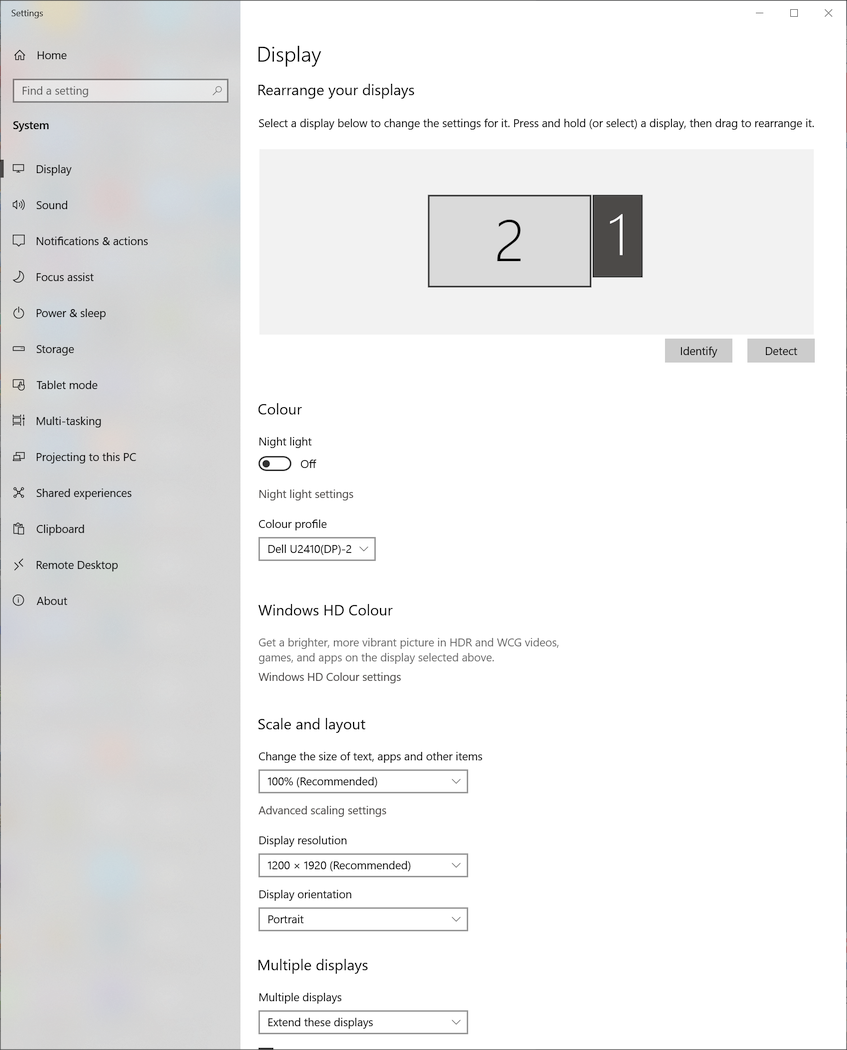
I have the monitors at their recommended settings:
 0
0 -

I think your perceived problem is more likely related to the orientation of the Workspace into Portrait mode.
0 -
No, the problem is the software is taking the 150% scaling from one monitor and applying it to both. Look at the text in the original post photo.
0 -
What happens if you change the orientation?
Do you have a discrete GPU or are you using the facilities built in to the CPU to drive the screens?
0 -

I have the same setup as the OP except for a 2K landscape orientation monitor instead of a 4K.
I have both monitors set to 100% but playing around with the scaling it looks like C1 applies the scaling of whatever the main monitor is set to to both monitors, regardless of the secondary monitor setting.If the OP sets the vertical monitor to be the main monitor with 100% scaling and the 4K at 150% scaling, both monitors should display at 100% in C1 which might not be a problem since he is just using the 4K for image display (?) in C1. Back at the desktop the 4K will display at 150% which I assume is where the OP really needs it.
0 -

I have similar issue.
I use a 24" HD display and a 32" 4K display. The 4K display is set to 150%.
I have to use the the display that has the tools as primary otherwise I get either huge tools on the small monitor when the big one is primary OR I get microscopic tools if the small one is set to primary but tools are shown on the big one.
It would be nice if Capture One uses the screen settings displaying the CaptureOne window to size it's controls. This should ideally work on the main window and the viewer as well.
0 -
This is also an issue for me. When using my surface pro with an external monitor with a lower resolution, windows apps rescale correctly but capture one does not.
0 -

Hi, I’m a Mac. Lucky you Windows users, you can change the UI on Windows independently from the monitor resolution – that’s what I’ve heard. I own a BenQ 4k 32" and a Apple Cinema Display. The fonts on my 4k monitor are super super tiny if I want to keep the native 4k resolution. I have a hack for Lightroom to change the font size, but wish there would be a way to change the font size in C1 for any monitor independently on each monitor just in their software.
0 -

I've just had success with aligning my UI font size using this article! Been looking for this solution for over a year and it works with C1 v21.
0 -

When can we expect an official fix from Capture One for this DPI issue? Why do only Macs support the "Browser" on an external monitor? I am using a Lenovo ThinkPad P51 laptop with built-in color calibrator and would like to use an external monitor (Lenovo ThinkVision M14) for the "Browser". But this Windows/Capture One dual monitor limitation and the DPI issue makes it useless for my case. This can't be so hard to fix...
I am using Capture One 21 Fujifilm, Build 14.4.0.101 (aedc77c)
OS: Windows 10 64 Bit, Version: 21H2, Build: 19044.1645, Windows Feature Experience Pack 120.2212.4170.0DPI settings
Lenovo ThinkPad P51 internal display: 4K resolution, 3840x2160, scaling: 200%
Lenovo ThinkVision M1 external monitor: 1080p resolution, 1920x1080, scaling: 100%1
Post ist für Kommentare geschlossen.
Kommentare
11 Kommentare