EIP broken?

Hi, there are made some EIP files and saved outside. To bring them back to C1 there are only the original RAW/ RAF without any edit, no layers, nothing.
Why there is no signature? So I have to write it allways new?
MacB, 10.14.6, C1-20 pro
Best, lars
-

> So I have to write it allways new?
Could be, I never tested that. Try with one EIP, do Unpack->Edit->Pack and see what you get. An EIP is just a ZIP, you can inspect using your preferred zip-tool. Depending on your tool you may have to change the file name extension from .eip to .zip for your zip tool to work.
0 -
Hi. "to write again" means what belongs to a signature.
EIP: The question is how to get an EIP back with all adjustments. Two hours before the Mac-Finder (!) shows the correct images from an EIP made in C1-12, but not this made by C1-20. Now no one is shown in Finder – all files show the C1-logo. The information of the adjustments are in this EIP, but not to show in C1-20. And ZIP does not help, shows the original RAW/ RAF.
There was a break opening the C1-20 EIP: QLICprocessor. So I tried to include a script as I read in the C1 help as I understand it (my English you see): GetLogs_shell.scpt. I failed.
I read in the help about EIP. It cannot get back from a server for the right to write is not set. But in my Mac it is set to the folder and all included EIP too.
I think there is a big bug in C1-20. Even an EIP made some minute before by C1-20 is not to read a minute later. So we have to wait... Thx. lars
EDIT: now the old EIP are to see again, the newer one not.
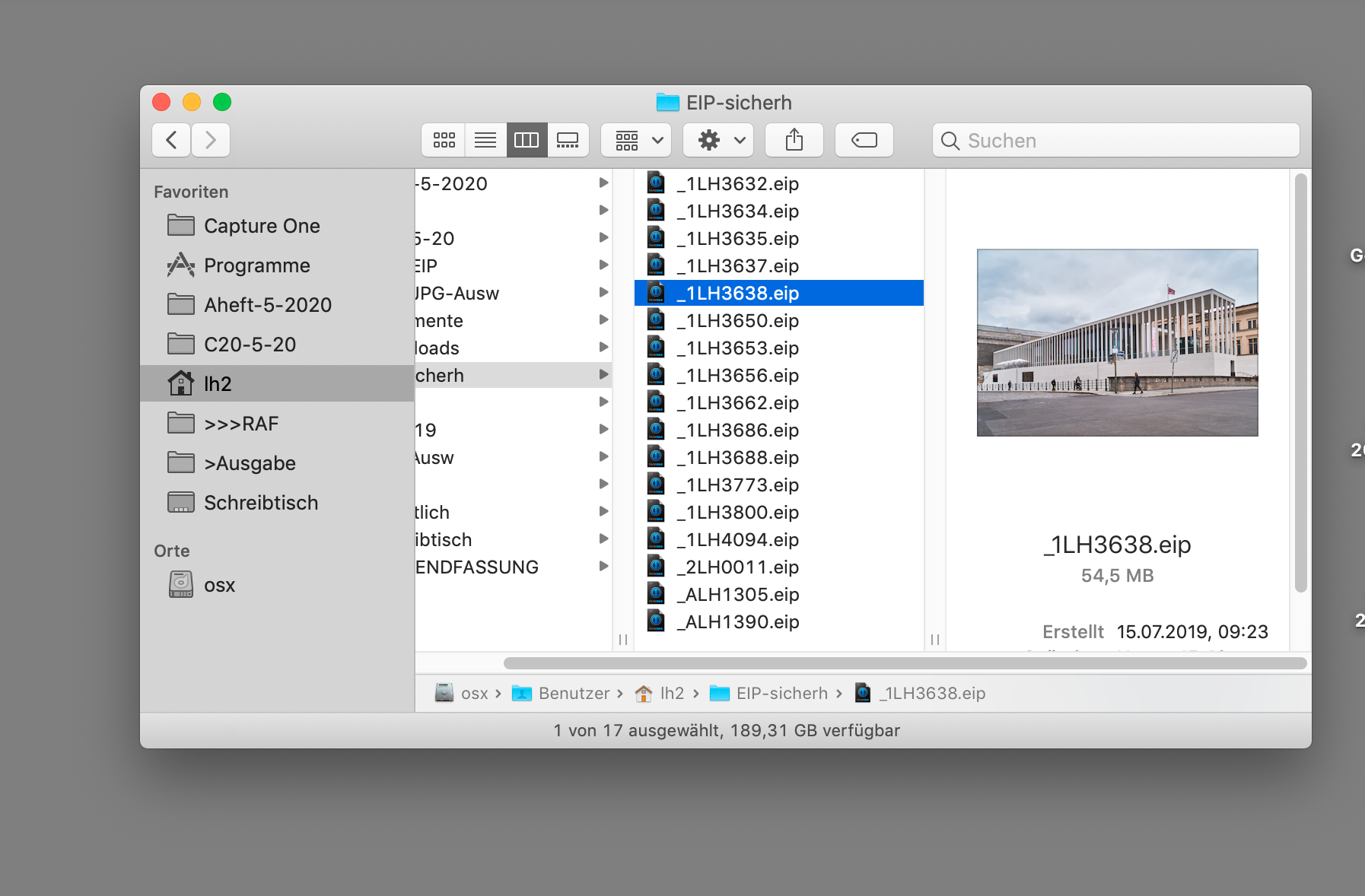
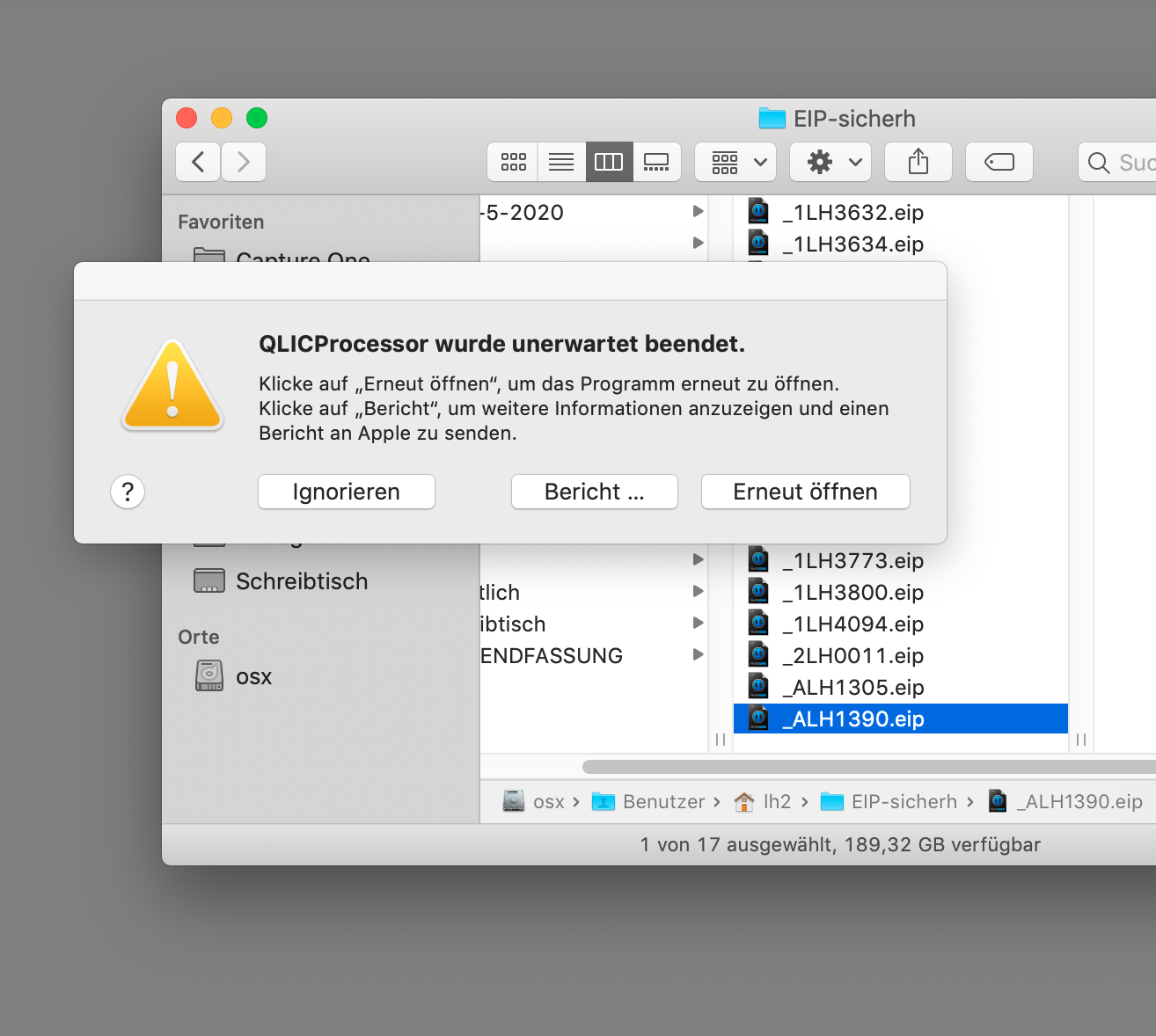 0
0 -

Hi Lars,
I've exported an image from my catalog as an original including adjustments, in .eip format, to my desktop. Then I opened it in a session (from my desktop). It worked, and I got back all the adjustments I did.
I work on a MacBook Pro 15" late 2013, under Mojave, with Capture One 20.0.3.
Robert
0 -
Hi Robert. After some hours looking in the fog it works – don´t know why. There is not only a folder now but a special session with some pics which have needed much work in C1 (moving clouds over cranes...). Thx. lars
0 -
Thanks Walter, it works with sessions too. I was confused about the things above. EIP should comeup without this. But now it is known. Reg. lars
0 -
Check out https://help.phaseone.com/en/CO12/Optimizing-Your-Workflow/Workflow-Basics/EIP?p=1 and perhaps pay attention to notes/recommendations:
Note: EIP is not recommended for use with catalogs.
Note: An EIP is not recommended for use with catalogs. Always unpack an EIP before using it in a catalog.
Although EIP files can be imported into a Catalog, with or without any previous adjustments applied like a Session, EIP files cannot be unpacked in a Catalog. It is therefore recommended that EIP files are unpacked before using them in a Catalog or that they continue to be handled in a Session.
Note: JPEG and TIFF files cannot be packed as EIP.
0 -
It´s all confused. C1 writes here in a paper: it is not possible to get an EIP back from outside servers. But as written above it is if in import the "adjustments included" active. Thanks to all. lars
0
Post ist für Kommentare geschlossen.
Kommentare
7 Kommentare