Shooting Tethered - "live view is not supported for the connected device using ptp"

Has anyone here shot tethered with a Fujifilm (XT3) and Capture One? I am connecting using USB C to USB C on a Macbook Pro. So far I've had no issues connecting to Capture One and controlling the camera from it. However, I cannot get live view to work. When I click on live view, I get this message "live view is not supported for the connected device using ptp."
-

My experience is similar on what you don't get it to work on LIVE VIEW in the end. Tether shooting works so long I use the software as the receiver and administraitor of my shots, but not to control NOTHING from the shooting module software.
I use the Windows version of C1P -just downloaded the trial version very excited about the "Fujifilm compatibility".
I arraged the XT3 Connection Settings to USB Auto (and tried also on Fixed), both work but deliver only Tether, NOT LIVE VIEW!
Launched the software and started and camera (and alternatively switched this order aswell), and found some controls greyed out and others apparently adjustable but one second after leaving the pressure on the button they returned to its original state.
And the same with focus buttons. They make the camera react but on pressing the shutter from the computer (from the camera is not allowed at this moment, yeah, I tried that too), the picture comes so out of focus as can be. So, as you see, nothing of shooting tethered with LIVE VIEW works.
Just to discard a faiIure in the software I switched eventually to control a D700 Nikon and it worked as expected.
Do you Capture One Pro people know about this compatibility issues with Fujifilm XT3?
Please, let us know of any solutions?
1 -

I get that message when enabling Live View on my Canon 7D. Within a few seconds the message goes away and Live View is enabled. I assume the Canon automatically switches modes or something similar.
0 -

I have also had that message when enabling Live View on my Nikon D500. I have succeeded after retrying or swapping USB ports on my Macbook Pro. I have never looked into the what/why of this ... just a quirk I have accepted.
0 -
I feel obliged to update my experience on the posts I commented. XT3 is supported but has LIVE VIEW limitations.
After some insistent testings I conclude that Fujifilm XT3 is compatible with Capture One Pro but shows limitations on Live View mode. (Shooting tethered, clicking the camera from your hands and images transfer was not a problem in any way at all).
The problem that prevents Capture One Pro full access from the Live View module seems to reside in the Manual Nature of the XT3 (and other XT’s probably as well).
When I tested my old Nikon D700 C1P could access directly all the commands of this camera and remote change them right straight. ISO, Shooting Modes A - S - P - M, also all the variables independently: Speed, Aperture, etc.
With the XT3 the case was different. The Capture One Pro software doesn’t access to the core of the XT3 in a manner that overrides its manual settings:
FOCUS: It is possible only if you set the autofocus off. Lens in manual mode -this is dictated from the camera. There is no working Autofocus command from C1P either (appears greyed out). HOWEVER you set the focus with the focusing tools provided by C1P that do a pretty good job.
APERTURE: The only lens where I could control this feature from the software was the 27mm pancake lens that, to this purpose, didn’t have an aperture ring thus leaving total control to C1P. For example, the beautiful 16mm f1.4 remains at the moment of taking your picture with whatever aperture value you have left in the aperture ring.
SPEED: This case was more fortunate. After trial and error I got to find out that the setting T from the speed dial lets all the control to C1P, allowing to choose any speed you want. From 1/32000 to 900 seconds with the Electronic Shutter, for example. If only there were a sweet spot for the Aperture setting, a neutral click that let C1P take over. Fujifilm guys, there’s a little job for you here!
ISO: The same as with Aperture Mode. There is no way to leave it without pointing to some value -you can always leave it on Auto but you'll have a random result, in fact you can also set the Speed and Aperture to Auto but that's not precisely the reason to acquire C1P. So your photo will be taken with the actual ISO set on the dial.
ICC: These color profiles can be managed without problem from C1P, so you can switch from Velvia to Eterna directly from your computer before taking the photo.
Up to here my contribution. I didn’t want to leave you with the idea of an uncompatibility. As you see there is a way where the XT3 can work effectively, but this could be made better, please, Fujifilm! If there is a way through diving in the menu settings the XT3 users community will be glad to know.
By the way, the version of Capture One that I used, this fantastic and powerful software! is the latest Pro 20 version for Windows, free trial.
0 -

UPDATE: EDIT AT BOTTOM
I am also having this problem with my FujiFilm X-T3 and a 2019 MacBook Pro.
{Capture One Pro 12 Fuji}
The camera connects and can shoot, but I cannot go into LIVE VIEW because of the following message:
"Live View is not supported for the connected device using PTP."
Any ideas on how to resolve the issue?
--
UPDATE:
I managed to resolve my own issue by plugging my camera into my Windows PC and Live View appeared as expected, then plugged it back into my Mac and it works. Really weird, but it appears to fix my issue.
0 -

I have tried and tried to get my FujiGFX to be connected to C1. I have Fuji license . Anyone whith the same problem? Why is
the camera not visible and connected when I try to use the tether function. I have done the settings on my camera as instructions. Mac-user.
0 -

I have the same massage error in Live View session: live view is not supported for the connected device using ptp.
I tried Pc connection mode: usb auto and usb fixed - the situation did not change.
Мас OS Catalina 10.15.4
Model Name: iMac
Model Identifier: iMac17,1
Processor Name: Quad-Core Intel Core i5
Processor Speed: 3,3 GHz
Number of Processors: 1
Total Number of Cores: 4
L2 Cache (per Core): 256 KB
L3 Cache: 6 MB
Memory: 40 GB
Capture One 13.1.0.172 trial
Fujifilm Xpro3 Firmware 1.04
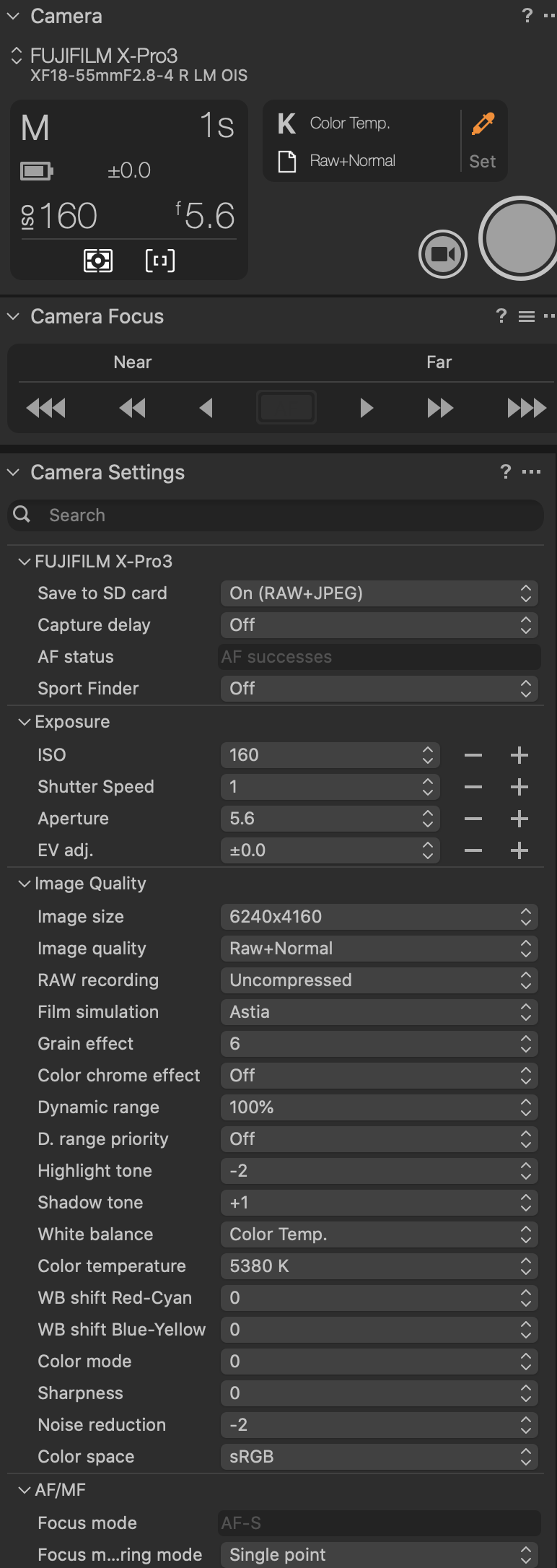
After 30 seconds, this message disappears and you can enable live viewing. Its menu options are inactive.
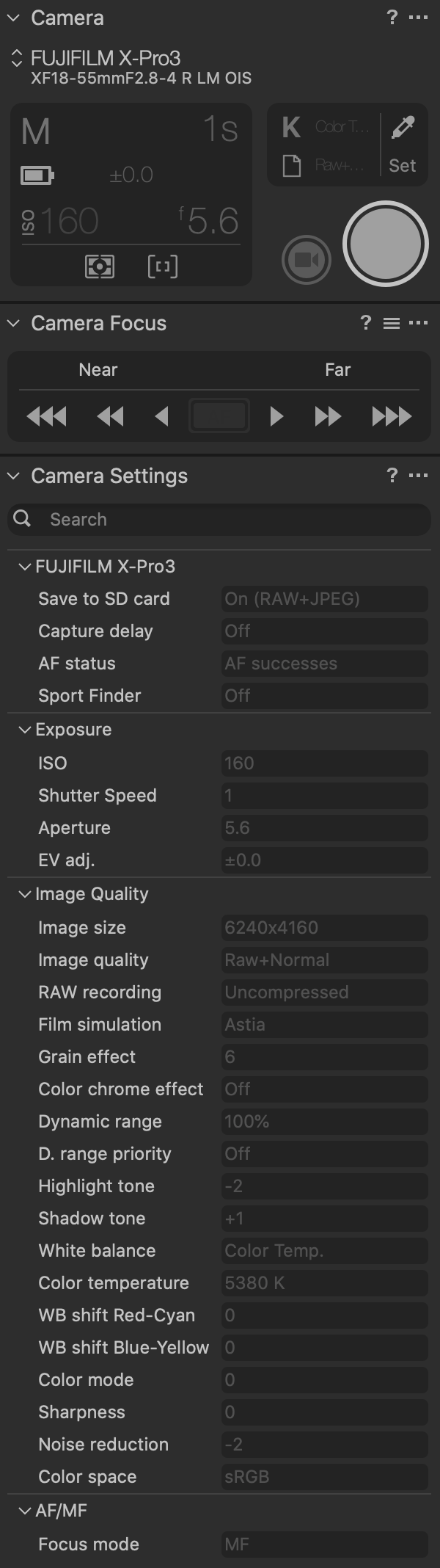
I would be grateful for the decision. I bought a camera specifically for tether shooting in a computer. Thank you.
0 -
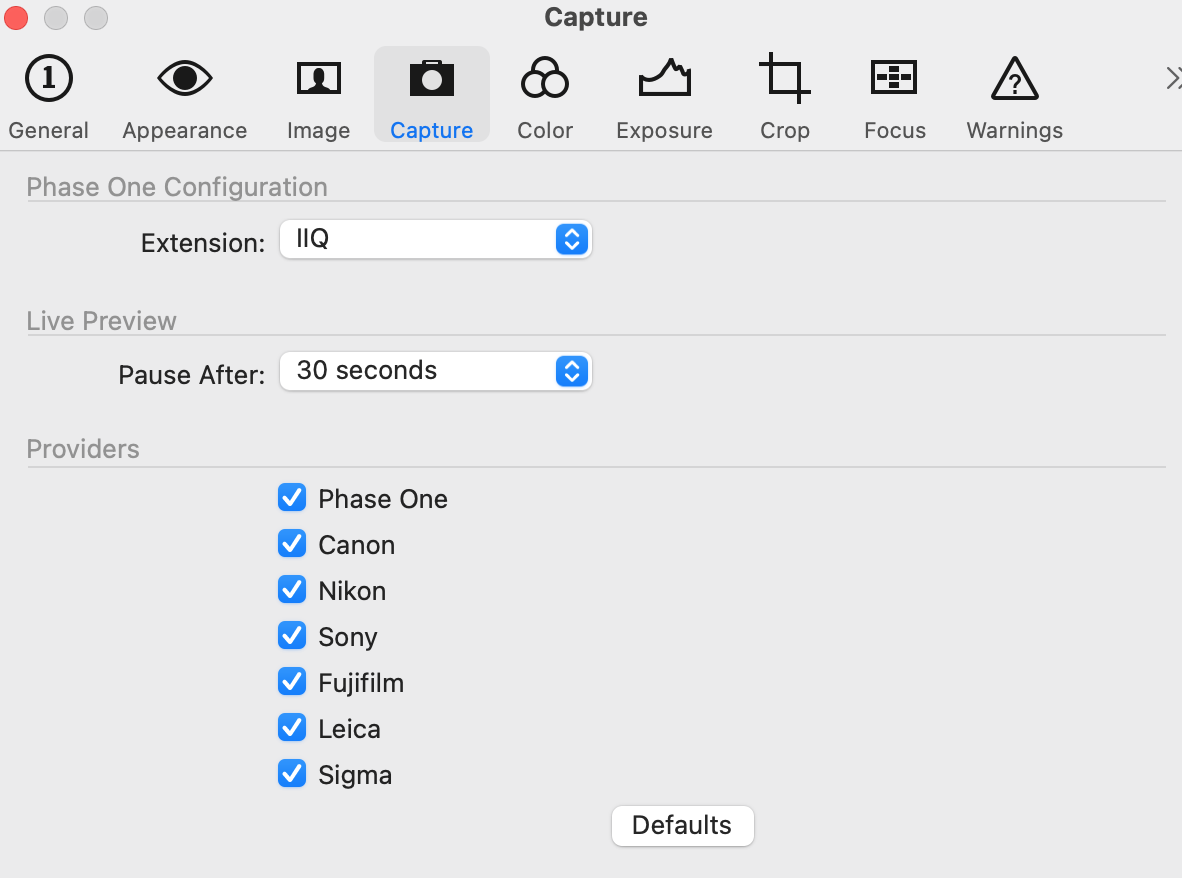
I had the same problem with my Fujiflm GFX100s. Fixed it!! Go to C1 preferences to Capture pane. Under providers, I deselected all unrelated brands and restarted. Then C1 didn't recognize my camera at all. Don't panic. Click defaults to turn everything back on again and restart. Live view works! Try this if you get this error:
"live view is not supported for the connected device using ptp"
 0
0 -

I have the same issue with C1 Pro (Fuji only) and my X-T3. All tether controls work fine but Live View does not. I get the same message. I have a Bootcamp Windows machine so I installed C1 on there and it still doesn't work.
Tried resetting the capture settings as suggested above. No joy.
Any ideas anybody? It's quite annoying as my wife needs product photography so I wanted to use it for composition purposes and there a YT video showing it working really well , albeit on a Windows OS
0 -
I might have cracked this. It is certainly now working for my X-T3.
I installed Fuji X-Webcam software and tested it using Zoom (or Skype etc.). All good.
Went back to Capture One and it now works perfectly. Worth a try.
0
Post ist für Kommentare geschlossen.
Kommentare
10 Kommentare