Thumbnails distorted

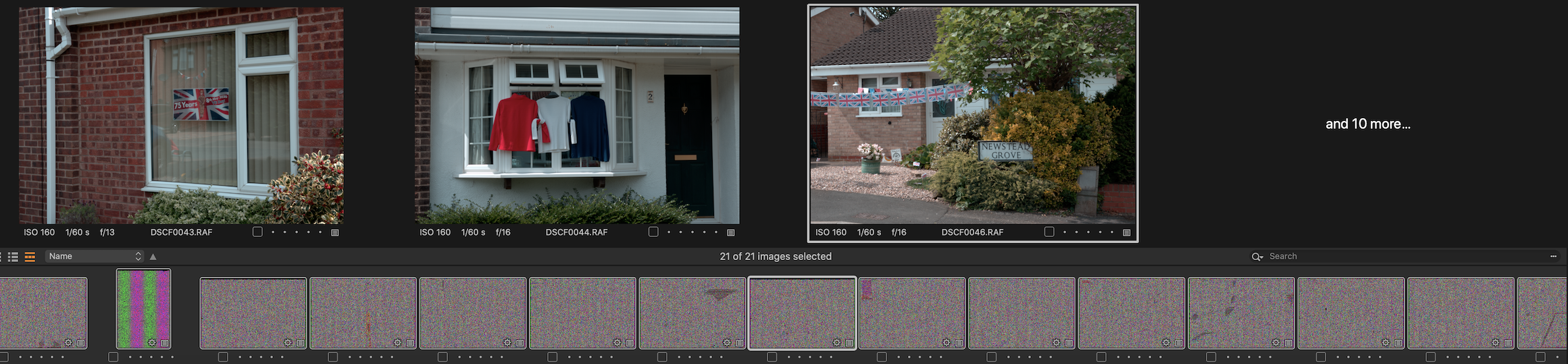
Anyone experienced the above problem where all the thumbnails images are distorted my camera is a fuji t4 my operating system is Catalina..The problem is still apparent on a windows 10 set up ,.My other camera which is a fuji t3 no problems.every thing is fine if using fuji Xraw studio & skylum luminar flex aurora HDR, in my humble option is that it is software related
-

Have you already tried regenerating the Thumbnails?
If that has not worked try setting the Hardware Accelerations to "None" in the Preferences and regenerate again. Does that make any difference?
0 -
Hi have tried both already with no luck
0 -

Can you delete the thumbnail files on your Mac file system (with Finder) to be sure the thumbnails are regenerated by C1? It's the .cot files.
On Windows the .cot files are under Cache\Thumbnails parallel to your catalo (assuming you use a catalog).
0 -
Problem solved .User error,drive dial was set on HD
0 -
Gerald,
Were you reading the files directly from in-camera in the screen capture? Or is the embedded jpg in a RAF file influenced by the drive dial setting in some way that C1 does not simply replace when the images are presented?
0 -

Hi there,
I have the same problem arriving just now. Suddenly. Maybe after some Mac OS update.I was looking for the drive dial. Could you help me by telling me where to find this setting?
Thx
0
Post ist für Kommentare geschlossen.
Kommentare
6 Kommentare