Export Bug? CO20

Hello,
I just updated to the latest CO20 version and it apperas to have a bug. (Capture One 20 Fujifilm).
After exporting my fujifilm raw file, some photos (jpeg) have a verticial line in the picture. Are there anyone with similar problems? In earlier versions it never happen before.
Thanks,
mamofoto
-

Try the same with hardware acceleration disabled - that cures in many cases image artefacts.
1 -
Use the search function of the forum if you want to find others with the same issue.
0 -

I had the same issue after CO20 update. (Capture One 20 Fujifilm for Windows build 13.1.0.162)
I tried disabling hardware acceleration, and it worked for me. (Need relaunch)
1 -

Same here, solved disabling hardware acceleration.
Anyway hope they'll fix the bug, the system is slower without.
Regards
0 -

Hi everybody !
I've got the same problem. I really hope that they will fix it very soon !
regards
0 -

Hi all,
I have the same issue that exports of Fuji RAW files to JPEG regularly come out corrupted. In my case it has nothing to do with hardware acceleration - it still occurs, no matter if it is active or not.
I have been in touch with the Capture One support and they have confirmed a bug, quote:
"I would consider this a bug and have already filed a report with all the details for the R&D team. I will place your ticket on-hold and will get back to you should we need any more information on this bug report. Unfortunately, we cannot comment when this bug will be fixed, but rest assured that it has been reported and will be looked into. We also cannot guarantee that this will be in the next service release, but we will do our best to roll out a fix as soon as possible."
Given that Capture One 21 has now been released, I am not sure if a fix will at all find its way into version 20, to which I just switched from Lightroom three months ago.
This means that a basic functionality of a RAW converter - exporting from RAW to JPEG - is broken. I need to check every single exported image. I have expressed my frustration regarding this situation but have not heard back anything since one week.
Just to make my issue clearer, here is an example of a corrupted export:
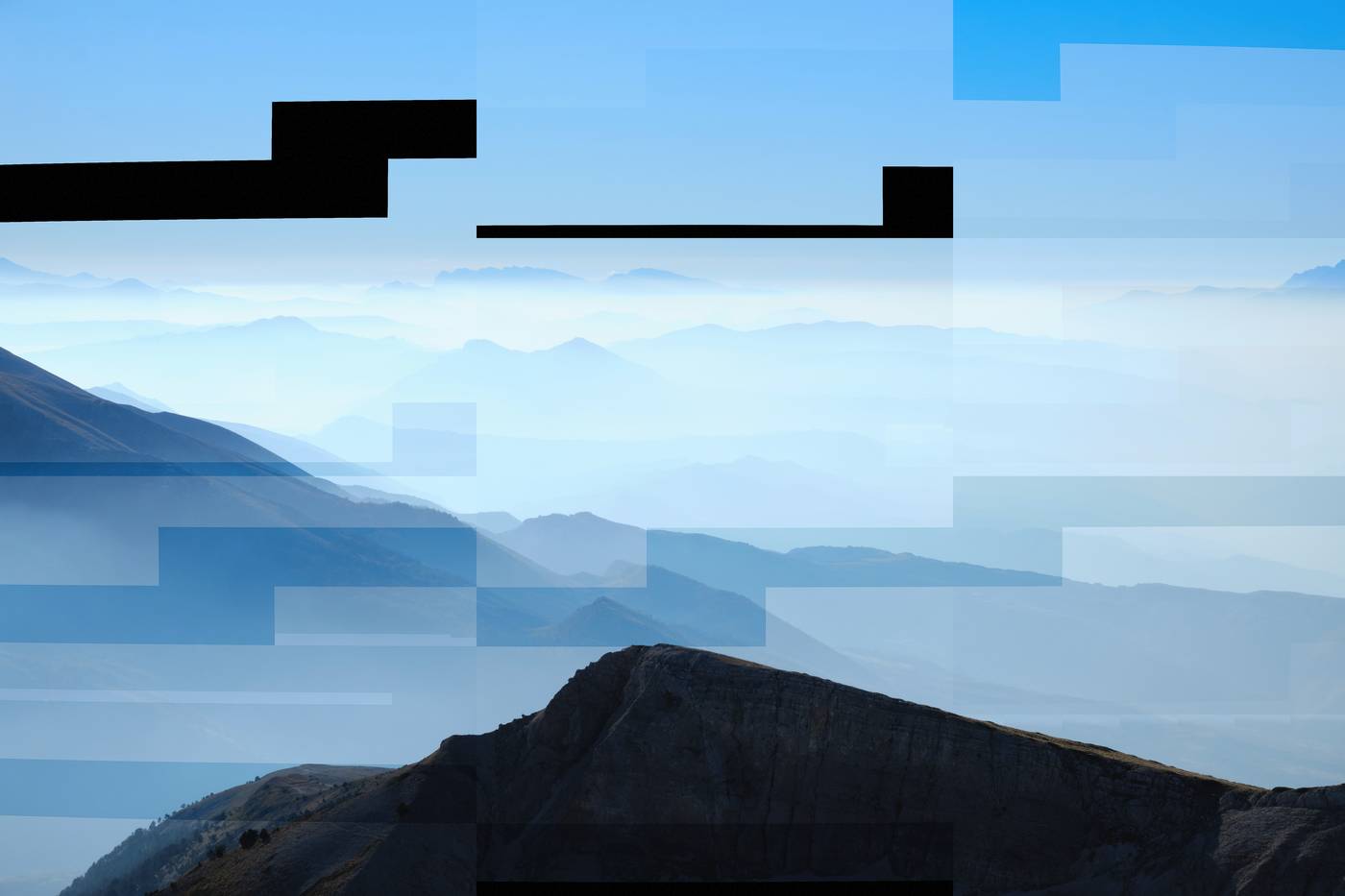
I strongly hope that this will be fixed for Capture One 20. Spending another 170 € only to get a working piece of software after just having bought it a few months ago is out of the question.
Oliver
P. S. I just noticed that this is a thread for the MAC version. My issue occurrs on a Windows PC. Sorry for using the wrong thread.
0 -

Oliver,
Have you already tried turning off the Hardware Acceleration option in the Preferences?
If not, try it to see what happens.
If the images look OK with Hardware Acceleration disabled check for a new driver for your graphics card.
If you already have the latest driver installed, try the one before it.
If your GPU is Nvidia check to see if the driver is a "Studio" variety.
Let's see where that takes you.
0 -
Hi SFA,
Thanks a lot for your quick reply. I appreciate your help.
Unfortunately, yes, I did try the hardware acceleration settings. Please see my post above: "In my case it has nothing to do with hardware acceleration - it still occurs, no matter if it is active or not."
I am running C1 on a notebook with a Nvidia GeForce 940MX and Intel HD Graphics 620.
As mentioned, C1 support did confirm a bug, but I will try your suggestion to check for a "Studio" variety for the Nvidia card and see if this will help. I will report back again and post my findings.
Thanks again for your quick reply!
Oliver
0 -
SFA, Thanks again for your suggestions. Unfortunately there is no Studio driver version available for my notebook Nvidia graphics card. Which means that I am unfortunately stuck with a software that can't do its main job - exporting images - reliably. At least on my hardware setup.
0

Post ist für Kommentare geschlossen.
Kommentare
9 Kommentare