Blurry Preview, during RAW editing in "fit to screen" view

Hello.
I'm trying the capture one pro software (30 days trial). I think it's a great program and I'm seriously thinking migrating from lightroom to capture one pro.
The only big problem I have with your software is that the preview of the photo during editing is truly blurry in fit to screen mode. instead if I zoom to 25% or more the image appears sharp.
if I reduce the size of the previews in the settings from 2560 px (as reccommended) to 1440 pixels end rebuild preview, the situation improves and I am able to mitigate the problem, in fact in this way in fit-to-screen mode image has the same sharpness as when I zoom at 25% or more. But in this way the program loads the preview with every little adjustment I made, making photo editing very slow.
I have this problem with either video acceleration enabled or disabled in captureone.
I also tried in windows display setting panel to scale the Display view from 125% as recommended by windows to 100%.
Unfortunately this problem persist.
Is there any way to solve this problem?
Thanks.
I apologize for my bad english
I provide more information about my system:
Windows 10 pro x64
Monitor: Main monitor:Benq PD2500Q + Secondo monitor: DELL U2515H both (2560x1440) resolution, connected with displayport.
CPU: Intel i7 6700k RAM:16Gb
GPU: Nvidia GTX 1070 TI with latest drivers.
Storage:
Operating system and capture one: Samsung 850 EVO 250Gb SSD
Temporany storage for editing + cache: Crucial ct500mx SSD
Storage WD 3Tb HDD + Seagate barracuda 4Tb HDD.
I use raw files (CR2) by Canon 6D and Canon 100D.
With 2560 px preview:
With 1440px preview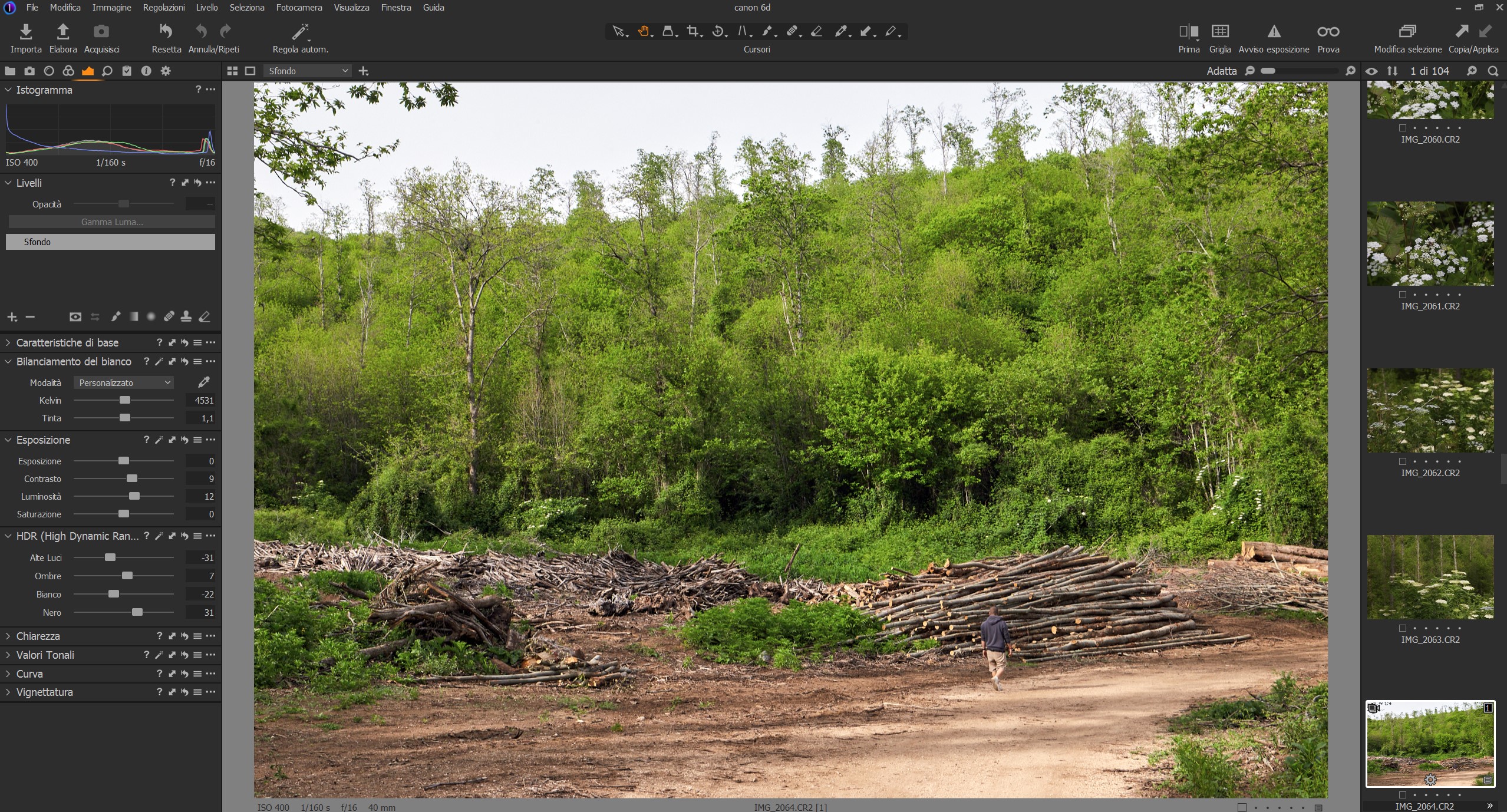
-

I have the same problem too. And i have seen it since i began using C1 with version 11.
From my current understanding the preview picture that C1 stores is lacking sharpness.
Especially on some monochrome-pictures i do also get terrible Artifacts in the preview pictures (regardless of the size i generate the preview-picture unless it is so small that it is not used).
Because do not like to always zoom in into my pictures to get a sharp picture on my screen i actually lowered the preview-size so that the preview-image is no longer used during normal work. The side-effect is - as you already mentioned - slowing down the work a little bit. But thats still better than a blurry picture to work with.
Maybe it's more visible on Displays with less resolution, i am currently using a resolution of 1920x1200. If the C1 designers are not regularly testing with this resolution i can understand that they do not see this problem.
Maybe a feature could be useful to not only set the size of the preview picture but also the compression/sharpness.
1 -
I agree with you. I am also used to working seeing the entire image, I rarely do a 100% zoom, maybe just to check if there is too much digital noise.
For this reason it is quite uncomfortable to work with an image that lacks detail in the preview because it does not allow me to correctly judge the image in the context.
At the same time I am used to working with an image that updates quickly, and with lightroom this is possible for me.
With your feedback, and also reading on other photography forums, I seem to understand that this is a common problem and that there has been a long time.
Too bad, because i believe capture one is an excellent software. it has many features that are not found in LR that I have been using for years.
What I was able to appreciate right away in Capture one is that it has a really good raw demosaic engine. in fact the RAW files already looks very good at the starting point.
The colors of image are more natural and pleasant to see. It also offers an excellent colors controls more accurate than HSL panel in LR. It has many cool things like level adjustament, Layers, more natural clarity, structure, customizable interface.
in short, with capture one I am discovering again the taste of post production.
I hope that in the future they will able to solve this annoying problem with the image previews system.
I apologize again for my bad English, but I think you understand that it is not my language.1 -

I had the same issue on my 2560px display. I reduced preview image size to 1440px without noticing any performance drops so far (isn't quality in most cases more important in an image editing software than performance?).
1
Post ist für Kommentare geschlossen.
Kommentare
3 Kommentare