Bug in Clone Tool?

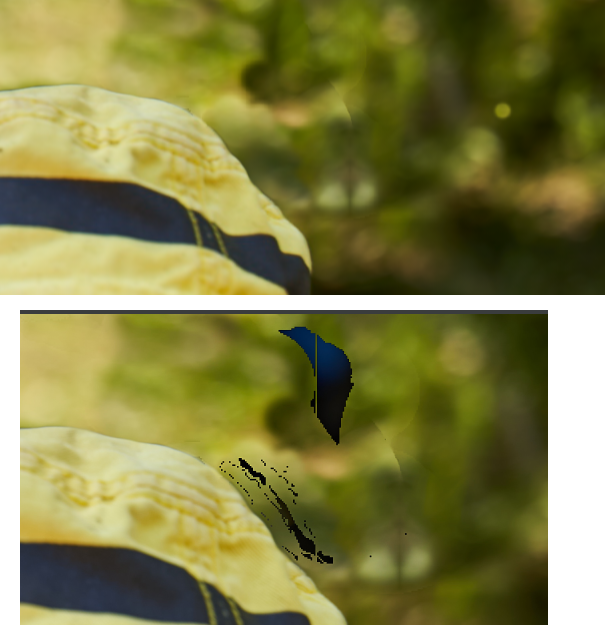
Using the new clone tool, I get some errors in the picture after exporting to JPG. I attatched a screenshot of the picture as it looks like in Capture One (top) and as it looks like in the JPG (bottom).
This error occured also in an other pictures, where I also used the clone tool.
It clearly looks like a serious bug. How can I avoid this?
-
I also tried with hardware acceleration disabled, but the artefacts remain. I cannot use the clone tool without getting these artefacts ... very bad.
Has anyone the same problem?
0 -

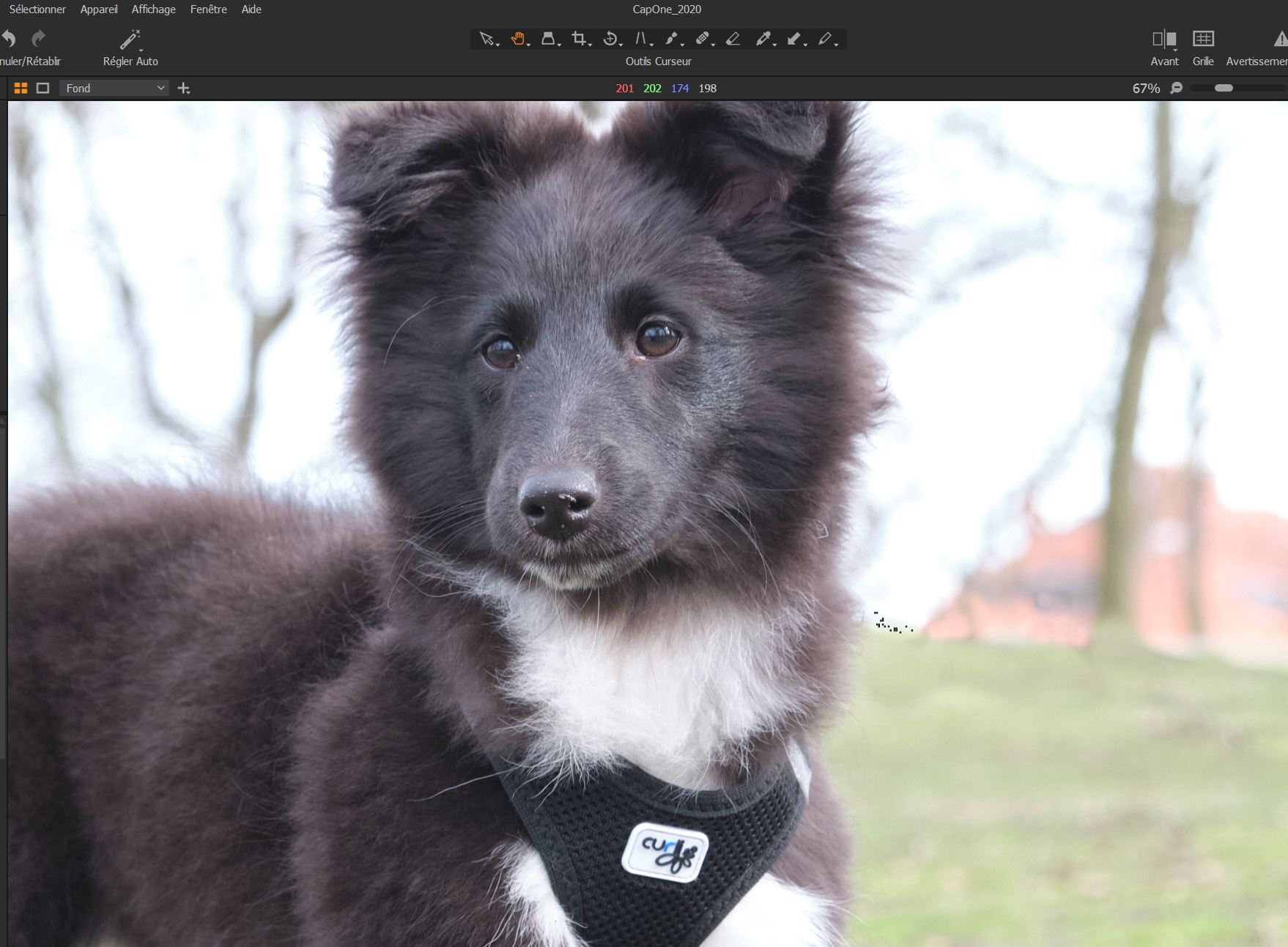
Hi, I've got the same proble and also when I close C1 and start it again, some pictures where I used the clone brush are getting this artefact. Very annoying.
did you get a feedback?
0 -

I just tested looking for the error and could not duplicate. It might be helpful for you both to list your OS and C1 version. I am using the previous release of C1 (13.1.0.162) on Windows 8.1
0 -
I am using C1 Version 13.1.1.32 on Windows 10. The error also occured with the previous version 13.0.1.xx
I always get artefacts when using the clone brush on a rather big area. The artefacts are visible on the exported picture and in C1 after restart (but not before restart, during initial editing). It seems to be the same as reported by Aymeric.
I also disabled hardware acceleration (OpenCL), but it did not help.
My current workaround is as follows:
1. export the edited picture
2. check for artefacts
3. make a screenshot of the picture in C1 (scaling 100%). The artefacts are not visible in C1 before restarting.
4. repair the artefacts with another tool using the screenshot (e.g. with Paint.net)
--> quite annying, but it works somehow0 -
I'm using C1 version 13.1.0.162 with windows 10, if you keep restarting C1 and each time the problem is still there you correct it, it may be ok at some point... But this is not a solution
 0
0
Post ist für Kommentare geschlossen.
Kommentare
5 Kommentare