blurry previews doesnt match export

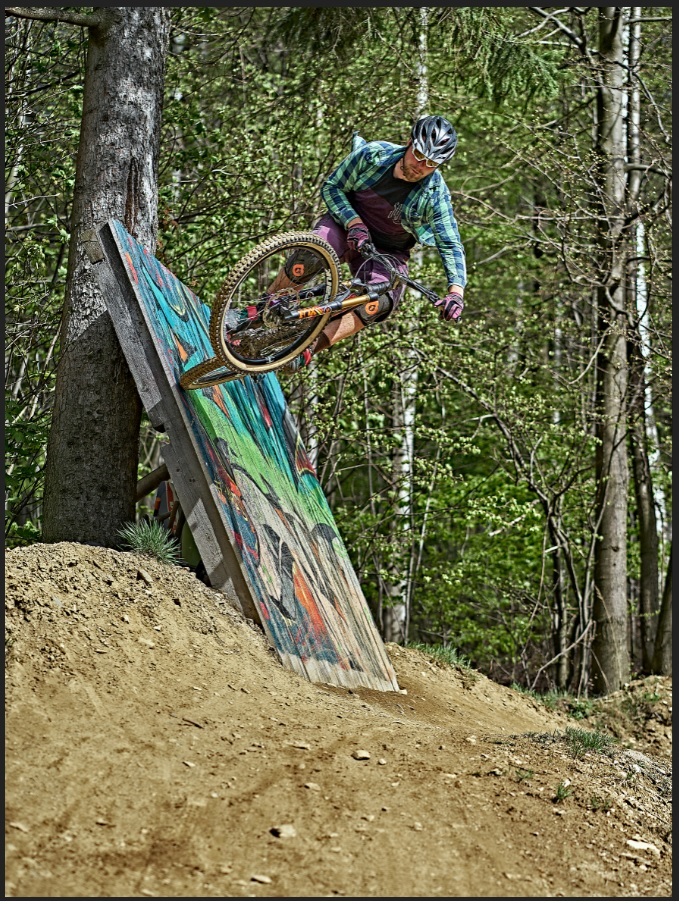
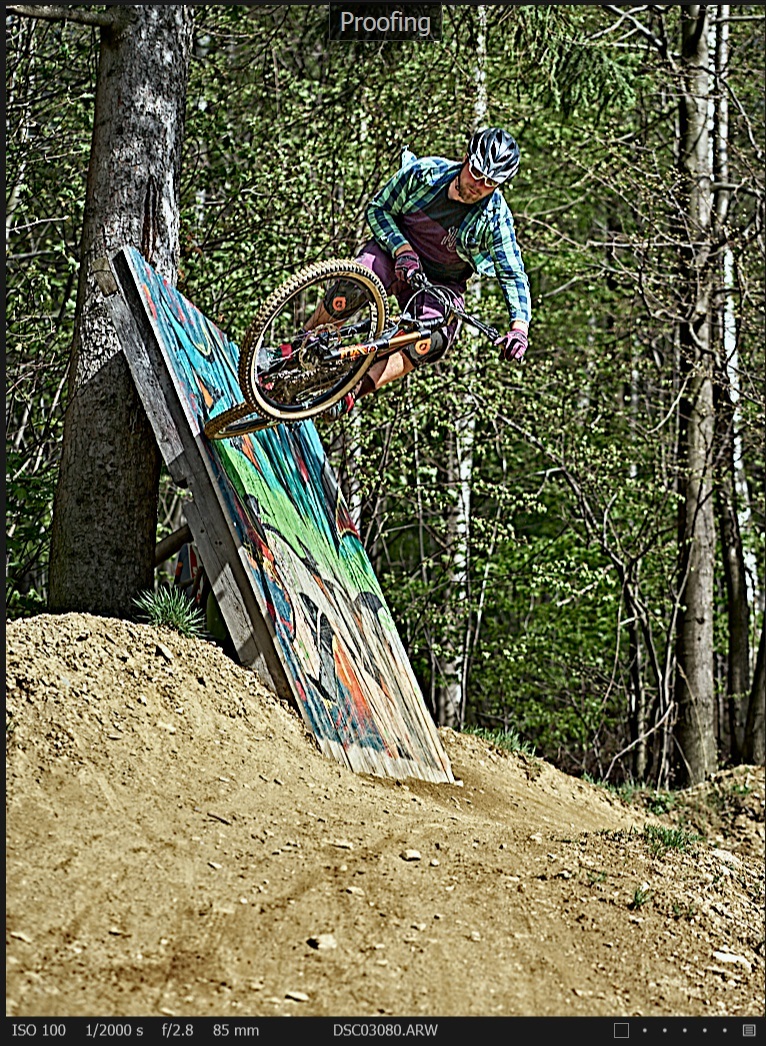
-

Is the image actually blurry or is the preview making it so?
Anyway looks like you have a lot of output sharpening going on.
Check the type and amount of output sharpening you have set for the process recipe (under Process Recipe Tool - Adjustments) you are using while proofing.
0 -
Picture is actually very sharp, only the preview is making it look so blurry, no matter if proofing is on or of.
First picture is export of second picture, which is quite funny as they look obviously very different.
0 -
Check in Edit - Preferences - Image - Preview Image Size that you don't have a too low preview resolution set there. It should be set to at least monitor resolution.
0 -
Did you try to regenerate the preview (F5)?
0 -

Same problem. Is there any solution. Tried everything.
0

Post ist für Kommentare geschlossen.
Kommentare
5 Kommentare