Loss of Plug-ins in C1 20 build 13.1.1.31

Thanks, Alex. Exactly my experience too.
I hope that Phase One will sort this out very soon.
Terry
-

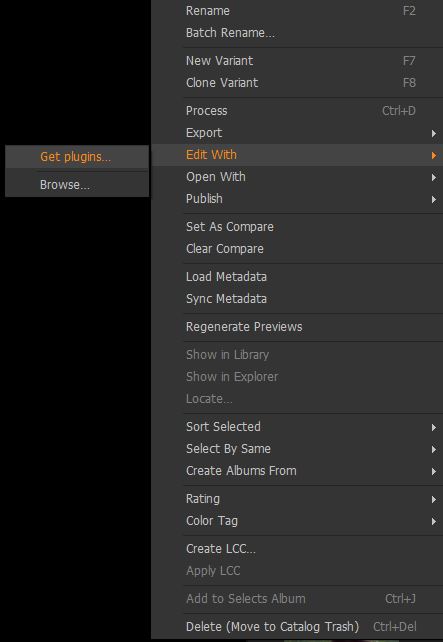
I'm facing the same problem too, there used to be photoshop and now it's just missing from the menus
 3
3 -

I am having this problem too.
0 -
I just submitted a tech support about this.
0 -

Same problem here. I sent a bug report to :
Hi,
[running Windows 10 Pro 1909]
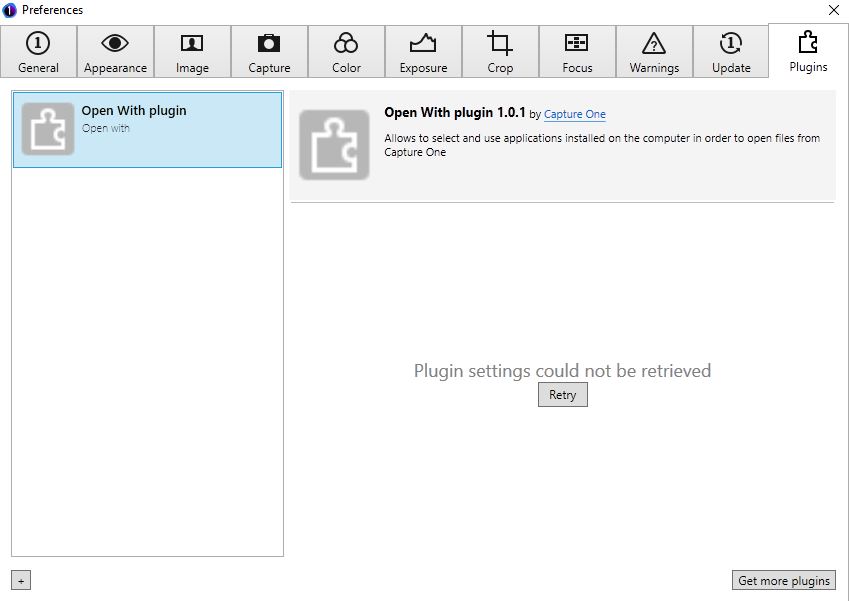
After installation of C1 version 13.1.1.31, the OpenWith plugin fails with the following message :
Plugin settings could not be loaded.
There was no problem before.
The log file says :
[2020-06-23 16:06:17.720][000][ID:001, ]{APPL } | Application started, version PluginHost 1.0 - Located at: C:\Program Files\Phase One\Capture One 20\P1.C1.PluginHostProcess.exe
[2020-06-23 16:06:17.720][000][ID:001, ]{APPL } | Running on Microsoft Windows NT 6.2.9200.0
[2020-06-23 16:06:17.736][015][ID:001, ]{PLUG } | InitializationStarting
[2020-06-23 16:06:17.736][000][ID:001, ]{LOG } | Log file initialized.
[2020-06-23 16:06:17.736][000][ID:001, ]{PLUG } | Parameters: C:\Program Files\Phase One\Capture One 20\Plugins\OpenWith BuiltInOpenWithPlugin com.captureone.openwith
[2020-06-23 16:06:17.736][000][ID:001, ]{PLUG } | Discovering...
[2020-06-23 16:06:17.736][000][ID:001, ]{PLUG } | Discovering from path: C:\Program Files\Phase One\Capture One 20\Plugins\OpenWith with entry point: BuiltInOpenWithPlugin
[2020-06-23 16:06:17.736][000][ID:001, ]{PLUG } | Dlls discovered: C:\Program Files\Phase One\Capture One 20\Plugins\OpenWith\OpenWithPlugin.dll C:\Program Files\Phase One\Capture One 20\Plugins\OpenWith\P1.C1.Framework.Native.dll C:\Program Files\Phase One\Capture One 20\Plugins\OpenWith\P1.C1.Localization.dll
[2020-06-23 16:06:17.820][084][ID:001, ]{PLUG } | Discovery OK
[2020-06-23 16:06:17.820][000][ID:001, ]{PLUG } | Creating a new instance...
[2020-06-23 16:06:19.522][701][ID:001, ]{PLUG } | Starting service...
[2020-06-23 16:06:19.541][018][ID:001, ]{PLUG } | Adding host at: net.pipe://localhost/PhaseOne/Plugins/com.captureone.openwith/P1.C1.Plugins.Common.Wcf.IPluginHostOpenWith
[2020-06-23 16:06:19.558][016][ID:001, ]{PLUG } | Adding host at: net.pipe://localhost/PhaseOne/Plugins/com.captureone.openwith/P1.C1.Plugins.Common.Wcf.IPluginHostSettings
[2020-06-23 16:06:19.560][001][ID:001, ]{PLUG } | Service started...
[2020-06-23 16:06:19.560][000][ID:001, ]{PLUG } | Plugin initialization completed
[2020-06-23 16:06:19.560][000][ID:001, ]{PLUG } | InitializationOk: P1.C1.Plugins.Common.Wcf.IPluginHostOpenWith, P1.C1.Plugins.Common, Version=1.0.0.0, Culture=neutral, PublicKeyToken=45b76d0ca35b690a| P1.C1.Plugins.Common.Wcf.IPluginHostSettings, P1.C1.Plugins.Common, Version=1.0.0.0, Culture=neutral, PublicKeyToken=45b76d0ca35b690a
[2020-06-23 16:06:28.854][293][ID:011, ]{PLUG } | GetOpenWithActions -> keys: .tif, values: 1
[2020-06-23 16:06:28.854][000][ID:011, ]{PLUG } | Exception when trying to get result from the plugin - called from: GetOpenWithActions. Value cannot be null.
**| Parameter name: argDisplayName
[2020-06-23 16:06:28.876][022][ID:012, ]{PLUG } | GetOpenWithActions -> keys: .tif, values: 1
[2020-06-23 16:06:28.876][000][ID:012, ]{PLUG } | Exception when trying to get result from the plugin - called from: GetOpenWithActions. Value cannot be null.
**| Parameter name: argDisplayName
[2020-06-23 16:06:34.909][033][ID:008, ]{PLUG } | GetSettingsAsync
[2020-06-23 16:06:34.909][000][ID:010, ]{PLUG } | Exception when trying to get result from the plugin - called from: GetSettingsAsync. Value cannot be null.
**| Parameter name: argId
[2020-06-23 16:06:43.665][755][ID:009, ]{PLUG } | GetSettingsAsync
[2020-06-23 16:06:43.665][000][ID:007, ]{PLUG } | Exception when trying to get result from the plugin - called from: GetSettingsAsync. Value cannot be null.
**| Parameter name: argId
[2020-06-23 16:07:15.175][510][ID:016, ]{PLUG } | GetSettingsAsync
[2020-06-23 16:07:15.175][000][ID:017, ]{PLUG } | Exception when trying to get result from the plugin - called from: GetSettingsAsync. Value cannot be null.
**| Parameter name: argId
[2020-06-23 16:07:17.899][723][ID:013, ]{PLUG } | GetSettingsAsync
[2020-06-23 16:07:17.899][000][ID:017, ]{PLUG } | Exception when trying to get result from the plugin - called from: GetSettingsAsync. Value cannot be null.
**| Parameter name: argId
[2020-06-23 16:29:34.381][482][ID:007, ]{PLUG } | GetSettingsAsync
[2020-06-23 16:29:34.381][000][ID:010, ]{PLUG } | Exception when trying to get result from the plugin - called from: GetSettingsAsync. Value cannot be null.
**| Parameter name: argId
[2020-06-23 16:35:27.771][389][ID:014, ]{PLUG } | GetSettingsAsync
[2020-06-23 16:35:27.771][000][ID:009, ]{PLUG } | Exception when trying to get result from the plugin - called from: GetSettingsAsync. Value cannot be null.
**| Parameter name: argId
[2020-06-23 16:35:37.055][284][ID:017, ]{PLUG } | GetSettingsAsync
[2020-06-23 16:35:37.055][000][ID:008, ]{PLUG } | Exception when trying to get result from the plugin - called from: GetSettingsAsync. Value cannot be null.
**| Parameter name: argIdThe ridiculous OpenWith plugin story has now lasted for too long. I guess it's now time to definitively re-design the management of external editors in C1. We are telling you since years that the current approach is wrong. Just listen. If the developer in charge is too stubborn and insists on using this registry scanning strategy, just replace him.
1 -

Hi Samoreen
As Capture One have consistently refused to officially recognise the problem I wouldn't hold your breath for a real solution.
The situation is really getting rather silly over this issue. Whoever is responsible for refusing to fix this issue obviously knows where the bodies are buried and appears to be untouchable:-(
Ian
0 -

Hi everyone,
on my laptop, the call to "Open With" freezes C1 without an error message! Moreover, it's impossible to regain control and even the task can't be killed.The laptop had to be restarted abruptly. Then C1 refuses to start!Back to the previous version! I'm tired of this recurring problem!
There's no way I'm polluting my production PC with this wrong update. :(
0 -

No problem here running Win 7 and the 13.1.1 release.
Mentioned just for reference purposes.
0 -

"No problem here running Win 7 and the 13.1.1 release. Mentioned just for reference purposes."
You should have kept quiet. Now they'll break yours too.
0 -

Same problem for me.
Windows 10 Pro, Version 2004, Build 19041.329
0 -

Some problem for me .... Does anyone has a solution already ???
0 -
If we had one, it would be already published. We are all waiting for a fix from P1.
0
Post ist für Kommentare geschlossen.
Kommentare
11 Kommentare