Odd behavior using heal brush

Using C1P version 13.1.1.24 on a MacBook Pro running Catalina 10.15.5 and seeing occasional odd behavior using the healing brush. Here is a portion of the photo I am trying to heal:
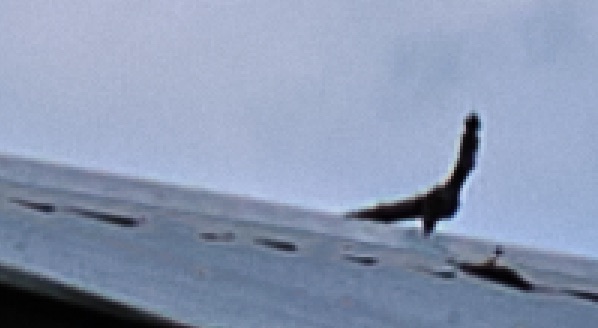
And the result using the healing brush:
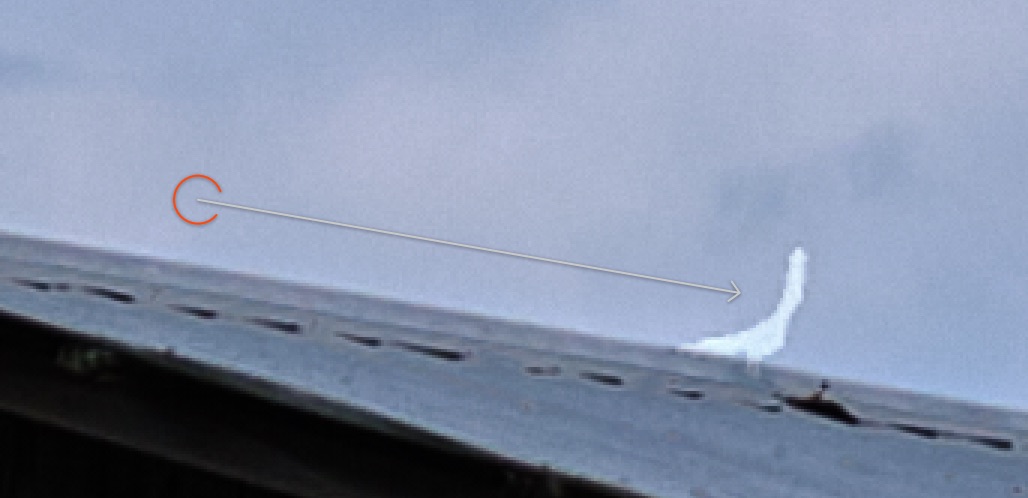
It is selecting the proper area, but filling it with near white regardless of where I set the source point. It is healing other points in the same photo very nicely - can't tell that I've used the healing brush at all.
I have deleted the heal layer and recreated it and it does the same. The same correction in a different photo of the same barn doesn't exhibit the issue. Any suggestions?
-
There was a live tutorial where this happened to David Grover - you can see it here https://youtu.be/ZEhVW8HWd_c at about 14:45. Also in the comments he posted a link to another short video here https://youtu.be/HBjhiXBktkg explaining the cure for it. Less than 3 minutes.
(I thought the problem was supposed to have been fixed in the latest update, though. Perhaps you should report it to Support if you are still seeing the problem.)
Ian
0 -

Hi John,
I have the same issue, mostly when I want to move the source point chosen by Capture One : the target becomes brighter than expected. I submitted a case a fortnight ago, had an exchange with André, from the staff, who told me that it was because the Nvidia GPUs were no longer supported by Apple :o
I disabled accordingly the hardware acceleration, without any success. So, I use the healing brush as it goes, but when I have some problem, I have to leave the workflow and work with Photoshop or Affinity Photo. It's a pity....
And no, Ian, it hasn't been solved with the latest update.
0 -

I've seen something like this using windows but only where the change to be made is quite extreme in some part of the detail.
In one example that came to mins there has also been some significant revision of settings for exposure or brightness or similar (I don't recall exactly at this moment) in the areas to be changed and from which the "fix" was selected.
Basically the particular healing attempt was probably not a very suitable healing target. However as I recall cloning faced some similar challenges for what I was trying to do.
How precisely did you mask the object to be removed? Did you try a larger masked area?
0 -
Hi SFA,
Cloning works quite well, and the issue is only with healing. I have tried larger or smaller areas for the target, but no way. And I selected a new source because the one selected by Capture One was not that good to me.
0 -
Thanks all.
Ian, moving the layer and recalculating the Luma Range did the trick. Somehow I missed that quick edit episode with David. I Try to catch them all.
0

Post ist für Kommentare geschlossen.
Kommentare
5 Kommentare