"Clipped pixel cluster" slider
Implemented
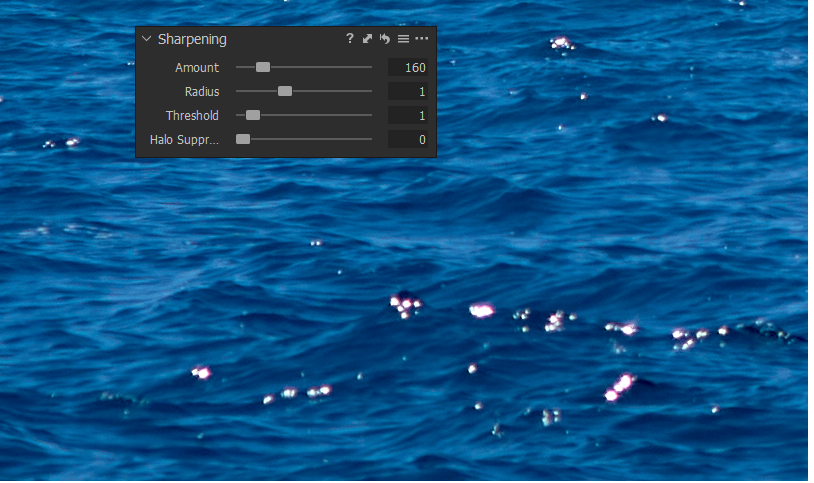
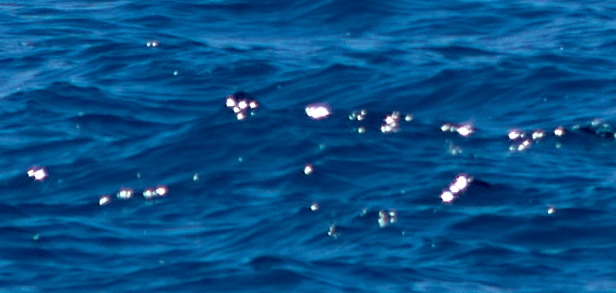
I often have a cluster of clipped pixels, mainly from strong light source reflections, e.g. sun reflections of wet surfaces or from moving sea waves.
These pixel clusters have high luminance values and look unnaturally "digital" or "edgy", even with only the standard input sharpening from C1.
Examples from a NEF and an ARW file follow below.
Others (in the forum) have reported micro-reflections from painting on canvas surfaces, and here the desire is the complete elimination rather than maintaining a natural look.
It is not that the demosaicing algorithm of the raw file is not good, on contrary, these cluster blend into their neighborhood quite softly, but ONLY if the input sharpening is set to zero.
Of course we want input sharpening C1, as well as creative and output sharpening, not using sharpening is not an option.
Further editing with other tools like contrast increasing does tend to make it worse. Particulary, the clusters tend to get more edgy (more pronounced as sharpened, more rectangular because the smooth fading gets lost).
The Noise Reduction single pixel slider works nicely on single pixels or up to about 4 pixels clusters, to my observation at least, but these clipped pixel clusters I am talking about are bigger than 4 pixels.
So, the request is to provide a possibility to smooth out these clippled pixel clusters, so that they don't look as pronounced no matter what other tools are used in C1, and even reduce the clusters' size by smoothing them out so that they fade / blend into their neighborhood or even completely vanish (e.g. depending on the selected slider value).
If one slider is sufficient or if a threshold slider is needed in addition I don't know.
Using layers masks, including Luma Range, does not help much, as any tool applied to such a mask mostly creates more artifacts than they can heal.
Healing/Cloning such numerous small clusters is way too tedious.
Please note I have found a filter in GIMP which seems to work quite similar to what I request (if the clusters are not too big) and similar to the single pixel slider in C1 if the latter is applied to 4 pixel clusters. This filter is in GIMP under Filters/Distorts and its name is "Value Propagate" in mode "more black" (https://docs.gimp.org/2.10/nl/gimp-filter-value-propagate.html).
Examples:
NIKON Z7:
NEF file, unadjusted, not overexposed:
(orange boxed areas contain clipped pixel clusters from sun reflections)
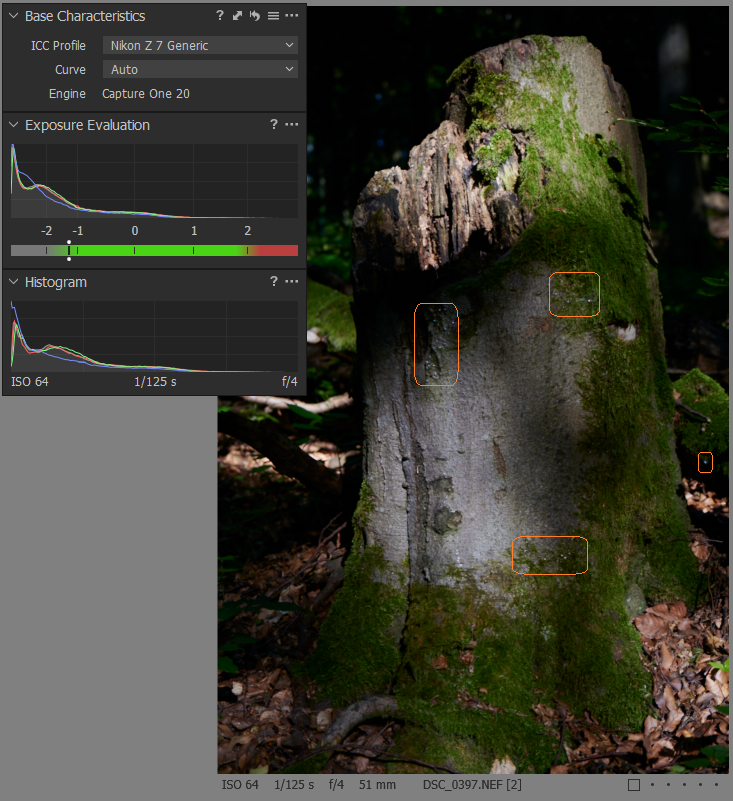
In the following I show crops at varies zoom levels.
-
Auto-adjusted Exposure and Levels100% view
Left: Sharpening set to ZERO, Right: standard sharpening (120)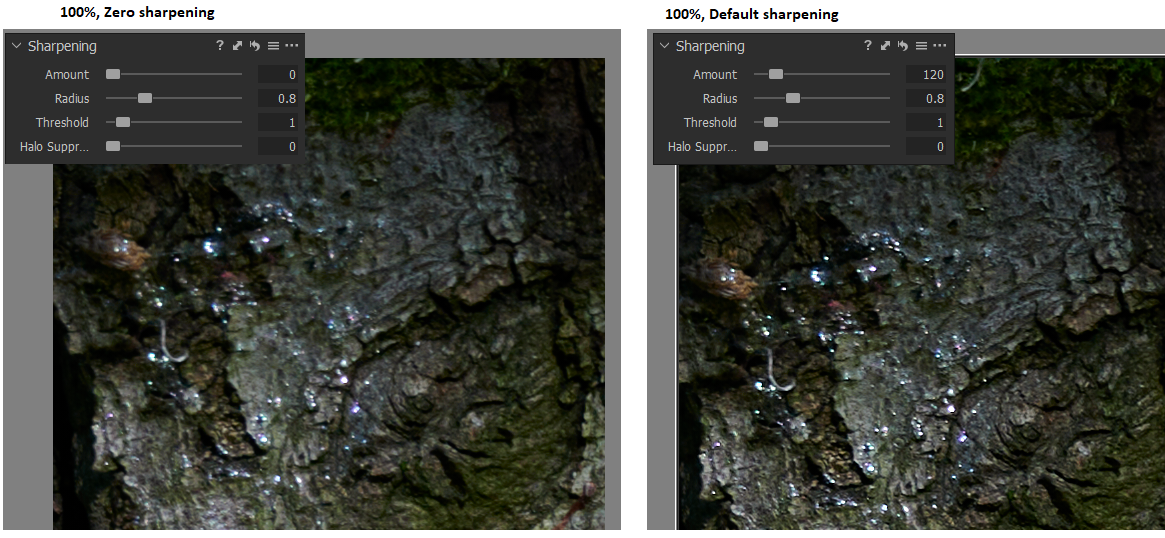
400% view
Left: Sharpening set to ZERO, Right: standard sharpening (120)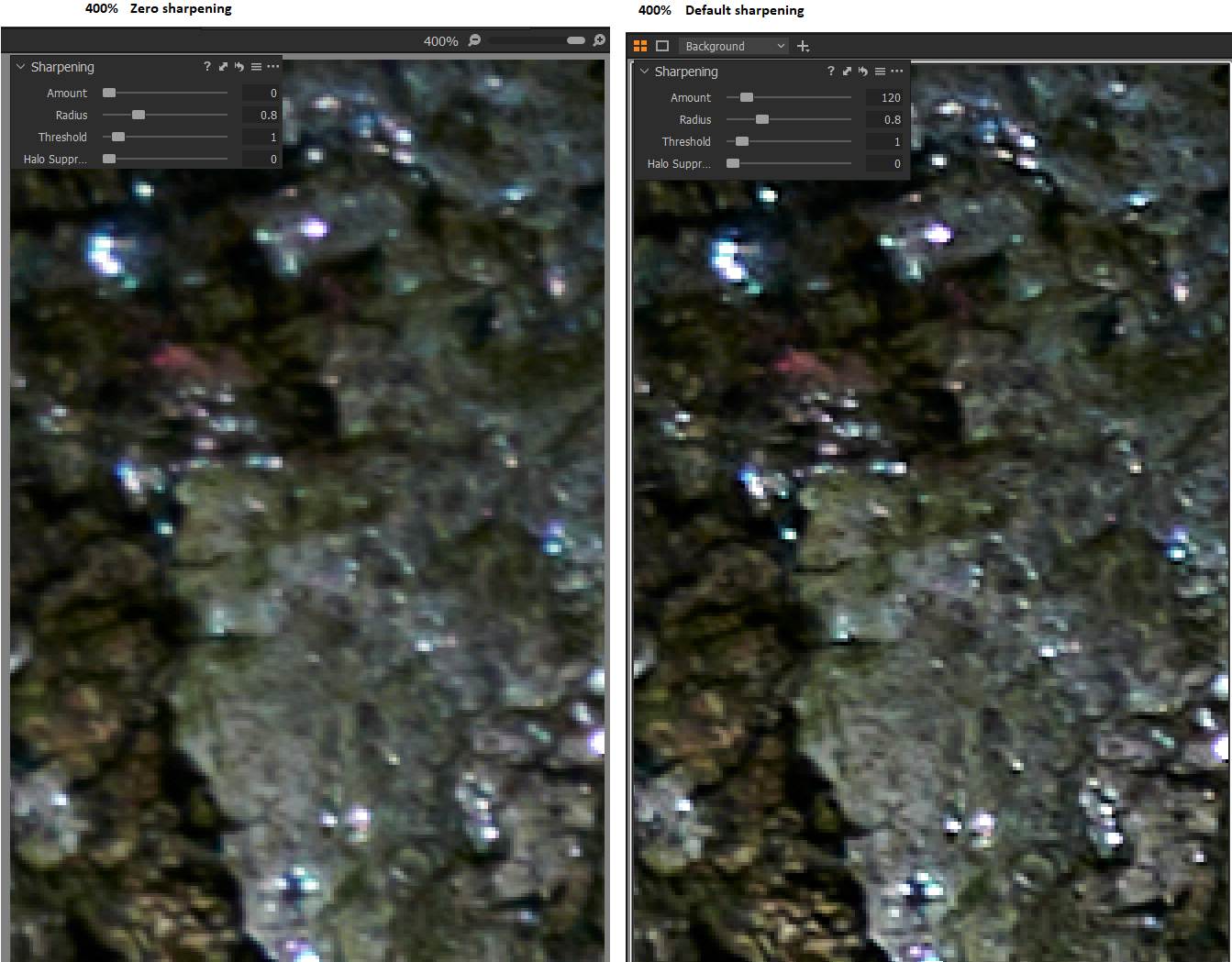
(and it gets more edgy if you'd sharpen more)
0 -
Now with single pixel slider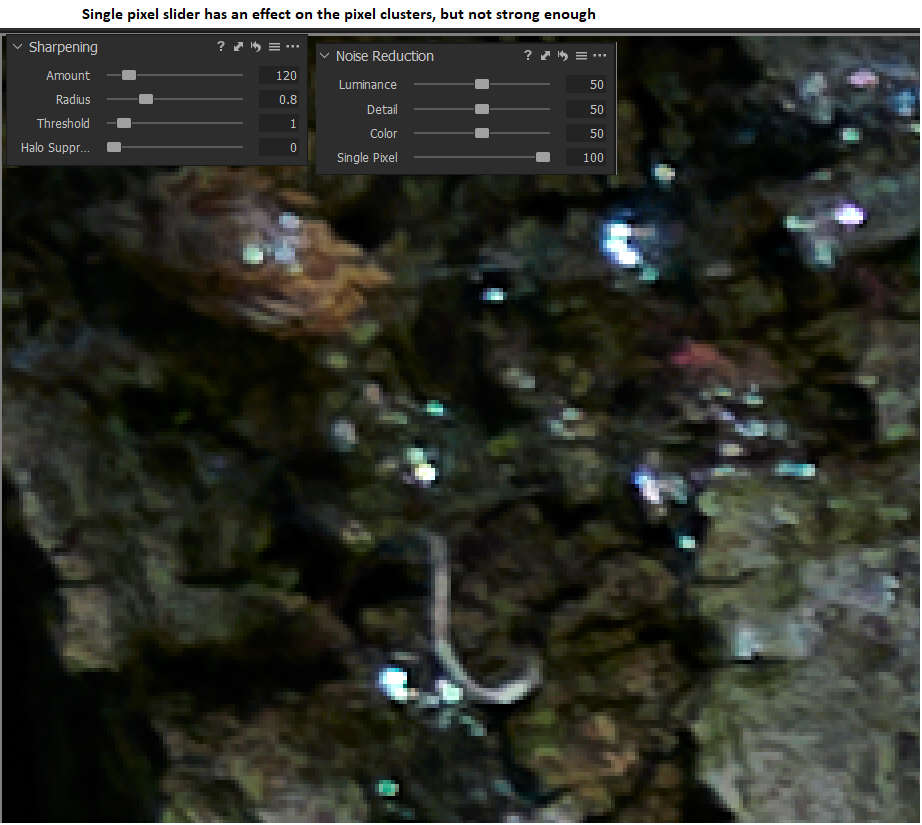
Sony ARW file with legacy lens:
Sun reflections on waves
Thank you
BeO
0 -

photoshop for example have option to control the amount of sharpening in highlights and shadows in a simple UI dialog ... as a further development of C1 it will be nice to give users __OPTIONS__ (if you want to see it - you switch on, if you don't - you switch off) to show extra set of sliders for (A) sharpening, (B) noise reductions (color & luma separately) __AND__ (C) grain (and may be for other tools like clarity too !) to control the amount for "shadows" , "mid-tones", "hi-lights" w/o going into complexities of layers and masking... we have something like this in "Color Balance" tool for toning... may be C1 does it behind the scenes - but giving users (who need it in Pro version) explicit options is always great !
1 -

You have some Purple Fringing in the last sample image. How old is the legacy lens?
0 -
Have you tried the adjustments with the Curve set to Linear?
0 -
Have you tried the adjustments with the Curve set to Linear?
0 -
Yes Grant, indeed :-), the sea water was shot with a Contax Carl Zeiss Sonnar 135mm f/2.8 T*
This image is not the final edit, just exposure adjusted, to show the principle problem with clipped pixel clusters, which in principle should be lens-independent.
Purple Defringe tool set to 100:
The image of the tree stump was shot with a modern lens though (Nikkor 24-70mm f4 S).
Linear Curve didn't not heal the digital look of the clipped pixel clusters, when exposure and contrast is adjusted, and default sharpening applied.
0 -
I have an old (early 1980s) Canon 600mm lens that enjoys a healthy dose of purple fringing and highlight blow out in certain types of bright sun-lighting - especially if the light source to lens direction is at an angle of something like 30 to 60 degrees off the axis for the lens direction to the subject AND the subject offers some good sources of possible light.dark boundary action. Anything chromium plated and in direct sun light is guaranteed to have a lovely pink/purple glow around the burned out central point where the sun glints!
It seems to be mostly a lens age thing based on technology differences.
The Defringe tool seems to have produced a decent result. I see the same although of the reflected area is particularly large he width of the fringe can be enough to defeat a complete correction. Such situations also tend to have a lot of pink rather than purple so I suspect the effect may be reduced to protect the rest of the image!
I mentioned Linear in order to provide as much potential recovery as possible without have to battle with any of the adjustments already applied related to the chosen Curve. I find it helps with my needs but certainly does not eliminate the problem.
I think the difficulty with a requirement like art reproduction is that the end requirement does not usually allow the photographer to engage in their own "artistic interpretation". By that I mean that adjusting something in an image to get rid of an imperfection as a photo is to the creator's perception whereas copy someone elses work for them (or for whoever now owns the piece) as a record of the item usually demands as much accuracy as possible., So, for example, blurring a section of the image, no matter how little, to hide something that has been made more obvious during the photographic exercise may not be acceptable. Even if we are talking something like blurring a few areas that might mean some brush strokes are less distinct in the photo than the are on the painting.
That kind of thing. It might be acceptable - but in other situations not acceptable to the client.
As for sharpening - I guess one would want a mid-tones selection to avoid the dark/light boundary BUT if there is some form of fringing present it is likely to be mid tone anyway ... challenges, challenges.
0 -

Hi BeO,
Thank you for the feedback on Capture One and suggestions for further improvement of the software.
We take those comments on board as something to consider in future versions of Capture One.
0
Post ist für Kommentare geschlossen.
Kommentare
9 Kommentare