Thumbnails stop displaying until restart

I have quite a large catalog, portions of it imported from LR, and portion imported straight to C1 (always using Import to Disk).
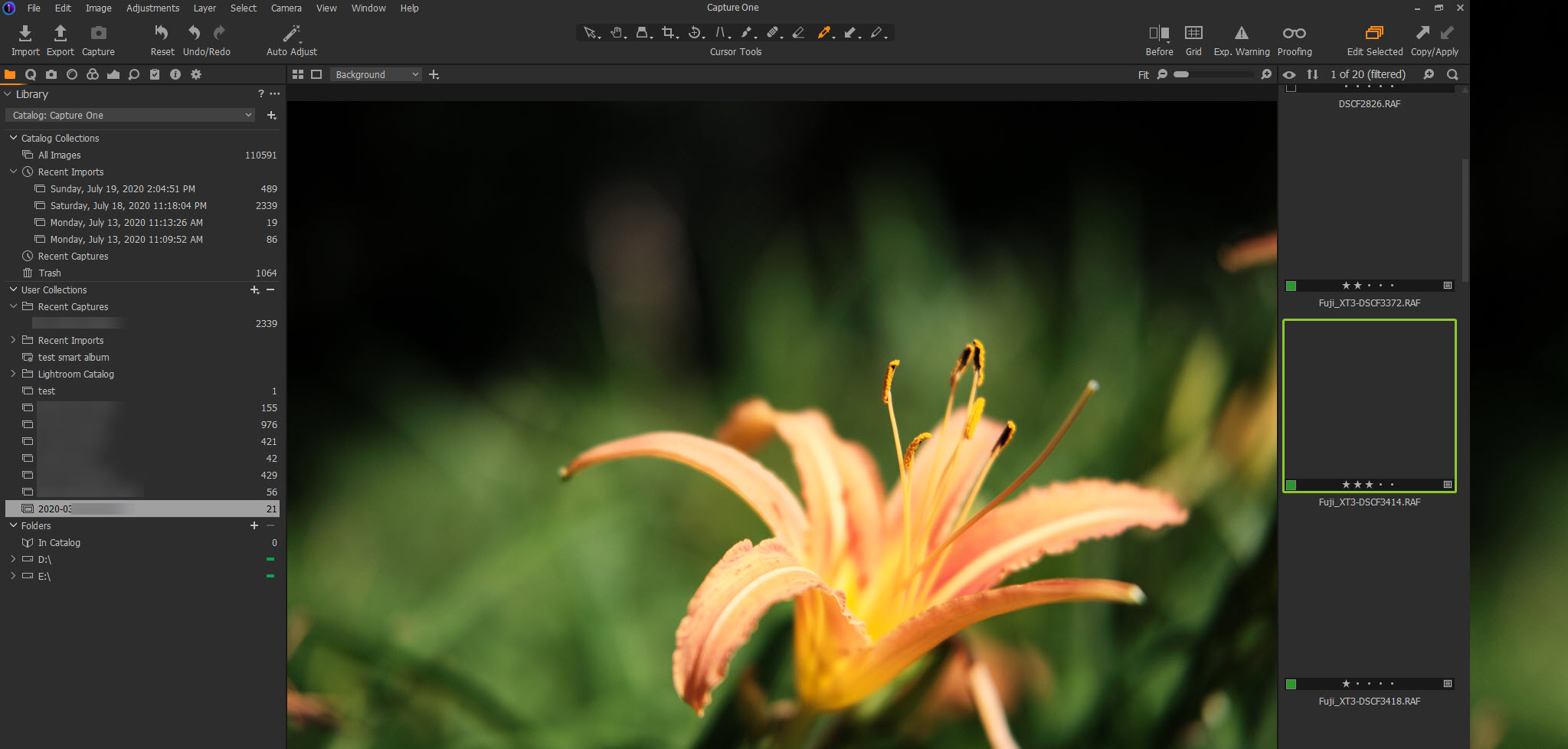
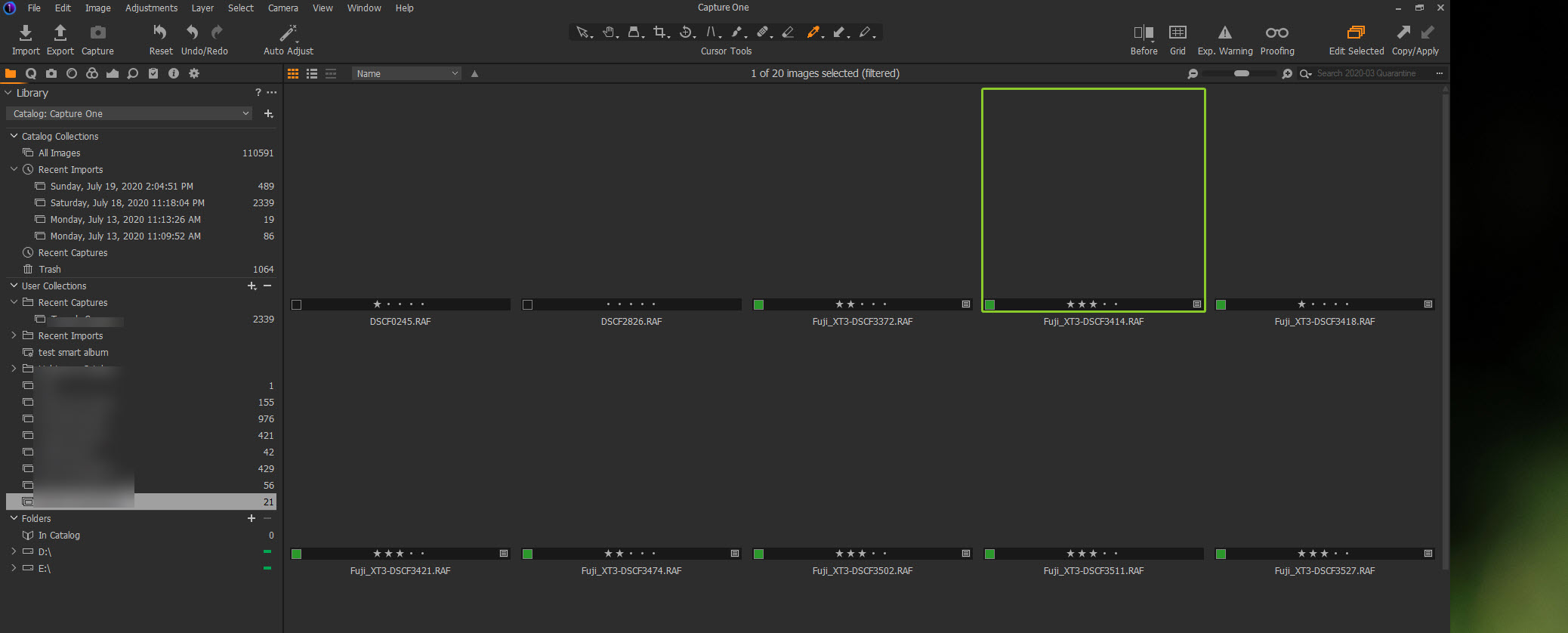
Very often, while in the middle of working with some pictures, all of a sudden all thumbnails stop showing. It gets fixed by restarting, but its happening almost every time I sit down to work on C1.
These are pictures that had thumbnails, and after moving from one folder to another and back (folders within C1) they all stop showing thumbnails.
I can still work on images, but none (even the currently selected one) will display thumbnails until restart.
As for the computer, its running windows 10 (up to date), has Intel Core i7 with 16GB RAM and 1TB SSD with plenty of space.
-

The Thumbnails will normally be held in active RAM memory in the machine. So this would, normally, be a display refresh problem although if for some reason you were working with very full memory allocation across all open application in the machine that might be a problem.
I still use Windows 7.
Very rarely I might see something like this, especially when working from and external drive, in particular a NAS drive. Usually it only occurs when my overall system memory usage is nearing the available capacity.
As you have found a restart usually helps since the temporary files and internal working of both C1 and Windows should have been cleaned up. Sometime the Windows cleanup requires a re-boot to be fully effective. In that case i often go through 2 or 3 system reboots since my Win 7 installation seems to manage to clear up a bit more from the temporary files area with each restart.
It's worth trying as it is something you can do quickly.
Beyond that I assume you are using Win 10 and I have no experience working with that version. Plus I normally use sessions not catalogues so there is a chance that my memory demand for thumbnail management involves fewer file to manipulate and select from when filtering and thus the processes are, perhaps, not directly equivalent.
I suggest you try the above and of the problem persists or recurs frequently use the "Submit a request" option at the top of most of the Community Support system pages to ask for technical assistance and send your log files to C1 for analysis.
HTH.
0 -

Giordano,
I have also converted to C1 from LR and had this exact problem over the weekend. I discovered the issue would happen when I visited a folder in my catalog that had certain DNG files imported in it. In my specific case, they were DNG's created by the HDR capability in LR.
In order to fix the problem I had to (1) move or delete the DNG files so that C1 could not find them and (2) then visit the catalog folder with the DNG's and remove them from the catalog. After so doing - bingo - no more problem showing the thumbnails. I was alerted to the DNG issue via C1's event log, which gave me an error every time I went to a folder with certain DNG's in it.
Further, once the issue happened, C1 appeared to refuse to properly display all the thumbnails from ANY folder in the catalog, even those that did not have offending DNG's - so I would have to restart C1. I'm not saying that ALL DNG's are problematic (C1 does support DNG) - I only know that certain ones are - and I'm not sure what the specific DNG issue is. I hope this helps.
Cheers
Jerry
1 -
Thanks for the feedback Jerry and HTH.
I do have some HDR DNGs created with Lightroom inside my catalog so this may the issue I'm experiencing. I will try to comb the catalog and come back to follow-up.
KR
Gio
0 -
Solution confirmed.
Since I had many DNG but can still work with them from LR, I decided not to go one by one but eliminate all of them from C1.
Did a global filter for all DNG files, deleted them from the catalog, and restarted. This seems to have worked as I cannot replicate losing the thumbnails anymore.
Thanks again Jerry!.
0 -
You are quite welcome Giordano - glad to be of assistance. A tip for the future: check the event log under menu item: Window/ Event Log when something like this happens - sometimes it gives a good clue for where to start looking when you have a problem.
Now I hope Phase One reads this thread and gets to the bottom of whatever this issue is!
Cheers!
Jerry
0 -
Jerry, Giordano
You can do better than just hope that the C1 team will read this forum thread by creating a Support Case and registering the problem and the solution as a problem to be fixed, providing log files to work with, etc.
Just use the "Submit a request" option at the top ot most Community pages and select the appropriate option to create an error report.
Personal service provided for full diagnosis and a much improved chance of an early correction.
HTH.
Grant
0
Post ist für Kommentare geschlossen.
Kommentare
6 Kommentare