Problems seeing Canon EOS R5 compressed RAW thumbnails

Hi,
Just updated to Capture One 20(13.1.2). Thanks can now finally use my R5 files without the aid of Adobe. Correct me if Im wrong, but if I shoot in Compressed RAW although the image file can be edited in the edit window, it seems the thumbnail for the images doesnt show up. This only seems to happen for the Canon Compressed RAW thumbnails, not the uncompressed ones.
-

I suggest (also) to ask this in a support case.
0 -

Hi
I'm just wondering if Capture One 20 supports the Compressed RAW files yet? I am awaiting the arrival of an R5 and contemplated upgrading from C12Pro shortly but not if it's not viable for these files.
I have put in a support request but thought I'd raise it here while I wait because the OP asked a month go and might have an answer.
0 -
Hi William. If now works fine.
0 -
Hi Kelvin
Can you confirm that the Compressed, smaller version which believe is half the size of the normal CR3 file works in C1 20?
I have a slightly unclear response from their support as follows.
I sent this question:
"Hi
I can see you support CR3 files from canon R5 and R6 but no mention o the compressed format C-RAW Canon introduced for these cameras. Will C1 20 support these or not? If not when will this be available?"
Thanks"
and they replied
"Hi there,
Thank you for feedback on Capture One - this is always welcomed and encouraged among our users and we appreciate the time you've taken to contribute towards the development of the software.
I have forwarded your comments and suggestions on to our Product Management team as something to consider in a future release.
Whist we cannot comment on future releases, we take all suggestions on board and hopefully your feedback contributes towards a future version of Capture One."
That reads to me like they don't support the compressed version yet?
Are you able to confirm for me please? I appreciate your help
William
0 -
Hi William, yes the compressed raw files definitely work. Initially I had a funny glitch where the file would open in the editing panel, but the thumbnails were all the same image. After I loaded and reinstalled the updated software the problem was resolved. So in shoot fully compatible. Unfortunately Capture Ones’ support is the thing that seems to be lacking at times.
Cheers
Kelvin
0 -
Hi Kelvin
Thank you for your response. I'm now a. bit confused as I have this from their support team:
"Hi William,
Thank you for getting back.
CRAW is currently not support by Capture One, and you can check all the formats and cameras at the following link:
Best regards,"
I'm assuming yours is still working and no return of the glitch and therefore is supported?
TBH I'm struggling a bit with their support responses at the moment and I even find this forum really difficult to use.
It's a pity because I do love the software but it isn't cheap and I do hope they can sort this side of things out
0 -
Hi William,
let me check today. I don’t normally shoot using the compressed Raw variant. I shoot a roll today in CRAW and get back to you.
Kelvin
0 -
Thank you, Kelvin. Much appreciated
0 -
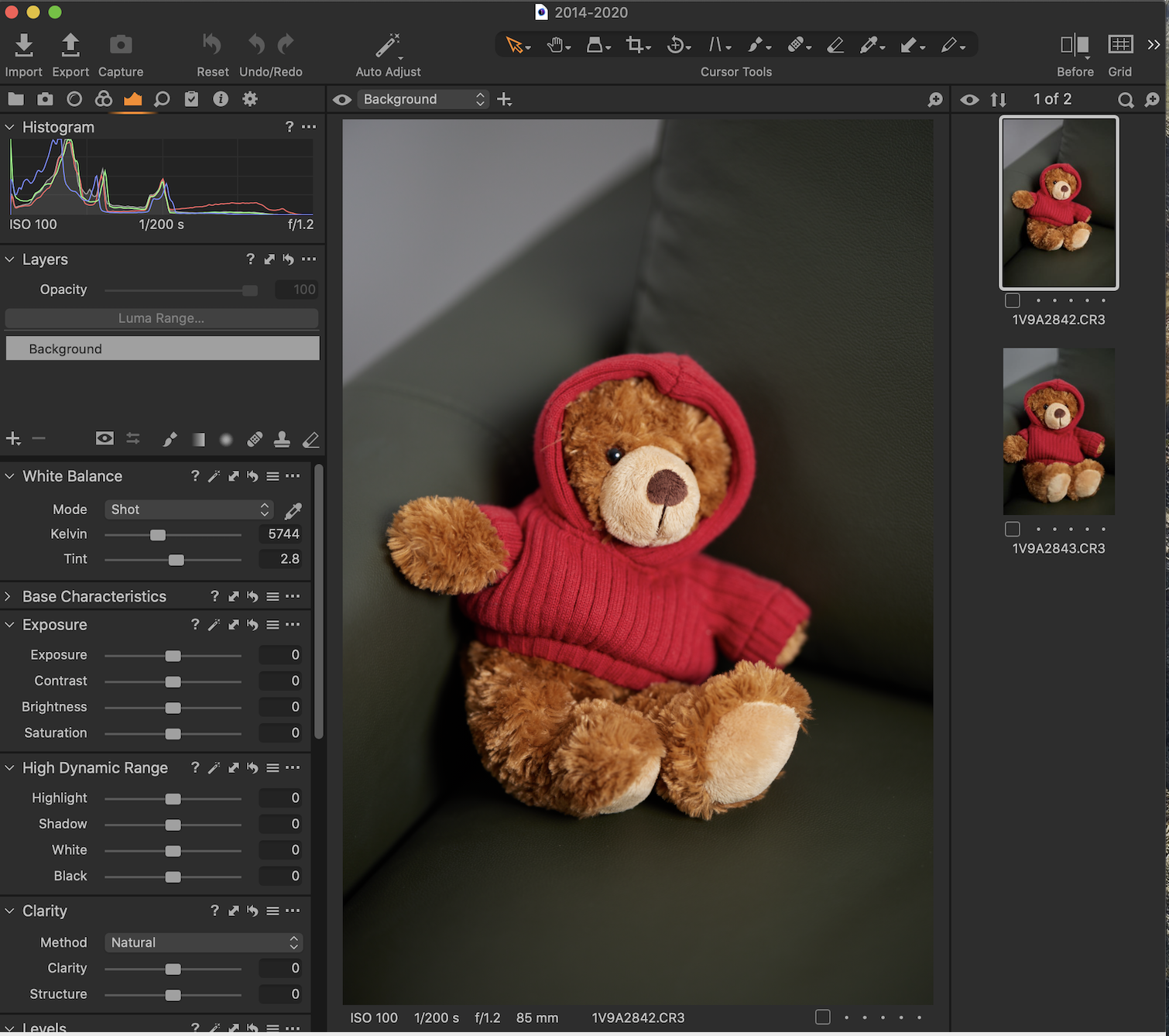
Definitely Compatible
 0
0 -
Hey William,
Both those pictures were taken In CRAW and imported just fine, both thumbnails and image data. So you can rest assured it does work. FYI the CRAW file for those images was 16.8 MB on the disk. Typically a uncompressed RAW file would be around 40 MB on the disk. I can't comment on any differences in image quality, as I have not really used the CRAW format.
Regards
Kelvin
1 -
Hi Kelvin,
That’s great. I know where I am with this now. It was kind of you to go to the trouble for me and I am grateful. As far as I’ve been able to find out online the C-RAW format is a winner and even with major pixel-peeping the differences are insignificant if they are there at all.
If C1 wasn’t able to work with them I’d either have had to go back to Adobe, which I don’t want to do, or have used an alternative format. The only alternatives I know would be DNG or TIFF conversions and I’m pretty sure the latter would have outweighed the advantages of file size and I don’t feel good about the former.
Just waiting for my R5 to arrive. which here in the UK takes a while.
Thank you again
William
0
Post ist für Kommentare geschlossen.
Kommentare
11 Kommentare