Tool Customization Not Saved

Hi,
I'm trying to customize my tool layout, and I'm running into a problem where some tool positions aren't saved. Using C1-20 (13.1.2.37) on OSX 10.14.4.
I have a session open, and the "Q" tool tab has "Histogram", "White Balance", "Exposure", and "High Dynamic Range", from top to bottom, in the non-scrollable area.
I want to have "Clarity" in between "Exposure" and "High Dynamic Range", so I add it with "Add Tool" in the right click context menu, and drag it into position. It works fine until I exit Capture One.
When I restart Capture One, the "Clarity" tool is missing, and I have "Histogram", "White Balance", "Exposure", and "High Dynamic Range" again.
I've also tried using "Save as Template", and that has the same problem - new sessions based on the template don't have the "Clarity" tool in the "Q" tool tab.
-

Hi Jeremiah,
You have to save your workspace if you want to keep your new customization.
0 -

+1
To avoid ending up with multiple workspaces, I just name it CO 13
for example and delete the previous ones. If there is a newer one.
it will be also called CO 13 and will replace the older version.0 -

Jeremiah,
The Session (for which you can save a template to be used when creating new sessions) and the Workspace that you use for managing tool positions, etc., are independent of each other.
The only connection is via the information saved during use about the "last used" values for you as a User.
So the many variable settings of everything you used in a session or a catalog, including a reference to the last used Workspace, will be available the next time you open that session.
To make changes to a Workspace (the sort of changes you describe concerning tools and their positions in tabs) permanent for the Workspace you have to save the Workspace. That Workspace will then included the latest changes for all other sessions or catalogs you open or create in the future.
If you do not want the changes to apply to all sessions or catalogs save the Workspace with a new name.
0 -
To manage your workspaces go to…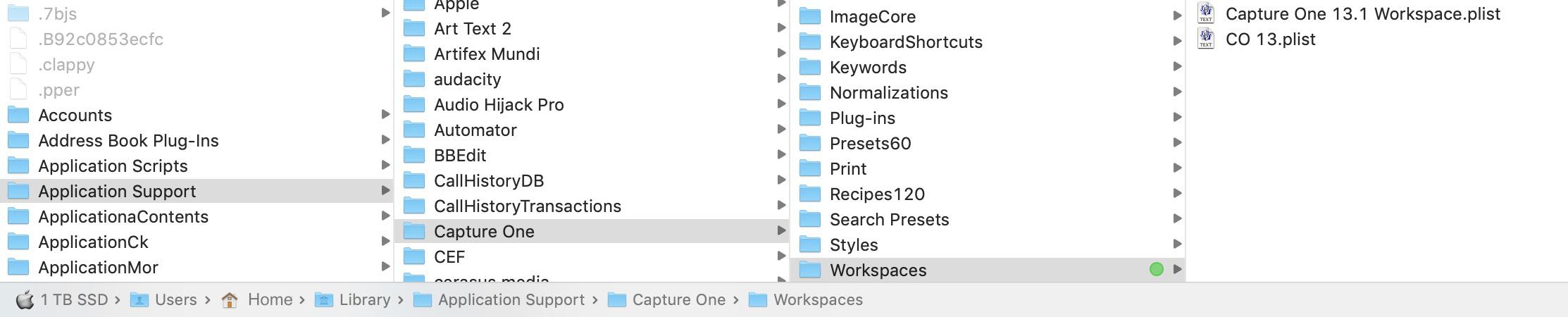
Or it can be done one by one in the workspace menu of the app.0
Post ist für Kommentare geschlossen.
Kommentare
4 Kommentare