Light Fall Off, or vignetting, on RAW file import with Fuji camera.

Shooting with a Fujifilm X100F, RAW+JPG, no filter/hood/converter (or anything else external that might be producing the effect), I notice that my RAF images exhibit a pronounced light fall off at the corners, which is equivalent to roughtly one full stop, if I were to apply my own vignette. This does *not* occur with other editors, like On1 Photo Raw or Luminar 4! The example photos are a RAW+JPG pair taken of a blank, evenly-illuminated wall. All raw files that I import into Capture One are effected identically. Any ideas what might be happening here? The curious thing is that it is not manifested by other software.
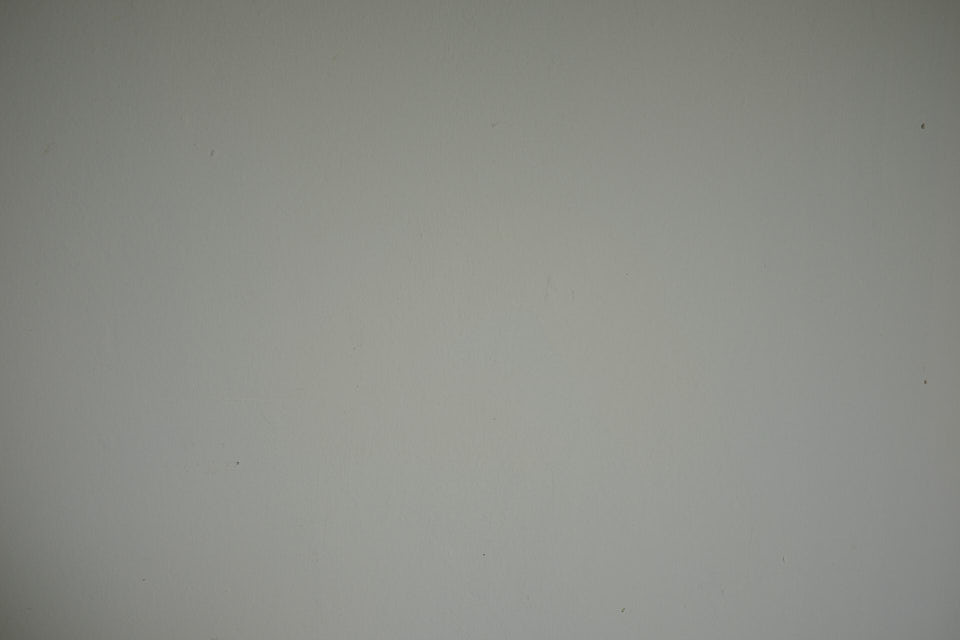
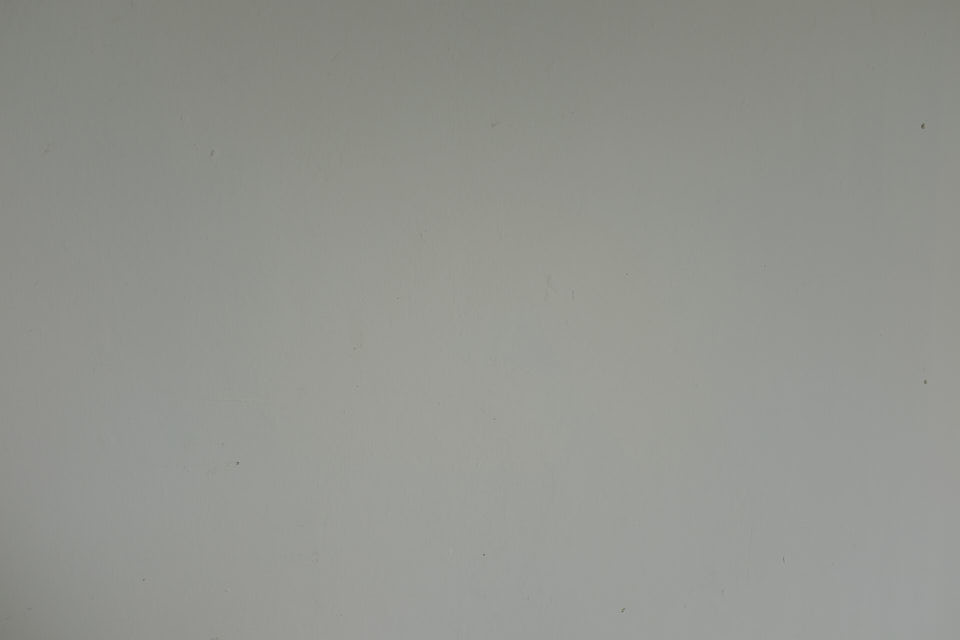
-

Let me explain it the way I understand it and I am sure someone who has more experience will correct me if I am wrong.
A JPEG file is what I call a “cooked” file. What I mean by that is that everything that should be adjusted, is done automatically by the camera. That includes color balance, exposure, profile, etc. On smarter cameras, that also includes correcting Geometric Distortion, Chromatic Aberration and Vignetting (if the camera knows the lens). The result of it all is that the output JPEG looks finished, should not need a lot if any adjustments in an external software.
When you shoot RAW (RAF), the raw data from the sensor is written (minimum processing if any) to the file and all camera settings are recorded separately as TAGs. Software like C1 will then reads the RAW data as well as the TAGs and then apply those settings to the picture. In theory at this point it should look identical to what you saw in the viewfinder (± some) if you have the preview set correctly.
OK, so the FUJI X100F has a build in lens according to my findings. I just searched the internet and found a downloadable X100F RAF sample file. Looking into the TAGs in the RAW (RAF) file, I can see that it includes a lot of the same data that other Fuji cameras do:
Geometric Distortion Params : 327.7272727 0 0.1 0.2 0.3 0.4 0.5 0.6 0.7 0.8 0.9 1 0 0 0 0 0 0 0 0 0 0 0
Chromatic Aberration Params : 360.5 0.1 0.2 0.3 0.4 0.5 0.6 0.7 0.8 0.9 1 0.000138 0.000259 0.000342 0.000372 0.000366 0.000365 0.000366 0.000366 0.000366 0.000366 0 0 0 0 0 0 0 0 0 0
Vignetting Params : 327.7272727 0 0.1 0.2 0.3 0.4 0.5 0.6 0.7 0.8 0.9 1 100 99.51 98.81 97.7 95.96 93.33 89.57 84.7 78.61 71.83 64.7
Software like C1 then can use that data to correct the picture. In case of my copy of C1, that does not happen by default. I have to make the adjustment manually. There may be a way to set that as a default but from my experience it still needs to be adjusted to be perfect.
Below are two sample images while working with it in C1:
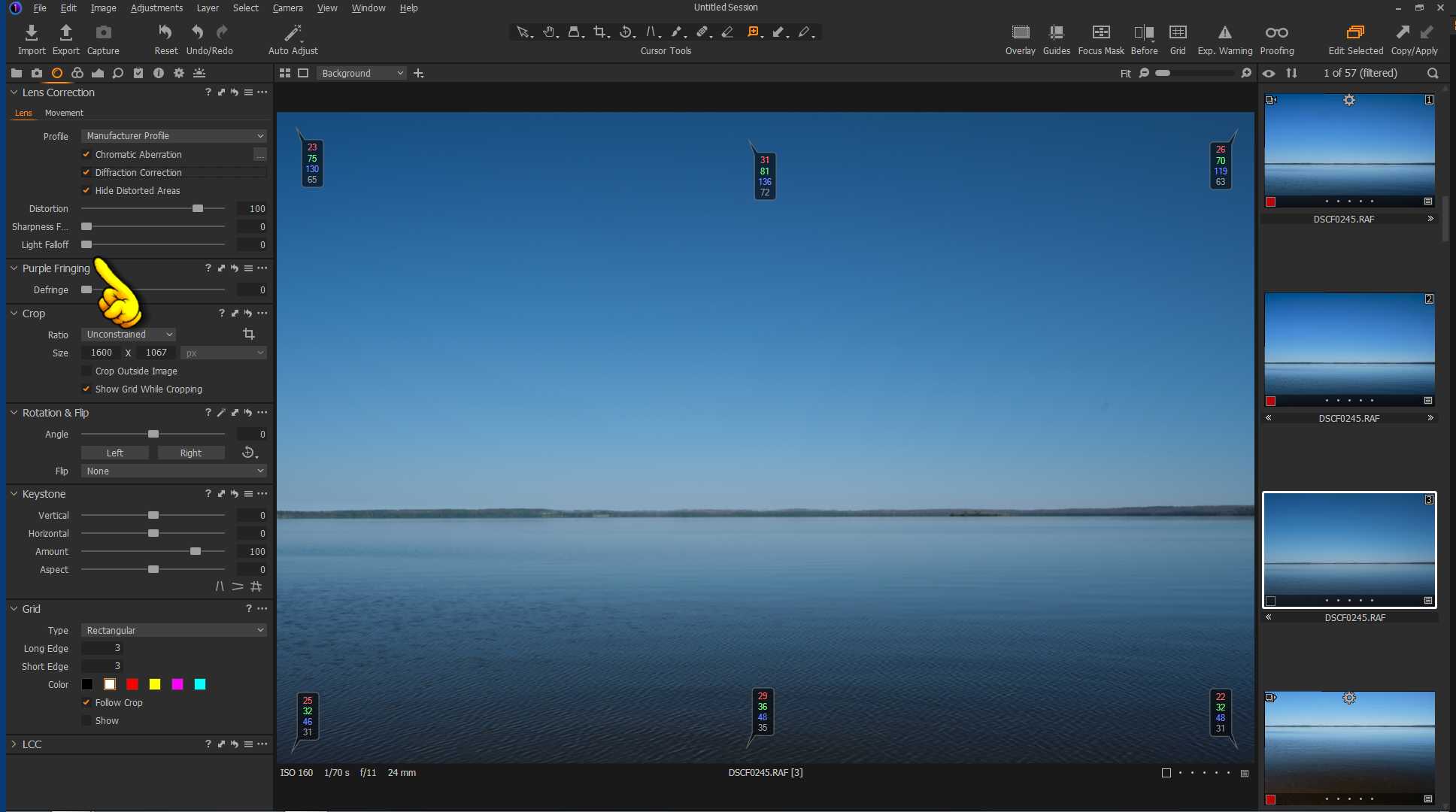
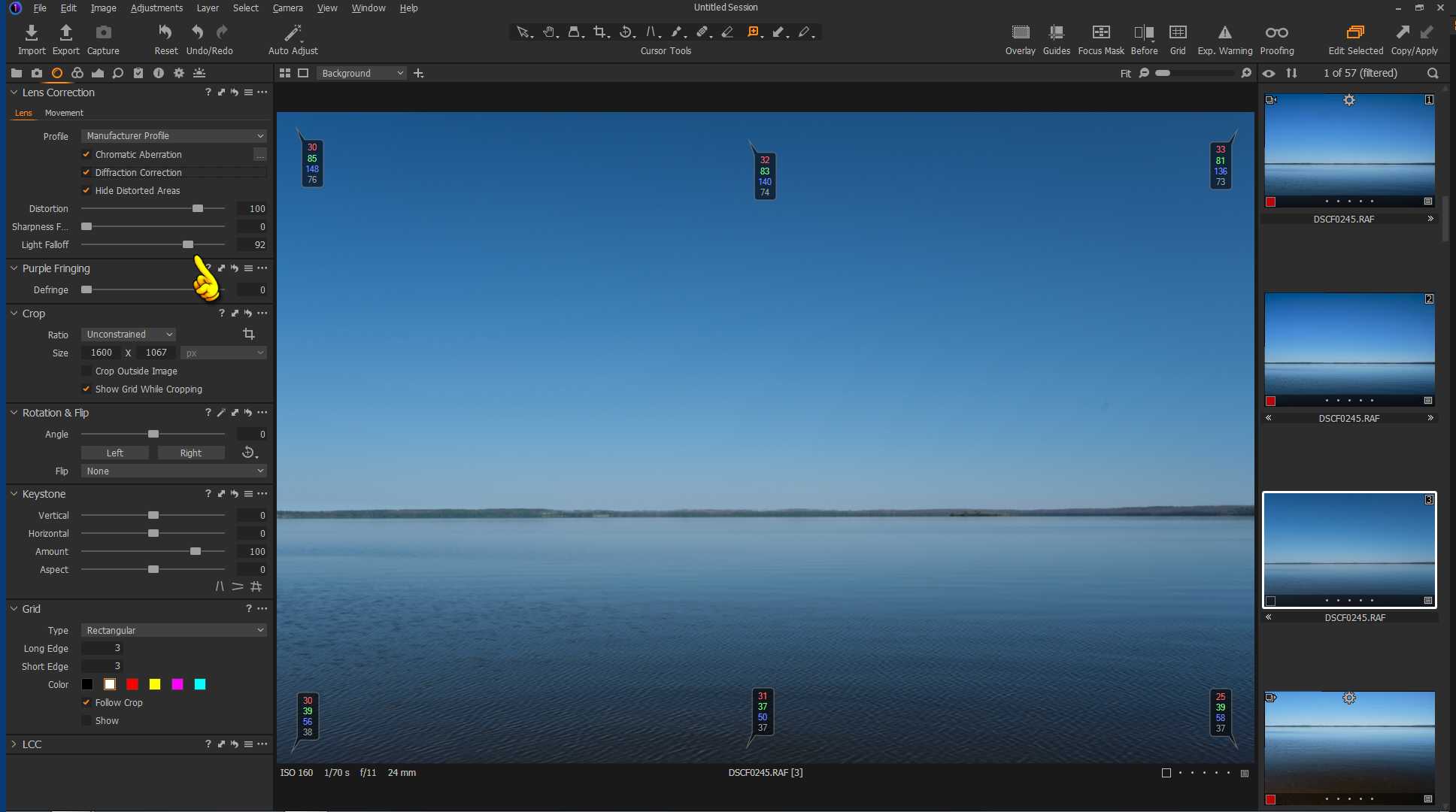
In the Lens tab, you will find “Light Fallof” control. In the first picture notice the difference between the corner color readouts (look at the bottom number, that is the B&W value of that pixel) and the middle readouts (falloff, not as drastic as yours but still there). In that picture the control is set to 0. Look now at the second picture. There I have adjusted the control to 92. That’s where I found all corners having minimum errors. BTW: This is image from X-T4.
Also make sure that you are using “Manufacturer Profile” so the correction data actually comes from the RAF file (in case there were some firmware corrections) vs profile that Phase One created some time ago and included with the software.
Regarding “…The curious thing is that it is not manifested by other software…”: some software will do things automatically and then we don’t have any choice…
Rob
0 -

You can create a user preset of any adjustments you make in the lens correction panel and apply that to any other image or select that preset to be applied at time of import.
0 -

I noticed the same with my Fuji files. New for me because it never happened with other camera Raw files in Lightroom. Comments are helpful, thanks!
0 -
Brenda, during the nine months since I posted this question, I gradually discovered that this issue is not really an issue at all. Rob's response above satisfied me that it is not some mysterious bug or anything like that. At first, I created a lens correction preset for the light fall off and applied it by default to everything on import. Later, since I didn't really like the X100F anyway and began to use an X Pro 3, the issue seem to disappear and I stopped applying the preset. Honestly, I didn't do any testing to determine whether or not it was happening with the new camera --it may be still happening for all I know!-- nor do I use the preset any longer even with the X100F. Point is, it doesn't seem to be a difference that makes a difference ultimately and doesn't impact every image anyway. You have to chalk it up to lens vignette, which is normal for some lenses, and the fact that C1 may not correct this automatically like other software in every case. Realize that the characteristics of individual lenses of the same model can vary among themselves and from the more general profile that the manufacturer supplies. So you might have to make additional adjustments, if that's the case. I almost invariably add my own vignette or use a radial gradient to the same end with most of my images anyway (or they get cropped). So I think if you ignore it for now, make corrections only when necessary, you're going to come to the same conclusion as you continue editing and no longer worry about it. Bottom line, I can't imagine using anything besides C1 anyway --its raw engine by all accounts is the best one available-- so I no longer sweat the little stuff. Hope this helps.
0
Post ist für Kommentare geschlossen.
Kommentare
4 Kommentare