Cannot save Workspace with tools in the scrollable area

Hello,
I want to create my own workspace. Therefore I add the "Q" register and I have deleted all the tools besides "Histogramm". Then I add e.g. "White balance" and tag it with "move in scrollable area". It works. Then if I save the workspace the last saved version is shown. I. can only save the workspace if no tool is in the scrollable area. Please can you help me?
I already tried to allow "Capture one" in the security setting. I tried to use a new name of workspace, ...
Please help.
Best regards, Michael
Using Capture one in the newest version "Capture one Pro 20, Build 13.1.2.37"
-

With your new tools in place and the way you want them,
save your new workspace… giving it a new name or re-
placing the actual one.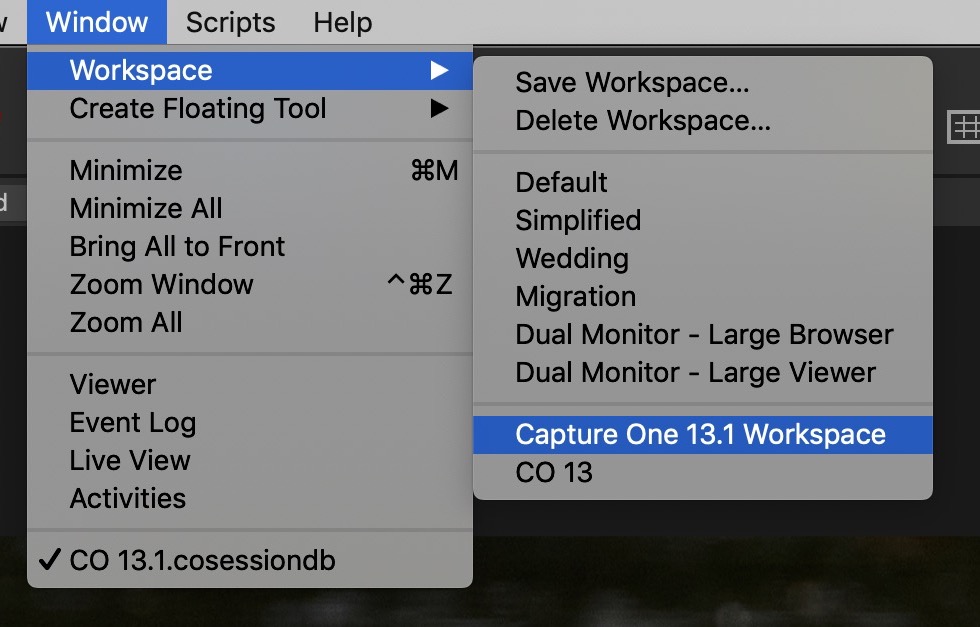 0
0 -
Thank you for your answer. That is clear and I have tried to save it you have written. But if I tried to select and load it again, the old workspace was shown. Now I have installed capture one again and everything is fine. Problem solved.
Thank you and have a nice day, Michael
0
Post ist für Kommentare geschlossen.
Kommentare
2 Kommentare