Manage Preset menu under Layers tool to save layers and associated settings as User Preset
Implemented
Except Layers tool, most of the tools have Manage Preset menu through which respective tools settings can be saved as 'User Preset'.
Having layers as preset will open up different world of experience.
1. Similar to other tools Manage Preset menu to be added to Layers tool as well.
2. Option to save the layers as preset. Option to save all settings belong to the layers with preset or ignore settings and save only layers alone.
3. When ever the preset is invoked, it should create layers stored in the preset. Options to select layers to load and option to include or ignore settings.
As layers copy/apply functionality already exist, implementation of save preset shouldn't be difficult one.
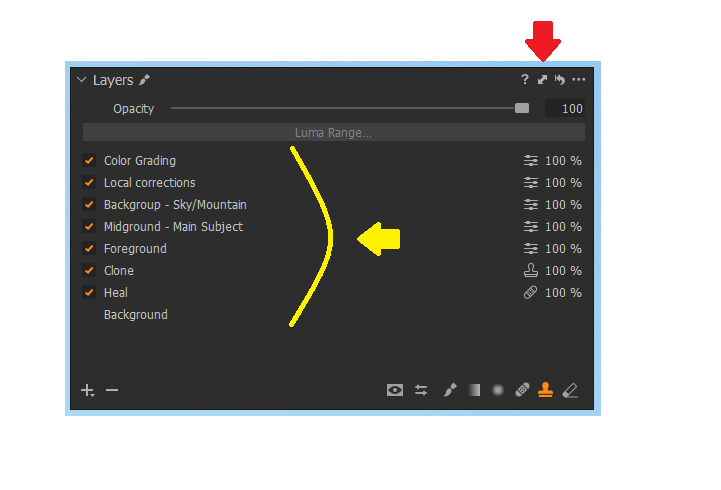
Example: I always start with few standard sets of layers for all my Landscape, Portrait and Sunrise/ Sunset photos editing. So each time I have to create manually all these layers for all my images or I have to keep template pictures for each.
Layers For Landscape:
-

Hi Prasad,
Thank you for these suggestions.
I have also added them to your initial request on the Layers tool.
0
Post ist für Kommentare geschlossen.
Kommentare
1 Kommentar