Capture One - necessary features
Implemented
Hello, I am migrating from lightroom to C1. However there are few feature I am missing.
1) Applying LUT files onto photos. I have purchased many LUT profiles in the past which I use frequently in Photoshop and Lightroom and the unability to apply them in C1 is devastating. LUT files are universaly known format and widely used in other video / photo software.
2) Setting percentage on applied styled. In Styles section I can apply C1 styles to photo but only with single click. I need to apply a style with a variable amount of effect. Would it be possible to add slider as to how much to apply given style / preset? Maybe style / preset could be added to adjustment layer and change opacity of this layer, but AFAIK this is not possible now. Style / preset now applies only to background layer.
3) Plugin API. I know C1 supports plugins. But there is very few of them, non of them of use for me. I am developer and I would be glad to be able to create my custom C1 plugins. Is there somewhere published Plugins developer API?
Regards,
Jakub
-
On 2)...
You can indeed apply a style to a layer. Right click the name of the style and choose Apply to New Layer. Then you can adjust the %age of the effect as desired.
Ian
Edited to add: as long as the style is not a B & W one, because the B & W tool can only work on the background layer.
1 -

Hi,
Thank you for the feature request.
I will forward all your comments and suggestions to the Product Management team for future consideration.
Meanwhile, Ian Wilson is absolutely right. It is possible to apply a Style to the Layer and regulate its intensity/effect with the Opacity slider.
1 -
Thank you a lot. The possibility to apply style to a layer is great. I also signed up to the developer portal for the Plug-in API and will be studying it in my free time. (At the time of my first post here, the developer portal was off and I didnt know there is Plug-in SDK available).
I also registered to the beta and some great features there. Let me know if there is any response on the support of LUT files.
Even your competitor has a special tool for this. I am talking the ON1 Photo Raw. I am attaching screenshot below. The implementation of applying a LUT to an image is fairly simple, I think this could be one of the "low-hanging fruits", giving the possibility to apply a LUT transformation on a layer. If I can help with implementation or resources, get touch in me.
Otherwise, very good work with all the improvements!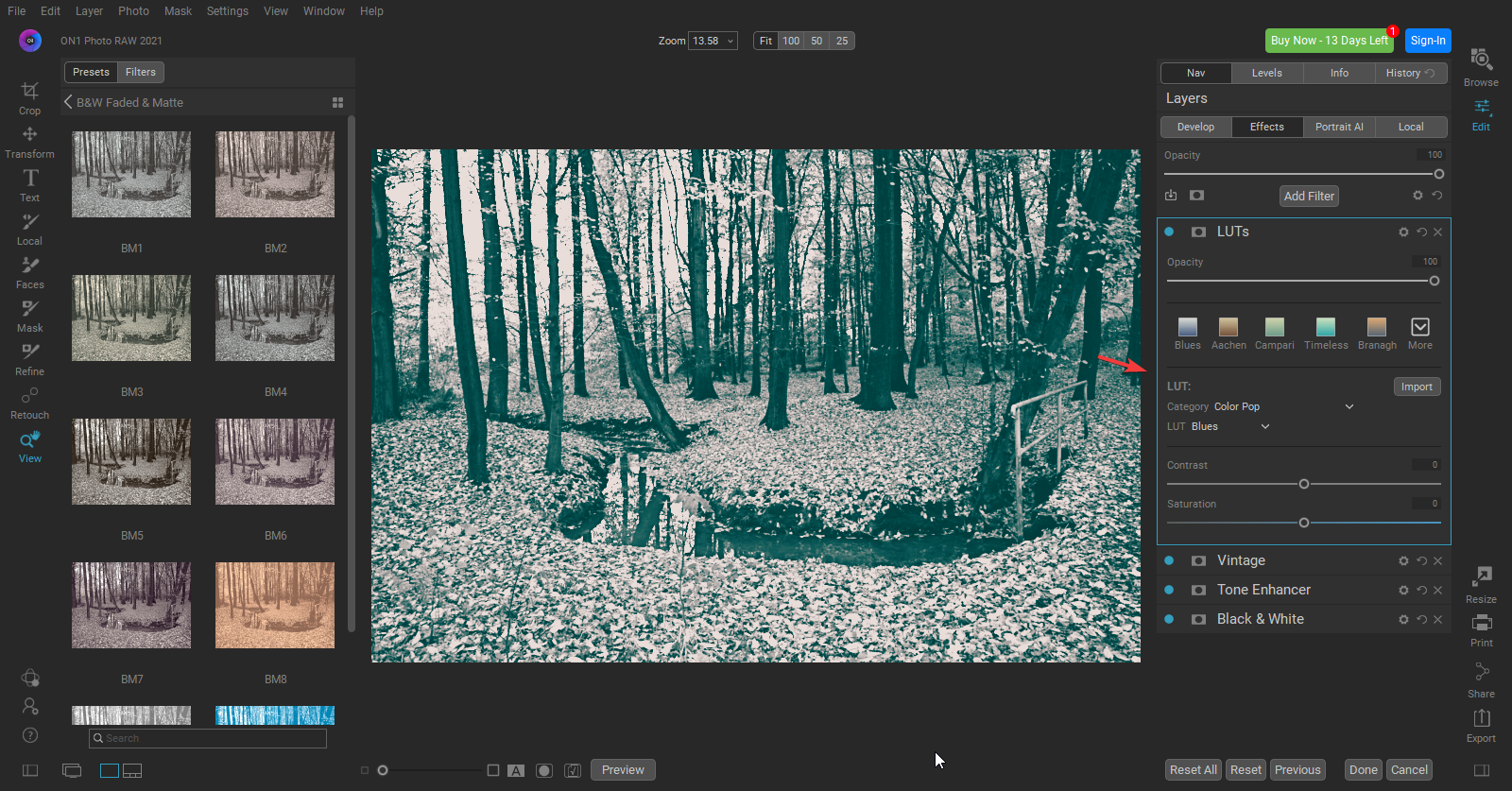 0
0

Post ist für Kommentare geschlossen.
Kommentare
3 Kommentare