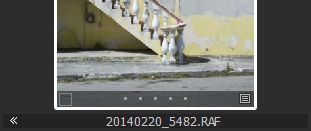
What does << to the left of the filename for a thumbnail in the browser mean?

I've just noticed that in the browser, some of the thumbnails have << at the extreme left of the field where the filename shows.
I'can't figure it out from the image, and my web searches so far have turned up no results.
Thanks
-

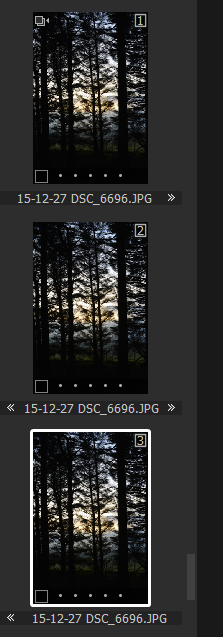
As far as I am aware it means that you have created a variant, I may be wrong, but the only time I have seen the arrows is when I have created variants. The example below I have created two variants and you can see that the arrows have appeared I think in an attempt to show the user that there is a link between the original and the variants.
 1
1 -
OK, I think I have it figured out. As Mark points out, it has to do with variants.
If the variants are all visible and beside each other in the browser, the filename appears once, centred beneath all variants.
In Mark's example, the three variants are not beside each other, so the arrow beside the filename is pointing in the direction of the next variant.
In the situation I had, the filter that I'd applied caused only one of the variants to appear, so the arrows were there, pointing to a non-visible variant. Confusing.
Just an editorial comment about this: I find Capture One documentation frequently lacking for small details such as this. No mention of these arrows in any of the documentation on variants or the browser. (I'd be happy to be corrected if I am wrong.)
0
Post ist für Kommentare geschlossen.
Kommentare
2 Kommentare