Emptying trash deletes too many files.

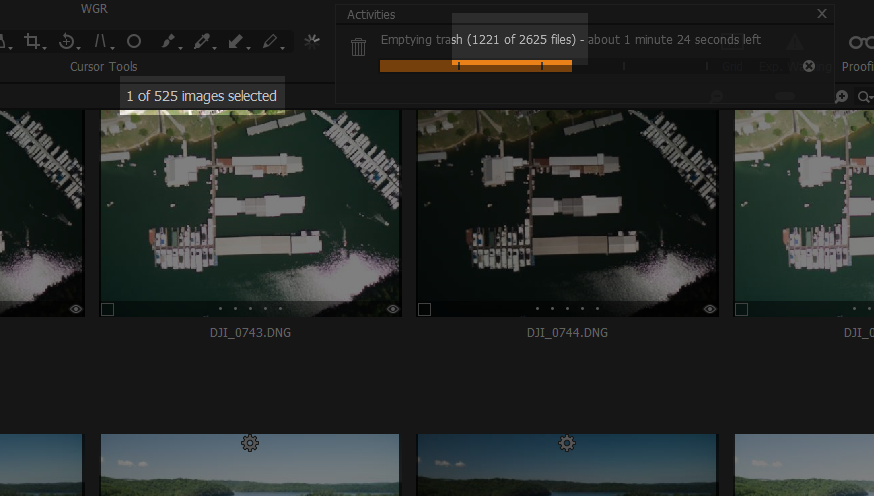
In my screenshot you can see that there are 525 files in the trash but when I empty the trash it says it's deleting 2625 files--way more than it should be. This scared the crap out of me the first time I saw it but I looked and looked and couldn't find any missing files and I've decided it must simply be misreporting the number of files. It happens every time I empty the trash. The numbers are different each time but it's always way more than it should be. It made me nervous for a while but I've sorta gotten used to it.
Any idea what's going on?
-

Each image will have multiple associated files (in operating system file handling terms) if you are deleting the source file.
Preview, thumbnail, edit instructions, focus mask, for example. Add the Source file and that give you 5x the source image count.
There may be others if you have used Layers or LCC features, etc.
0 -
Ah, I see. That is needlessly confusing and poor UX design. I'm glad to understand what's going on though. Thank you!
0 -

Maybe it's a subtle way of C1 telling us why the deletion process takes so long. LOL.
0 -
David,
Maybe you are right but I guess that it's a question of reporting according to User expectations about numbers within the Application and then relying on what the Operating System reports (no point in trying to duplicate and monitor the OS status information) during final delete activity.
I don't really give it any thought since I worked out what is going on.
If C1 reports something like "Images" deleted but the OS reports "files" being the number of files being zapped from the Trash Bin that would seem to me to be a reasonable way of reporting of both aspects - once one is satisfied that what is being reported is what one is expecting.
0 -
Maybe they could change the progress wording to "Deleting image and ancillary files......"
to avoid stressing out first time users.1 -
"I don't really give it any thought since I worked out what is going on."
Yeah, now that I understand I won't either. Thanks for letting me know!
0
Post ist für Kommentare geschlossen.
Kommentare
6 Kommentare