Color are lost when zooming on DNG file in C1 21

Hello,
When I zoom a DNG file, the color get lost at higher ISO (> 1600). It is not the case with JPG.
How can this problem be solved ?
Best regards
Eric Bromey
-

Eric,
A jpg has colours burned into it and quite a lot of detail data thrown away to achieve the compression required for a smaller file size for storage.
The DNG file will tend to have a lot more data that you will see when viewed at 100%. The extra data includes more colour information that the jpg will often have discarded.
When you start viewing at something less than the available 100% the application the process of reducing the image to the number of display pixels available will discard some data and re-interpret what remains. Just like the jpg does but more than likely using a different approach to get there. Depending on the image and the colours involved this can make the smaller, compressed version of this image look a lot brighter or more saturated and has a number of other effects.
The second point is that, perhaps with additional dependency on the source of the DNG file, C1 will be making it's own interpretation of the DNG file as a "RAW" data file and may have a very different way to process it than was achieved by whatever created the jpg version. Other factors in the settings applied to the RAW data are also likely to be very influential.
I'm sorry that this is such a generic answer but it is potentially a big subject to cover and is probably best discussed based on a sample image or two and a fully described work flow.
The source of the DNG file may also be of great significance.
0 -
HEllo,
Thank you for your quick feedback. In attachement the file coming from a Leica M10-R.
https://www.amazon.fr/clouddrive/share/WpvQI6I00v8y7OCsNTCDwxQGFH0C0V1KaD6JLIXQuRu
The workflow is simple :
1) step 1 : import the picture on the PC
2) step 2 : open the picture in capture one
2) step 3 : zoom in the image at 100%. I did not do any ajustements.
Here a snap of a detail before and after zooming. the red for instance are gone.
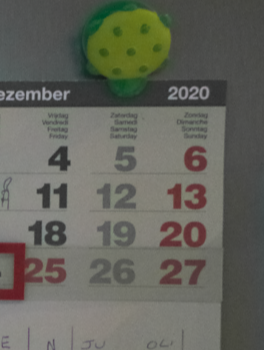
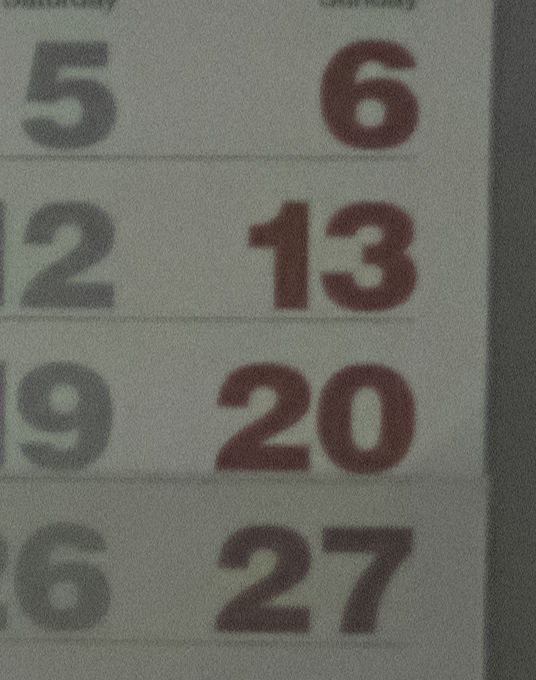
Best regards
Eric Bromey
0 -

Just press the magic wand (Auto adjustment) in the top toolbar
0 -
Hi Eric,
Ok - as far as I can tell the M10-R is not yet listed as a supported camera.
That means, I think, that although the DNG "raw" file can be made visible the results of interpreting the data have not yet been optimised with "default" conversion characteristic presets by Capture One. Specifically it needs a base curve to provide a "standard" set of values for the interpretation of the red, green and blue colour interpretations. And a few other things.
Your starting point for the bright reds will, in effect, be the preview file that seems to have been created from the jpg that would have been processed in camera to fit the screen resolution. (At least that is what happens on my system with my preview file dimension settings.)
As you zoom in C1 deems it no longer acceptable to simply try to use the preview as the basis if display and so it recalculates from all the way back to the RAW dng values and the in camera colour adjustment settings are no longer used available. When fully supported C1's own assessment of the colour balancing required would be used and applied as the zoom recalculation is performed.
User can, of course, make their own interpretations, save them and apply them. Many do this with reference to some standard colour charts as part of a "colour managed" workflow that is personal their needs.
I think there is a problem using this image as the basis for any such curve adjustment since there is no known reference point for pure white and pure black or mid-grey AND the image appears to have a mix of light sources making consistency very difficult to assess.
It is also in need of some some careful noise reduction consideration and does not appear to be especially sharp suggesting that some other camera specific date interpretation may be needed. I say that because is looks like the detail one might expect is there but it lacks precision, especially at 100%. That may also be influencing the visibility of the noise. Or at least what looks like noise.
Affinity Photo does not present the red colour issue but the "noise" and softness is still present even when being quite aggressive with some of the settings that might be expected obliterate the problem by force.
0 -
Hello,
Thank you for detailled feedback and analysis. What is the short term solution to solve the issue ?
Best regards
Eric Bromey
0
Post ist für Kommentare geschlossen.
Kommentare
5 Kommentare