Capture 21 not connecting to Nikon

I upgraded to capture 21 last week and today is my first shoot. I have been shooting for YEARS using my setup with older versions of capture one, so I am super familiar with the process. I have used this computer, this camera, these tether cords each time. I have tested it all.
My computer sees my camera attached (Nikon D850) but Capture One 21 does not. I have followed the guidelines for accessibility and such in my system preferences, it still does not see the camera. An older computer with Capture one 20 DOES see the camera. Clearly an issue with the new software.
I have rebooted, tried new cords and different cameras. It's the software. Please advise if you have any solutions. I am on set right now and am switching to an older computer with the older software after trouble shooting for a full hour. Unacceptable.
-

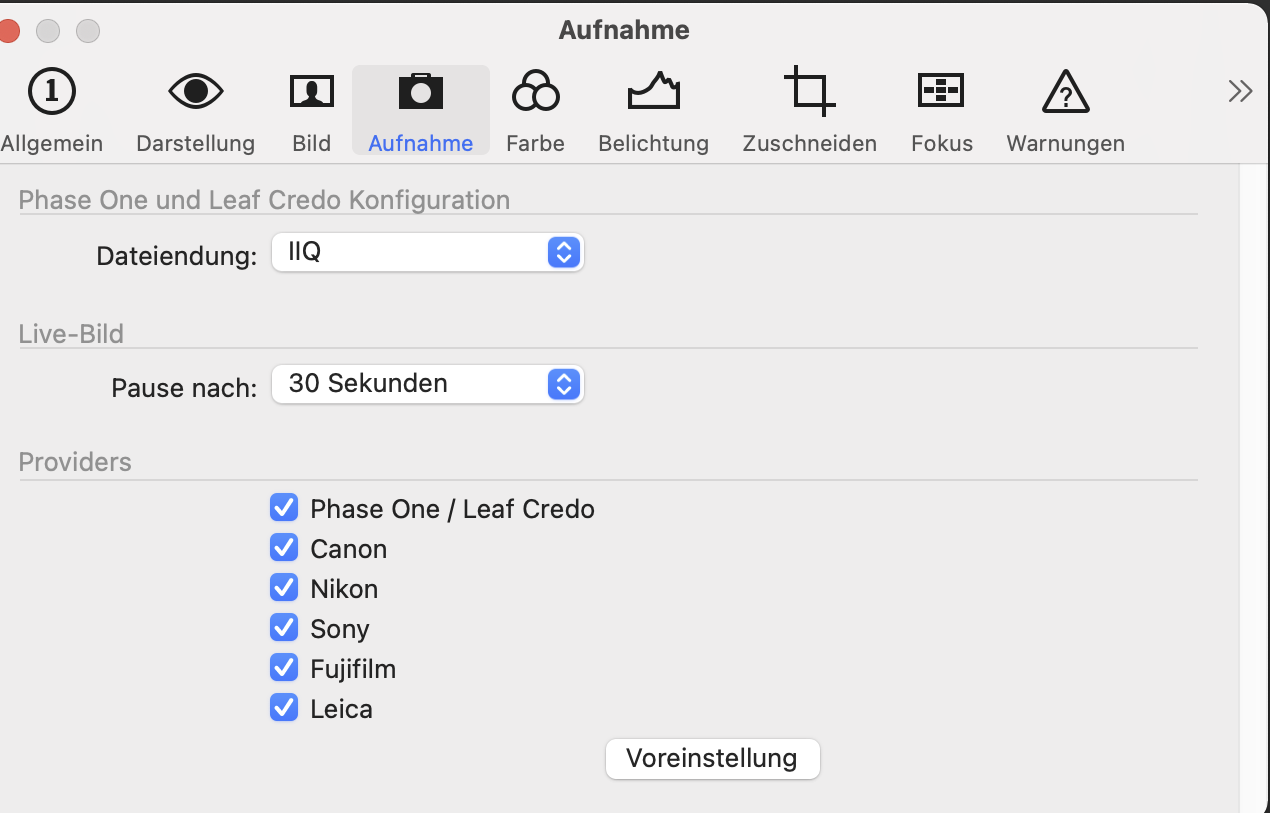
Nikon support in the preferences is active?
 0
0 -
Correct. Since I have the Nikon version, only Nikon is available. But it's checked.
0 -

Hi Leslie
I just tried my D850 tethered to my iMac and it worked fine when plugged into a USB port on my keyboard - though it didn't work with the USB cable plugged into my Eizo monitor.
I suggest you contact Capture One Support.
Good luck.
0 -
Thank you for testing this for me. I'm trying to plug it into my macbook pro. I worked on it all day with no luck, but tonight I downloaded Capture One 20 and it worked perfectly. Must be a bug in the new software -- just glad I can download the previous version still.
0 -
Gidday again Leslie
One thought: I've found C1 tether to be very sensitive to the USB cable. Have you tried an alternative cable?
All the best
0 -
I tried 2 different cords, so I don't think that's it. I have found it's super sensitive to the outlets on the macbook. I have 4 and sometimes I just move them around and it works, but that didn't connect this time either. Good thought though -- I have noticed that as well!
0 -
Good afternoon from sunny Portugal. Has this problem been solved by Capture One 21 'cause I can't connect my Nikon D800. Best regards carlos.
0 -
I ended up re-downloading 20 from the site and it worked fine with my clients. I did reach out to support and finally got it resolved by adding new commands in the terminal (which I can assure you is above my technical know-how, but I did it!). Here are the instructions I got from their support staff:
a) creating a new user account
b) run the following commands in the Terminaltccutil reset SystemPolicyRemovableVolumes com.captureone.captureone14
tccutil reset Photos com.captureone.captureone140 -
And to clarify, the new user account was for my macOS, not a Capture One user account.
0 -
Thank you kindly Leslie. I'm going to try out your advise. Best regards carlos
0
Post ist für Kommentare geschlossen.
Kommentare
10 Kommentare