"Create masked layer from selection" broken in 14.0.2 ?

All in the title.
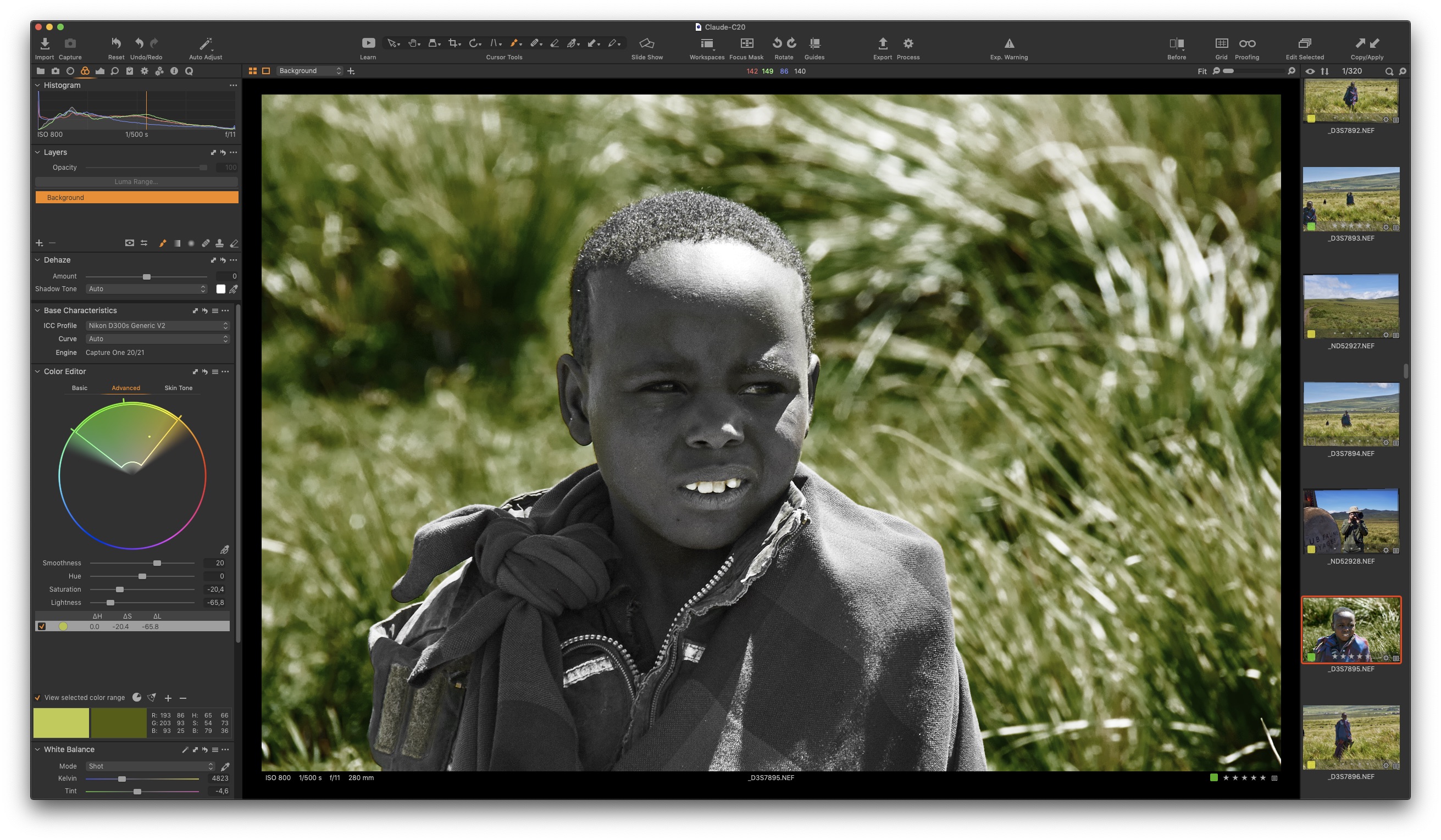
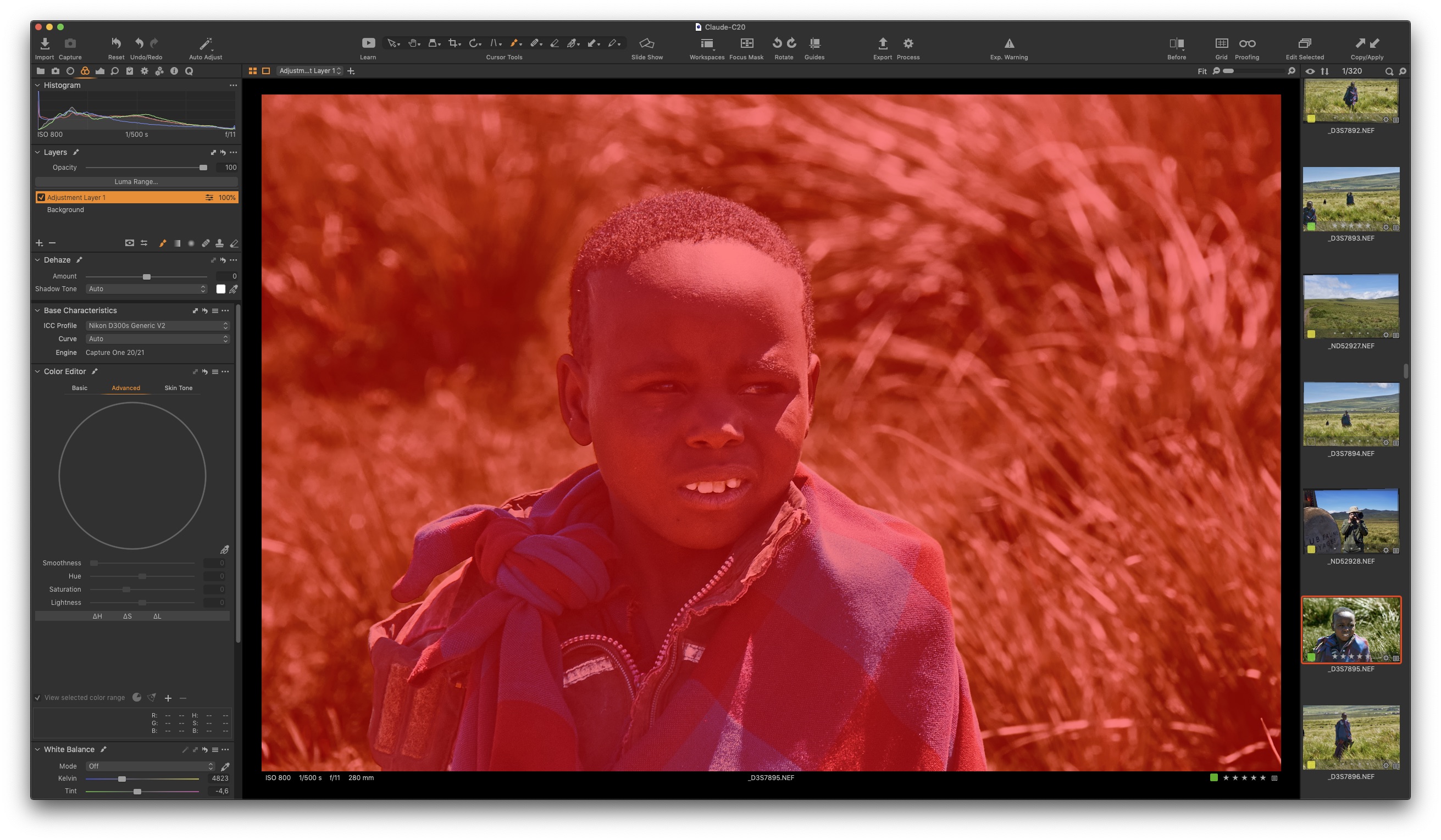
I use Color Editor/Advanced to clearly select the (green) background in this portrait, click "Create masked layer from selection", and get ... a fully filled mask.
What is wrong ?
-

while this looks like a bug it is maybe just the old story of a corrupted sidecar file, in my experience this happens more often after updates. so did you work on this image before ? if yes create a new session and move the images to a folder without any c1 junk and look if this problem is still there.
0 -
Side car ?
Does C1P use sidecar ?The file was only edited before in C1 20
0 -
Did the maneuver you recommended - no changes whatsoever.
0 -
ok than it seems it is likely a bug, I can not reproduce it. does it occur with other files, maybe from a different camera too ?
0 -
hm, don't know.
0 -
I quit - relaunched. > same
Re-quit, relaunched > same.
Moved to next picture, quit, relaunched, came back to initial picture > works...
:-???????????????
-1 -
c1 had problems with writing masks before, it also stores proxies, sidecar files and caches on too many locations for my taste. maybe deleting everything and reinstalling helps but make sure your sessions and raw files are safe.
https://support.captureone.com/hc/de/articles/360002402377-How-to-uninstall-Capture-One-
after a restart I would look for leftover files from older installations with https://support.captureone.com/hc/de/articles/360002402377-How-to-uninstall-Capture-One- c1 uses captureone and phaseone for some system files.
0 -
My first curing step was to go to Library > Preferences > and delete all the com.captureone.plist from v12, 13 and 20
Found it weird that they were still there., but you are right, perhaps a full reinstall will help. Not the smoothest way to upgrade anyway.
0 -
it seems not worth for software companies to remove all the old junk but c1 is not alone, often this old files make no troubles and just eat disc space, so a clean install after some years is alway a good idea. it is also beneficial to use an uninstaller app which searches for all files associated with an app.
0 -
Same problem with another file.
No apparent reason - the "create mask" function is simply totally unreliable.
And the Support of C1 is not answering the ticket - does that still surprise someone ?0 -

Hi Claude
Same weird behaviour with masks. See your post
0 -

So glad I found this thread! Years later, I had the same issue in Capture One 23 just now. Selecting a different photo, killing and restarting the app, and trying again worked for me too. Thanks!
0
Post ist für Kommentare geschlossen.
Kommentare
13 Kommentare