How can I "downgrade" the catalogue to open it in previous version

I got some new beta version and thought it would be useful (it was not) and to check it I opened some recent catalogue there. Now I cannot open it in the current version any more. Is there any way to open it back in the current version after the "upgrade" by mistake ?
-
Yes. When you used the catalog for the first time in the upgraded version of the software, it should have created a backup of the old version. Right click on the catalog in Finder, and choose show package contents.
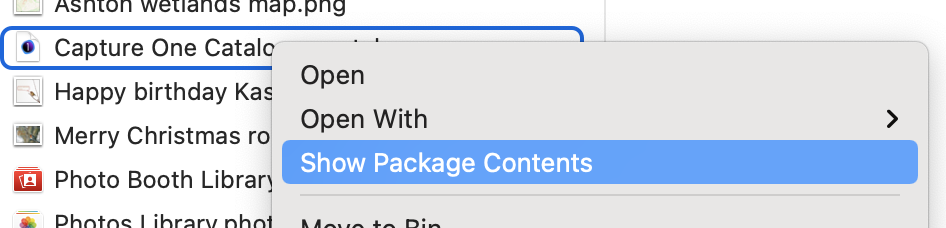
You should then see something like this.
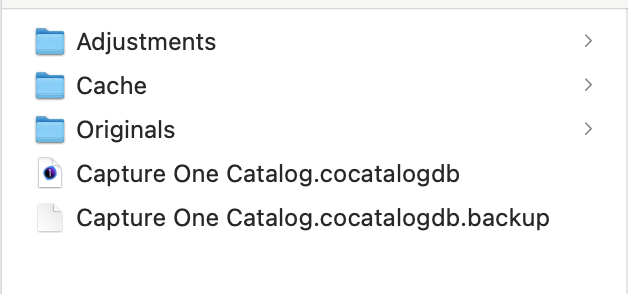
The file called xxx.cocatalogdb is the new upgraded version of the catalog database. The one called xxx.cocatalogdb.backup is the previous version.
You delete the "new" one and rename the "old" one by removing the .bacup extension, then you can open it as you always did.
Or restore it from a Time Machine backup.
Ian
1 -

Thanks! This worked perfectly! I upgraded to 23 from 21 but I don't have the time right now to learn the new interface. I'll take my time later but for now this saved me, thanks:D
0

Post ist für Kommentare geschlossen.
Kommentare
2 Kommentare