Color space? Different colors in Photoshop then C1

When I am exporting the image from C1 to PS the image is more saturated. More red in the face/overall. What can be the (important) problem? Thanks!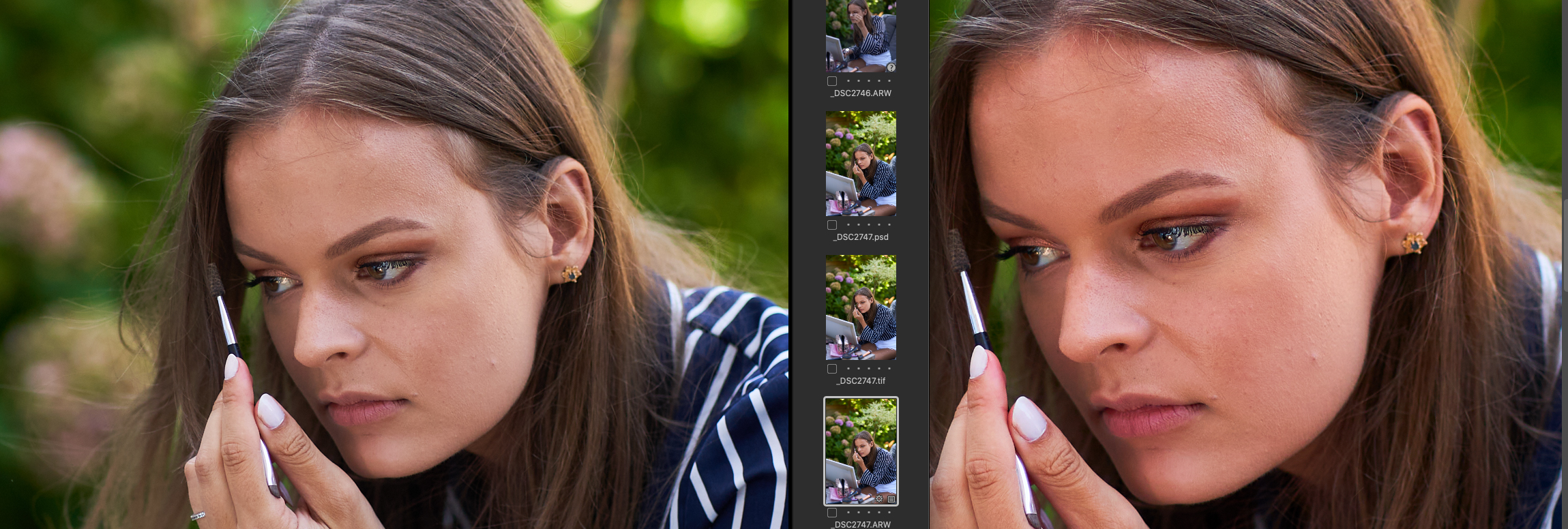
0
-
Color space of PS is on Prophoto! I clicked Edit with...Photoshop.
16 bit, tiff, adobe rgb uncompressed
0 -

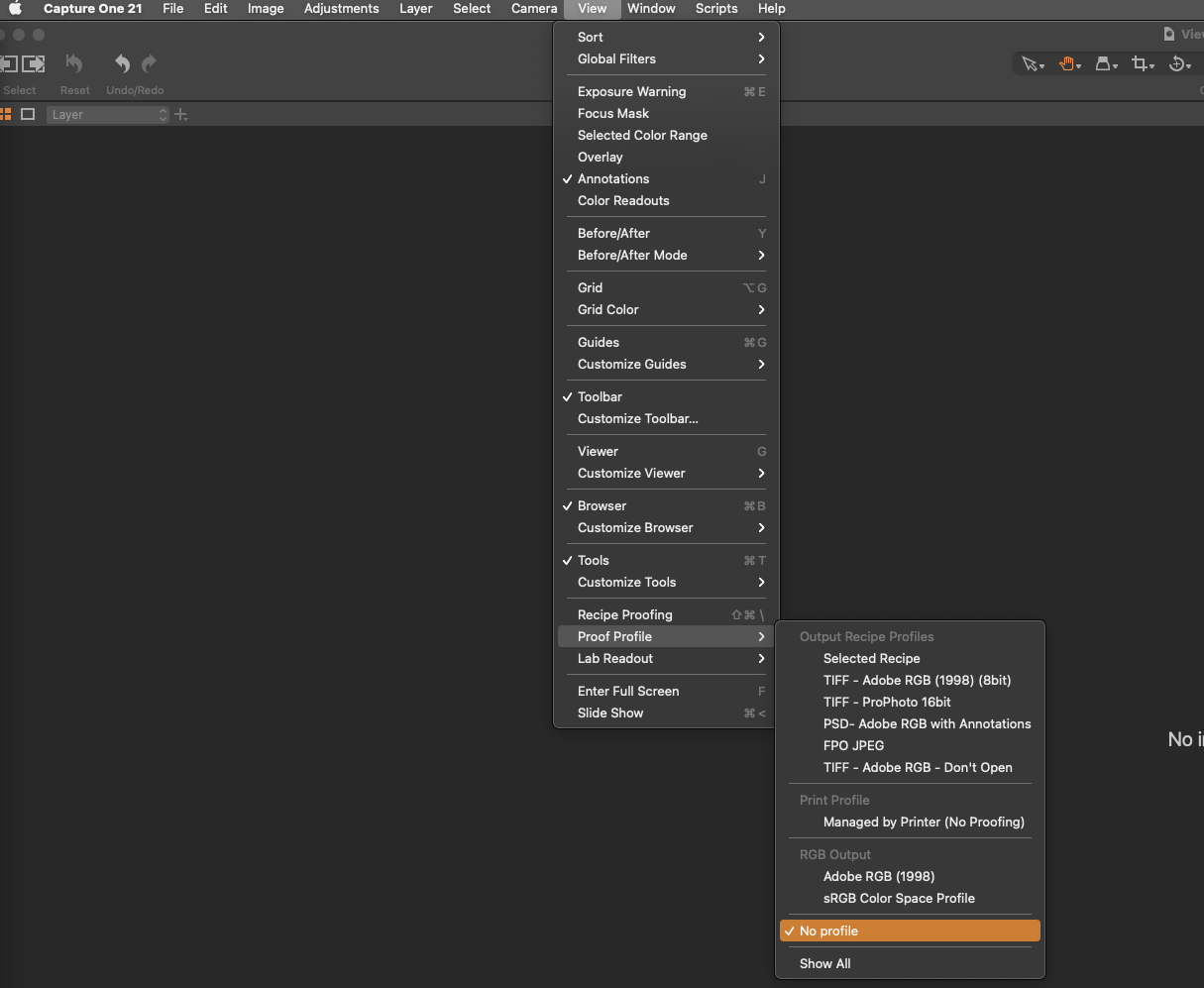
Hi Jorrit, I experienced this same issue. Try choosing "No profile" from the Proof Profile menu under the View Menu and see if that works.
 1
1 -

I have the same problem. Just tried the above No Profile, quit, reopened, made sure it's still on No Profile and it still exists. Any other fixes?
0
Post ist für Kommentare geschlossen.
Kommentare
3 Kommentare