BUG: install error on Windows 10 Pro (latest). Cannot create registry entry for .CR2 files!!

Installing latest CaptureOne Pro on Win 10 Pro (all latest updates applied).
Capture One v 14.1.0.74 (c058ddf)
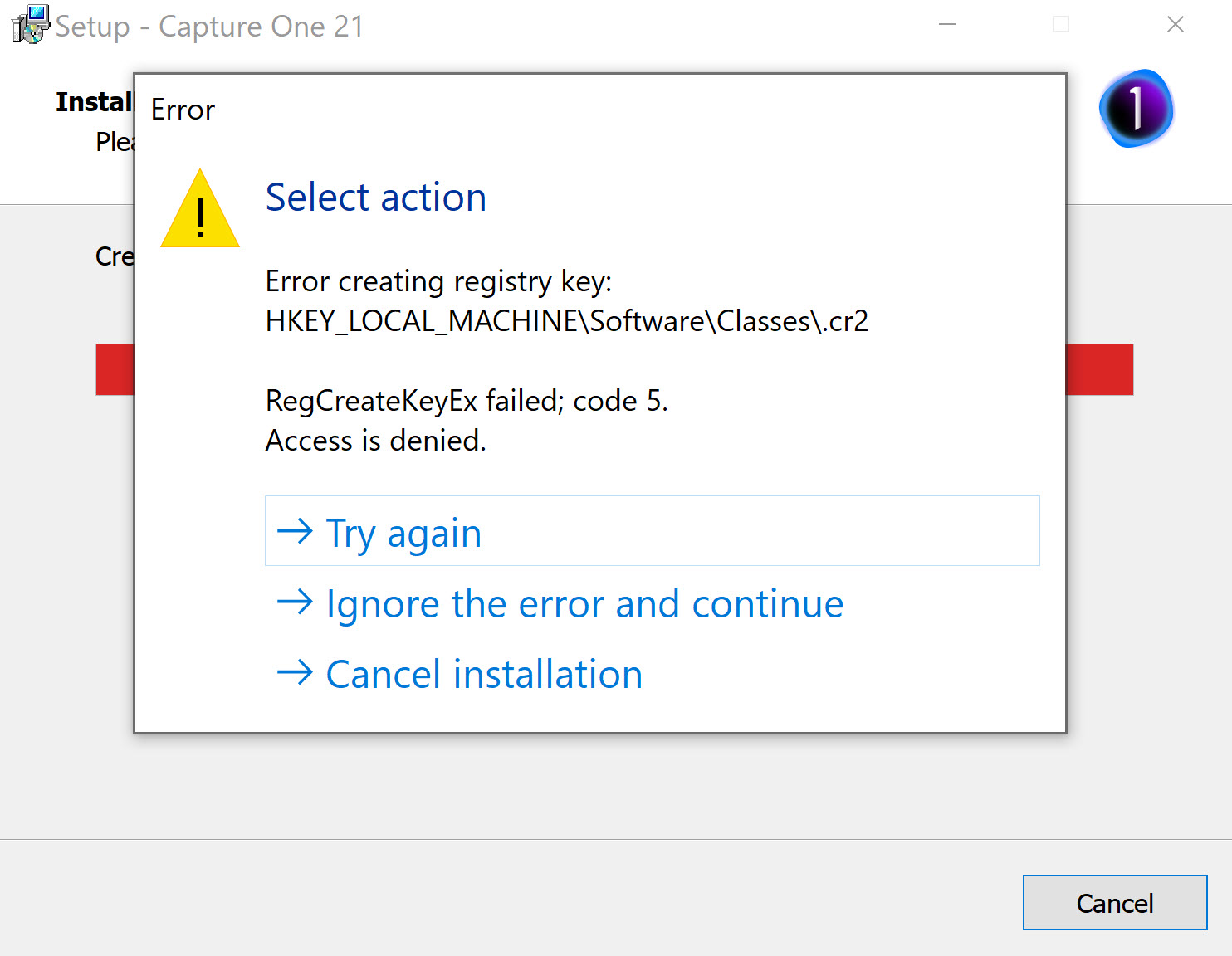
Installer FAILS to create entry for Canon CR2 files (see screen shot) in Win10 registry.
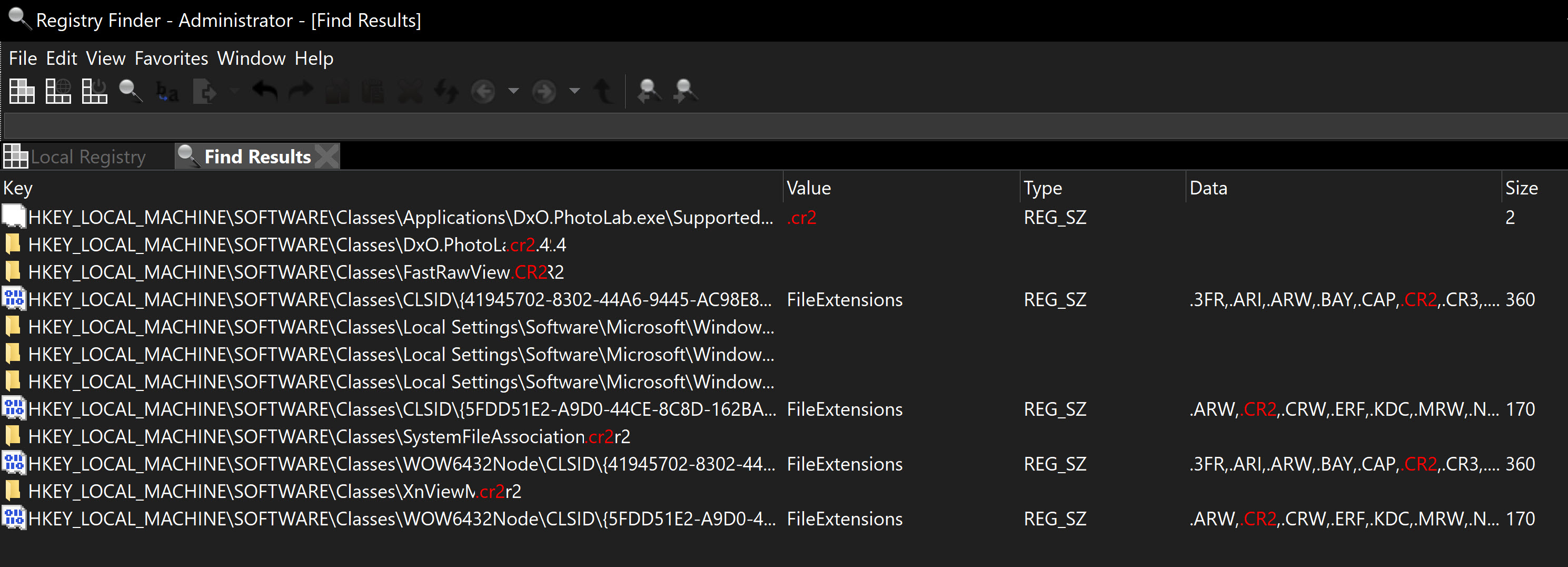
See also screen shot of existing Registry entries for .cr2.
Running installer as "Admin" makes no difference.
If I "ignore the error" then C1Pro seems to run OK, but I have not yet loaded any CR2 Canon RAW files.
Not want I want to see from expensive, professional software guys!
-

Your not the only one who has run into this. There is a short thread about it elsewhere in the forum. I tried everything possible with the security and ownership of the registry entries involved with the .cr2 and nothing worked. So I just ignored it. I might try and remove the .cr2 existing registry entry and see what happens during the install...
0 -
Thank you for your reply. My apologies for not finding the other thread first.
Re: the .cr2 registry entry, I notice that other Raw editors (eg. DxO PhotoLab) use it (as you'd expect, I guess).
I did try deletion. No luck. I then re-installed DxO, etc, to restore their CR2 entries.
Cheers.
0 -

(NOTE: Yes, I replicated my reply in the threads I found covering this bug to keep things in context)
I ran into the exact same issue installing the Capture One 14.1 update ("RegCreateKeyEx failed; code 5. Access is denied") when the installer tries to create the .CR2 and .CRW-related registry keys. As mentioned in this and other threads, one can ignore and continue without any obvious issues running the application.
A workaround that did work for me was to boot Windows 10 in safe mode (search for and run System Configuration, click on the Boot tab, check Safe boot, and press the OK button), and run the installer. The installer finished without problems; once done, reboot Windows using a "Normal startup."
This was also documented in an old thread describing the exact same problem with a previous Capture One update file, titled "C1 20 installation issue on Win10 Pro" (https://support.captureone.com/hc/en-us/community/posts/360009401898-C1-20-installation-issue-on-Win10-Pro?input_string=WORKAROUND%3A%20Capture%20One%2014.1%20Update%20%22Access%20is%20denied%22%20(RegCreateKeyEx)%20Install%20Error)
I understand Capture One support may not look at these threads, but as a software engineer by trade, I would look at an issue with the installer, RegCreateKeyEx calls, and UAC. Also, FWIW, both keys where I got the failure already existed and had values related to other programs (e.g., OpenWithProgids had entries for Affinity.Designer, Affinity.Photo, and Affinity.Publisher - 3 pieces of software I also use and have been installed in my box for some time). And, the Capture One update did not change the keys in any obvious ways even after it succeeded. But, I digressed, yet I do suspect this is an issue with the update/installer file itself. :-D
Hope this helps folks a little more!
0
Post ist für Kommentare geschlossen.
Kommentare
3 Kommentare