Cannot open the Capture One 20 catalog after moving it from Windows to Mac.

I just moved from Windows 7 PC to Mac (M1 and Big Sur) and I couldn't open the catalog anymore on Mac. Latest version of C1 is running on both platforms. I used an external hard drive (exFAT-format) to move all the data between computers. Everything else seem to work well on Mac except Capture One. I attached some pictures about the error messages.


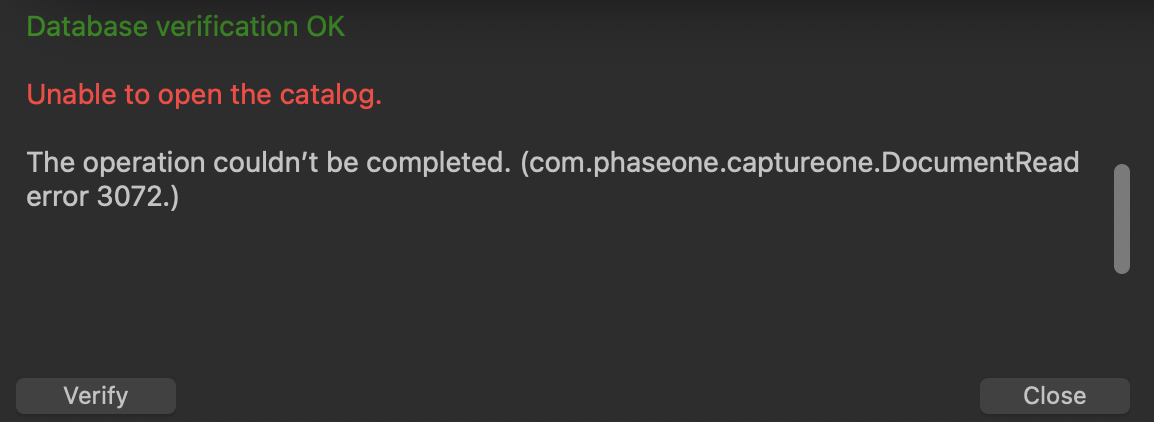
-

Capture One 20 only supports Big Sur 11.1.0, so if you've updated to a newer version like 11.2 it could cause issues.
Also consider that moving files from one system to another isn't always so straight forward - if there's some sort of protection of the database (for example it was marked as 'read-only' for some reason) or some associated files are corrupted, damaged and/or also somehow protected, it could also cause problems.
If you're opened the database directly on the external exFAT drive you might want to try and copy them to a local drive running APFS or at least HFS+.0 -
Thank you for your reply. I have updated Big Sur 11.2.x and I'm not very eager to roll back the OS because this will erase completely my Mac and doing this may lead to a bricked computer (this has been reported several times on M1 Macs). Despite this problem, Capture One is working fine, I'm able to create new catalogs, edit photos etc. but I just cannot use my main catalog from my old PC.
I think that there aren't any protection on transferred data (the raw files) because the same process with Lightroom took a few minutes without any problems. However, I don't know if there are corrupted data on my C1 catalog and I don't know how to fix it.
My external drive is only for transferring the files, I'm using catalogs, photos etc. always from my local drive.
0 -
Maybe you could try and open it on Windows and then verify the integrity of the catalog?
0 -
I've already done that but it didn't help. I still have to try creating a new catalog (in Windows) and merge my old catalog with that.
0 -
This last attempt was successful, now everything works as expected. Thank you for your effort in this case!
1 -
Glad to hear it - sorry I couldn't really be of any real assistance
0 -

Hi @Jukka,
How did you manage to get it working then?
I am in the same process, trying to switch from a Capture one 20 on a Windows 10 to a Mac M1.Catalog with referenced photos.
What did you copy from the Windows machine to the Mac.
As far as I can tell maybe needs backup of the catalog, then point to the catalog from Mac.
Also copying the actual photos to the mac off course.
But what about all folders from ones Capture One Catalog folder on the windows machine, where folder as Adjustments, Cache and so on are located?
Have you copied them to the Mac?
Can also see some older suggestions where some folder from ProgramData also needs to be copied...Thanks in advance.
BR, Alexander
0 -
I see this is a few months I’m also goi g to be doing the same thing soon and would love to hear from anyone who has done this recently. I have a windows 10 pc, running CAPTURE ONE 22. I use a referenced catalog with my 11k images on an external drive.
I will have an 2021 M1 Mac. I can’t find any decent threads or reference articles specific to this task. I find it hard to believe nobody has recently done this. Any ideas?
0
Post ist für Kommentare geschlossen.
Kommentare
8 Kommentare