Burst photos out of order

Hey, everyone. I'm running Capture One 20 (version 13.1.3.9) on Big Sur and use a Fujifilm X-E3 and X70.
I'm having this issue where photos taken with a second of each other (burst or otherwise) import out of order, both in order taken and in how the RAWs and JPEGs are linked. This isn't just a renaming issue, it stays out of order when sorting according to date.
I thought initially that it was Fuji not keeping up with writing the files fast enough, but I discovered that Fuji has no problem with the order and neither does Mac's Finder. Something happens upon import that messes with the order and I can no longer view the files in the actual order they were taken.
Any ideas?
-

There are many ways to order files in the browser, just make sure the right one is
chosen. Name or date are good choice for sequential files; size must be avoided.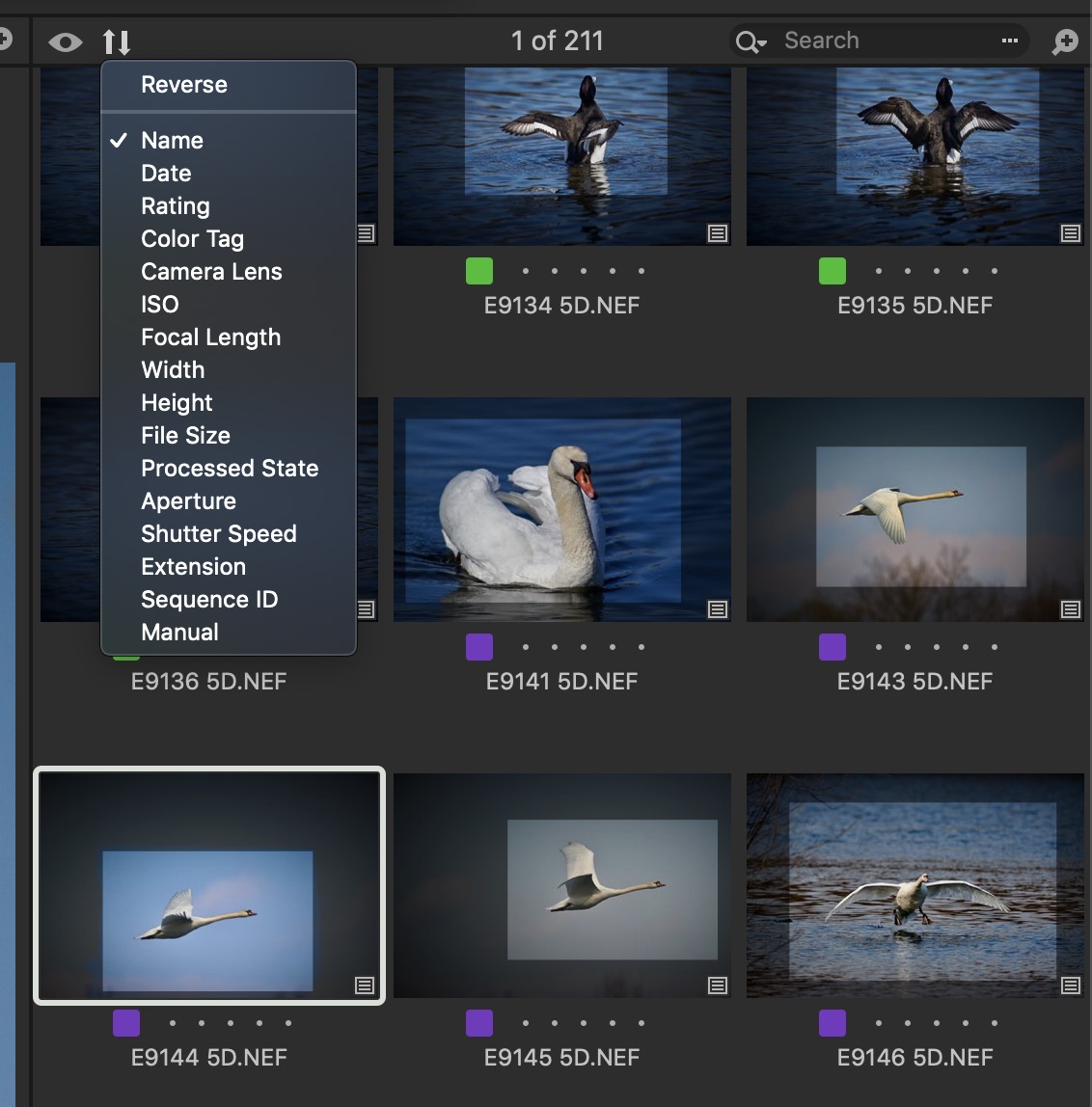 0
0 -
Thanks, but this is not the issue. As I wrote, "This isn't just a renaming issue, it stays out of order when sorting according to date." There's something weird happening when importing my files that is messing up the info which allows it to be arranged in the order it was taken in.
0 -

Brandon,
Is the out of order things ONLY related to images taken within the same second (as reported by the camera) or can the mis-sort happen across images (from the same camera) taken in different seconds?
0 -
It definitely happens over several seconds within a long burst. But it even will happen when I'm not in burst mode but will take a few photos in very quick succession.
And again, this isn't reflected in the actual file recording. Dragging the files over into my computer (or viewing on the camera) show the correct order.
0 -
Brandon,
I recalled seeing occasional reports of a similar nature previously so I ran a search in the Community area.
It found this somewhere near the top of the selections from the forum.
Why do my imports sort by evens and odds? – Capture One
There may be other seemingly related threads if looking further.
The problem described not obviously and specifically related to your description and there is no mention of the camera type. Also, the thread seemed to just stop. However, there are similarities so it may have relevance.
Perhaps the poster decided to go down the Support Case route and resolved things through Technical Support.
I have not experienced the same issue as you have reported but there are some variables that could be factors - notably that I use Windows and Canon (mostly) rather than Mac and Fuji - that could influence what happens during import.
0 -
Interesting. I'll have to look at my naming tokens and see. I generally have the image capture date first (something like 03.23.2021) and then follow it with the image name. Interesting. I'll have to see what kind of effect that has. Still don't get it, but maybe that it's. Thanks for looking.
0 -
I, too, often use the date in the name on import. Not important for C1 use but useful for continuity of naming after processing and export.
For sorting by date (ignoring minutes and seconds) when using a character field (i.e. not a field that should understand what a date is) the most consistent (but ugliest) convention that gives an automatic character set based sort order is year/month/day . So your example would be 20210323.
If you are sorting by the internal Date field for the image it is likely to be using a standard date and time system based on a known date (most likely 01.01.1970) as point 0 .)
Providing the full field is used (i.e. including fractions of a second for burst shots for example) sorting by date becomes a simple numeric sort task within a database. For human consumption via a screen and especially using the MM/DD/YY configuration, some interpretation and representation is required.
If sorting using the image date field present the problem one might guess that something odd is happening internally with the date serial number field information. If that is the case then it is a tech support investigation task for the developers.
0
Post ist für Kommentare geschlossen.
Kommentare
7 Kommentare