Advanced Search- not working in 14.1.0.220 - DO THESE ISSUES EVER GET ADDRESSED? IT IS A BUG!

I used the Advanced Search constantly to focus on the collection of images that I am working with and then to process them with the correct watermark. I upgraded to version 14.1.0.220 last night and the search option is no longer working. I have attached a sample search that no longer works.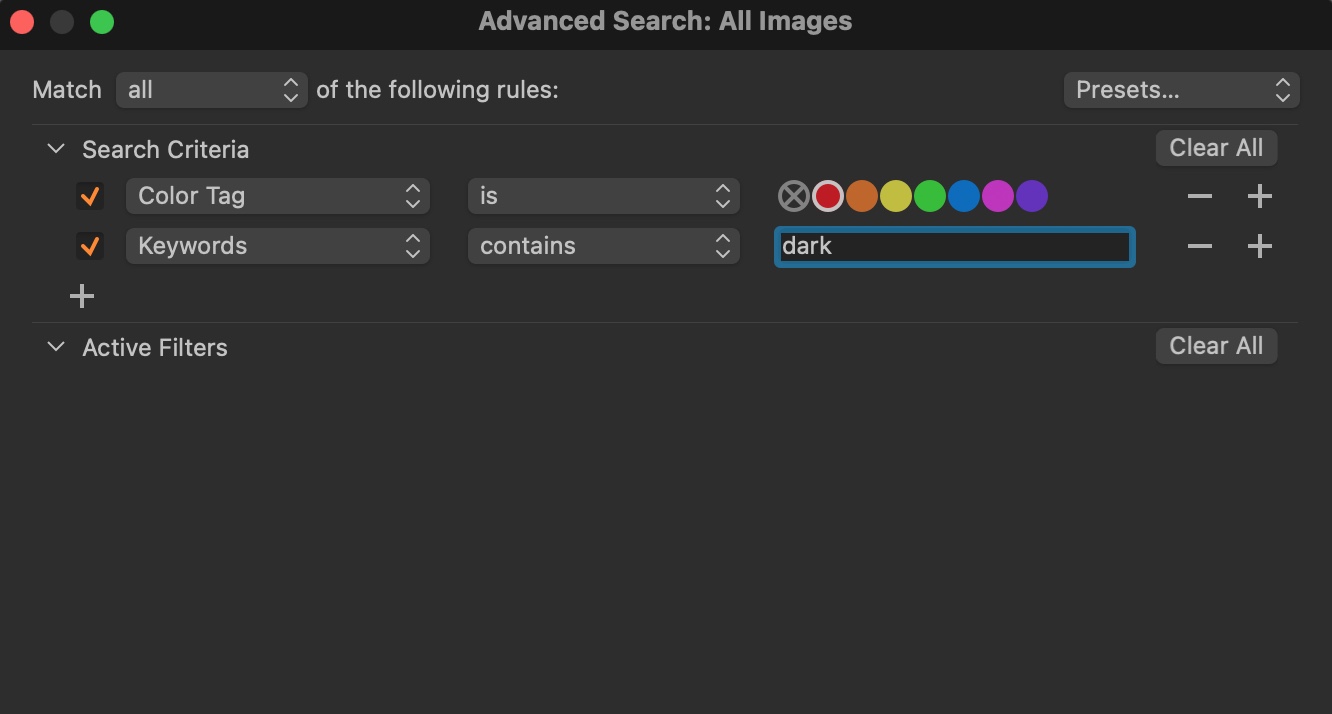
If I enable the "color tag" alone - there are 47 images. When I enable the "keyword contains", there are no images, even though there are several with "dark" contained in the keywords as shown here:
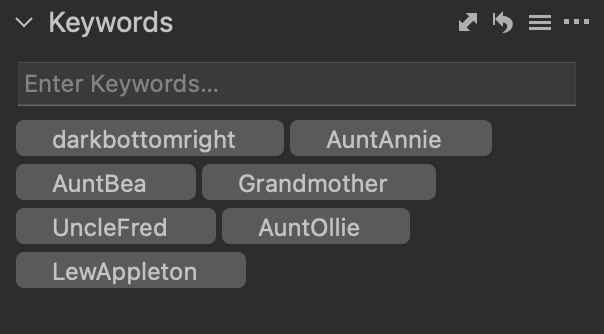
-

Confirmed it does the same even when only doing a keywords search. It seems to be matching on entire keywords only, matching the exact keyword, not substrings thereof. If I have an image keyworded with "foo bar" a search for "foo" does not find the image.
Would be nice if Capture One added a different type of containment option, contain (partial match OK) vs contains word (must match the entire keyword). Yeah, that is wishful thinking.
0 -

For what it is worth this is not a problem using Windows 10 and running the final beta code.
The one possible area of confusion in some situations might be to do with case sensitivity but that does not seem to be a factor here.
0
Post ist für Kommentare geschlossen.
Kommentare
2 Kommentare