Cannot open catalog in Capture one 20

Hi there,
I have a problem. I´m not able to open my catalog anymore although Ihave already opened it, since I have Capture One 20. It always says it was saved in Capture on 14 an cannot be opened with the new version.
Please help me.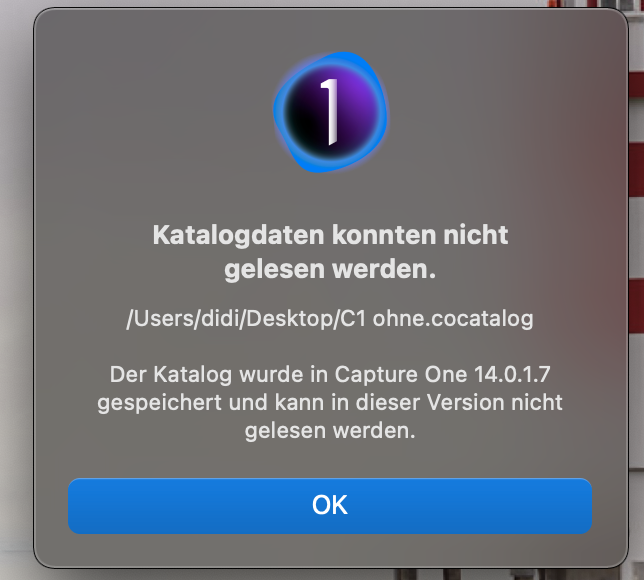
Kind regards
Stefan
-
P.S.: I cannot even import it once more.
0 -

C1 20 can't open it because the catalog was created with a newer version of C1. That's always been the case, as C1 tends to upgrade (change) the catalog database with each release that adds features. If you want to open the catalog you have two choices:
1. Use C1 21 (aka 14)
2. Right-click on the catalog, "Show Package Contents", and use the last backup that was made when the catalog was opened with C1 21. To do that, you drag the latest backup to your Desktop or somewhere, rename it to the catalog name, and then drag it to replace the newer catalog file. Of course doing that will only restore the previous version and won't include any newer images, edits, etc.
0 -
Thank you very much, it´s so simple!
0
Post ist für Kommentare geschlossen.
Kommentare
3 Kommentare