Fuji GFX50R tethered live view issue

live view in tethered mode does not work, it says "live view not supported if connected using PTP"
I can't find any chance to change this setting in the camera is there nay way to fit it?
Gear:
capture one 21 (14.1.1.63)
Mac OS Big Sur 11.2.3.
MacBook Pro (16-inch, 2019)
Fuji GFX 50 r
Thank you
-

Fabrizio have you checked the settings in the camera under the tools menu? I assume you are tethering via USB so you should go to the tools menu - Connection Setting -> PC Connection Mode and choose USB Tether Shooting Auto (Page 226 of the English version of the pdf manual)
My apologies if you have already been there, done that.
I have successfully tethered my 50R with version 20, so I expect it stills works. Live view works but you can't shoot a frame from the computer whilst the live view window is open. I don't currently have the camera where I can test it with version 21.
0 -
Hi Mike,
Yes the connection mode is set up to tethered shoot auto.
It allows me to shoot and save the pictures into capture one but the live view does’t not work. Yesterday it only worked for 30 seconds and after that I had it stopped.
I tried with another cable but I still have the same issue0 -
That's frustrating Fabrizio, was it working with Version 20? I guess the things that go through my mind are restart everything and then file a support request.
I get quite frustrated about the QC that comes out of (or rather doesn't come out of) C1 when they release new versions. :-(
0 -
Actually never had the need to shoot tethered with C20.
I am using standard apple original usbc cable.
I think I ll have to try professional cable for tethering.
If you succeed in shooting it means that it s possible. I have to find the problem in my workflowThank you
0 -

Hi Fabrizio,
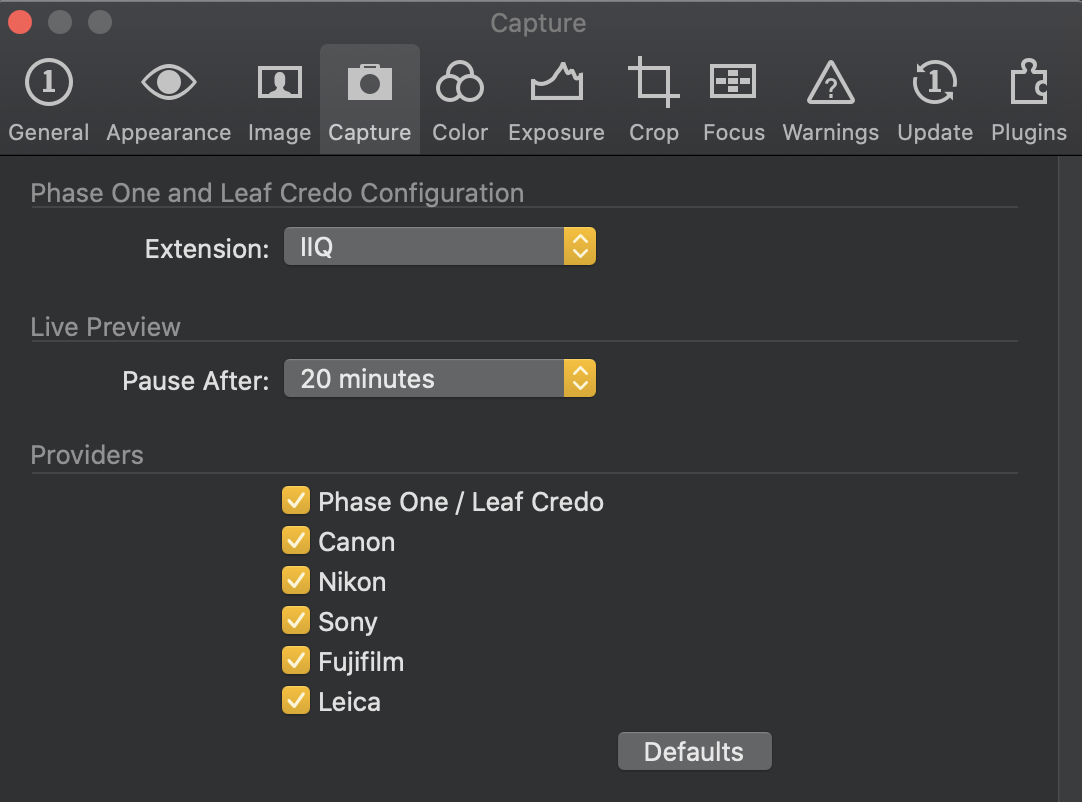
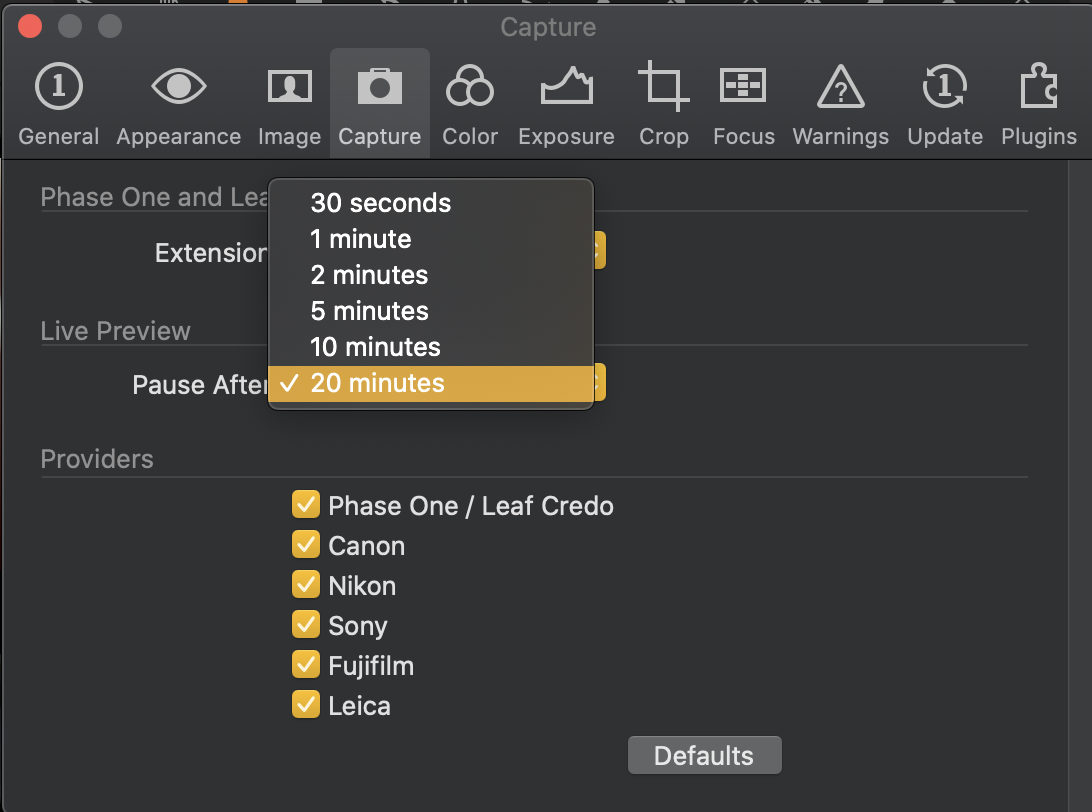
I noticed you mentioned that you were allowed to use LV for 30 seconds, please check your Live View settings in Preferences.
 1
1 -
Unfortunately it happens even changing the time
0 -

Have you tried with a powered hub for the cable?
The power supplied by some ports on some Mac's seems to have been inconsistent based on Historic information in the Community pages.Voltage is quite critical for maintaining successful communication between the computer and the camera in many cases of different combinations.
0 -
Also, is there a LIve View cut-off time that can be set in the camera?
0 -
Good point. I’ll check it
0
Post ist für Kommentare geschlossen.
Kommentare
9 Kommentare