When opening program, photos always show up at 100% view

Quick question. My photos always show up at 100% view whenever I first start up the program. I want it to default to fit to window every time I open the program. Is there a way I can do that?
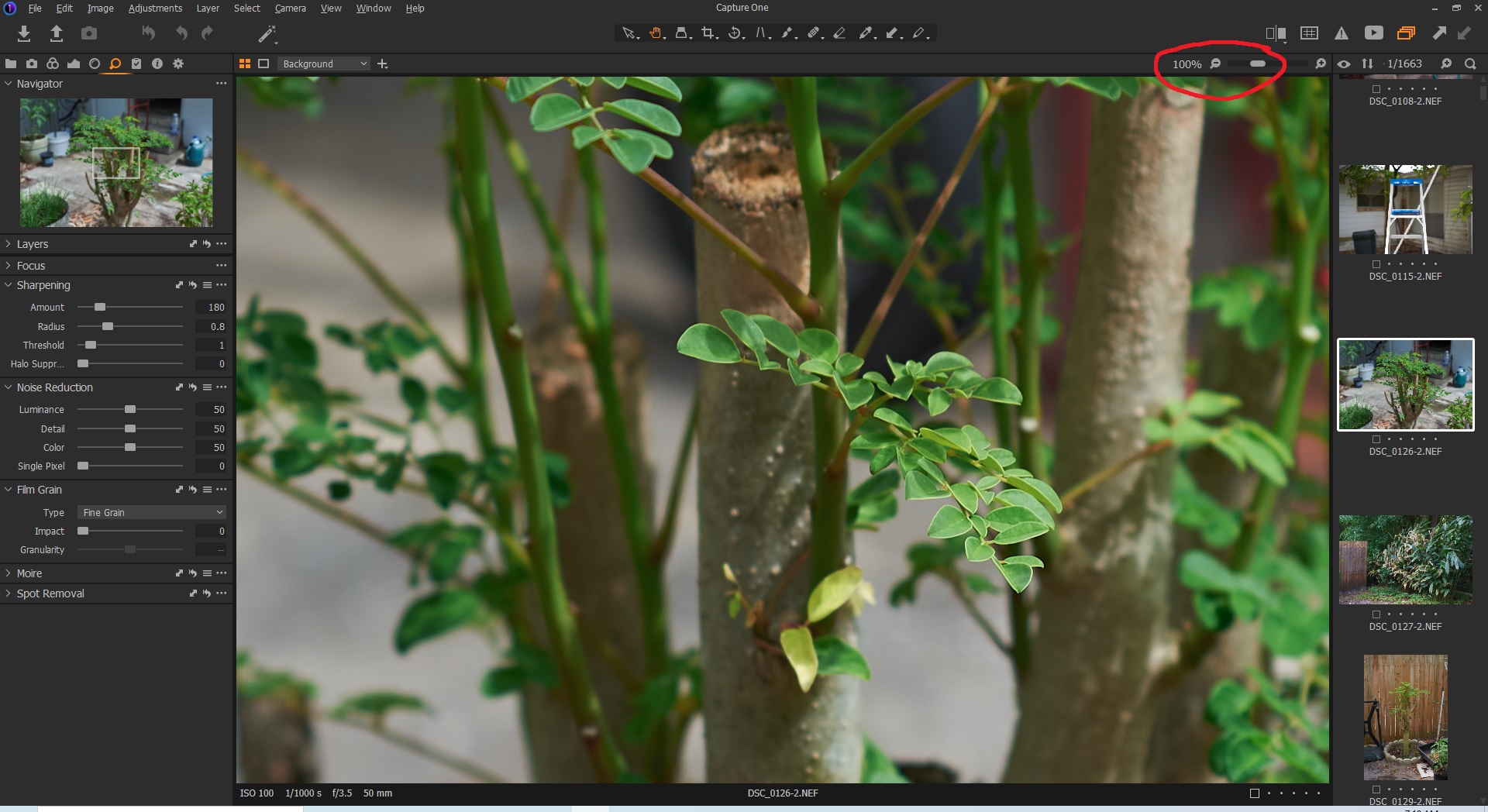
-

That is unusual.
Try closing C1 ensuring that the viewer is set to "Fit" on the zoom slider and using the "Close Window" option in the "File" drop-down menu. Also make the closure with the regular viewer open and not the "Full Screen" option - just so be know that you are using typical settings.
Give the system some seconds to complete whatever it needs to do at that point and then re-open C1.
Does it re-open the session or catalog with the same settings as the ones in use when the session was closed?
0 -
I think I figured it out. It has something to do with the details tab (magnifying glass icon). If I close the program with it on that tab and re-open the default view is 100%. On any other tab it is 'fit to window'.
0 -
Also just to be clear, on the details tab when I choose fit to window and leave it on that tab then close and re-open the program it still defaults to 100% view. Other tabs work fine.
0 -
Have you tried closing the Navigator tool before exiting Capture One?
0 -

Have tried all of the above as a fix. All images open at 100%. Although, sometimes the image I was working on when C1 was closed opens at Fit when C1 is restarted. Choosing other images after that opens them at 100%. A bit annoying. Have gotten used to it....but just because I could get used to having no arms doesn't mean I'd like it.
0 -

Hi, I'm having the same issue and curious if anyone has found a solution?
Thanks!
0 -

I'm not seeing this in the latest version for Nikon, I just test this with images set as normal.
0 -
I have this issue too on latest release, but it is only a minor nuisance as I can press one key '<' to get it back to 'fit to window' after CO opens. It started a few weeks after using fresh install of CO, but now is consistent.
0
Post ist für Kommentare geschlossen.
Kommentare
8 Kommentare