Purge unused keywords
Implemented
I’d love a feature that allows you to batch delete all unused keywords.
-
Offizieller Kommentar

Hi Sean,
Thank you for your feedback on Capture One - we appreciate the time you've taken to contribute to the development of the software.
I have forwarded your suggestions to our Product Management team as something to consider in a future release. Hopefully, your feedback contributes towards a future version of Capture One.
Though we cannot comment on future releases and the features to be added, we recommend keeping an eye on this article - click Follow next to the title of the article to stay up to date with new features and improvements. -

Sean,
There are two sources of Keywords.
The image files and specific Keyword library collections of "possibly useful" keywords, sometimes purchased as a ready-created library related to the specific subject matter.
If you are using one or more of the prepared libraries and it contains KWs that you will never use the simple solution would be to edit out the unwanted words from your copy of the original master and then replace the libray that is known to Capture One.
If, on the other hand, you are seeing KWs that are not part of such a library but are appearing anyway have you already checked to make sure that there are no images reporting those KWs?
You may need to check for images deleted for C1 but not yet deleted from disk or for images that may have associated KWs but perhaps to not qualify for editing in C1 due to, for example, image dimensions or perhaps a B&W conversion.
Typically the KWs found in images are dynamic. If the last image using a KW is removed the KW will disappear. Likewise if an image with an embedded KW is discovered then that KW will appear in the list. Thus they tend to be self-maintaining if they are only created for a session or catalog via use within Capture One.
0 -
Thanks for your reply.
When I try and delete some keywords I often get this message or a similar one. I don't use purchased ready-created libraries. All of the keywords are my own, either created in Capture One or imported when I switched from Lightroom.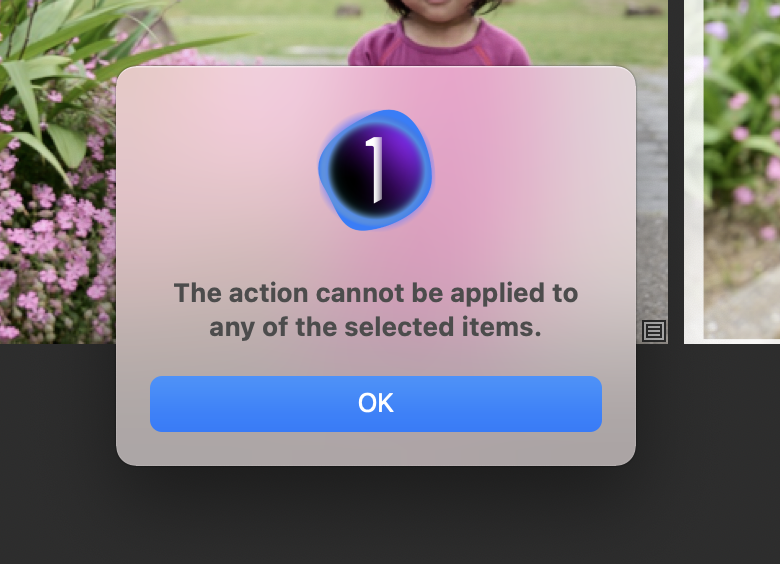 0
0 -

> Sean Breslin: All of the keywords are my own, either created in Capture One or imported when I switched from Lightroom
What kind of image files ?
0 -
OddS' question is a good one as usual.
If you have imported any files that Capture One only marginally supports - for example it can see them and maybe read and display them but not edit them - then any embedded keywords they contain will be inaccessible via Capture One.
If that is the situation, there may also be the question of whether the KW's, having been embedded for some purpose via another product, should be deletable by Capture One considering the application's "never change a source file" policy.
How one might deal with that depends largely on how you wish to manage such images - IF that is indeed the source of what you have observed.
0 -
Hi. Thanks for your replies.
The image files no longer exist in the catalog (as far as I can tell), although they may exist in an older catalog that I have so they may still be on disc.When I click on the keyword in the Keyword Filter it shows zero files although the keyword still remains in the catalog. I can't delete it or even move it as I get the message above. In the case of the screenshot above I hadn't actually selected images, only the keyword I was trying to delete.
Sean.
0
Post ist für Kommentare geschlossen.
Kommentare
6 Kommentare