Trouble inverting mask

When I create a mask and try to invert it, the inverted mask fills the whole screen. What am I doing wrong?
Capture One 14.10.74
Dell XPS 8940 Nvidia GEFORCE GTX 1660 Ti
Windows 10 build 1902/985
-

Why not try copying the mask to a new layer and inverting it from there? See if that works.
Barry
0 -

@James,
What sort of Mask?
0 -
Barry, I did try copying to a new layer yesterday and it didn't work. Today for some mysterious reason all is well.Thanks for your help. See screen shots below.
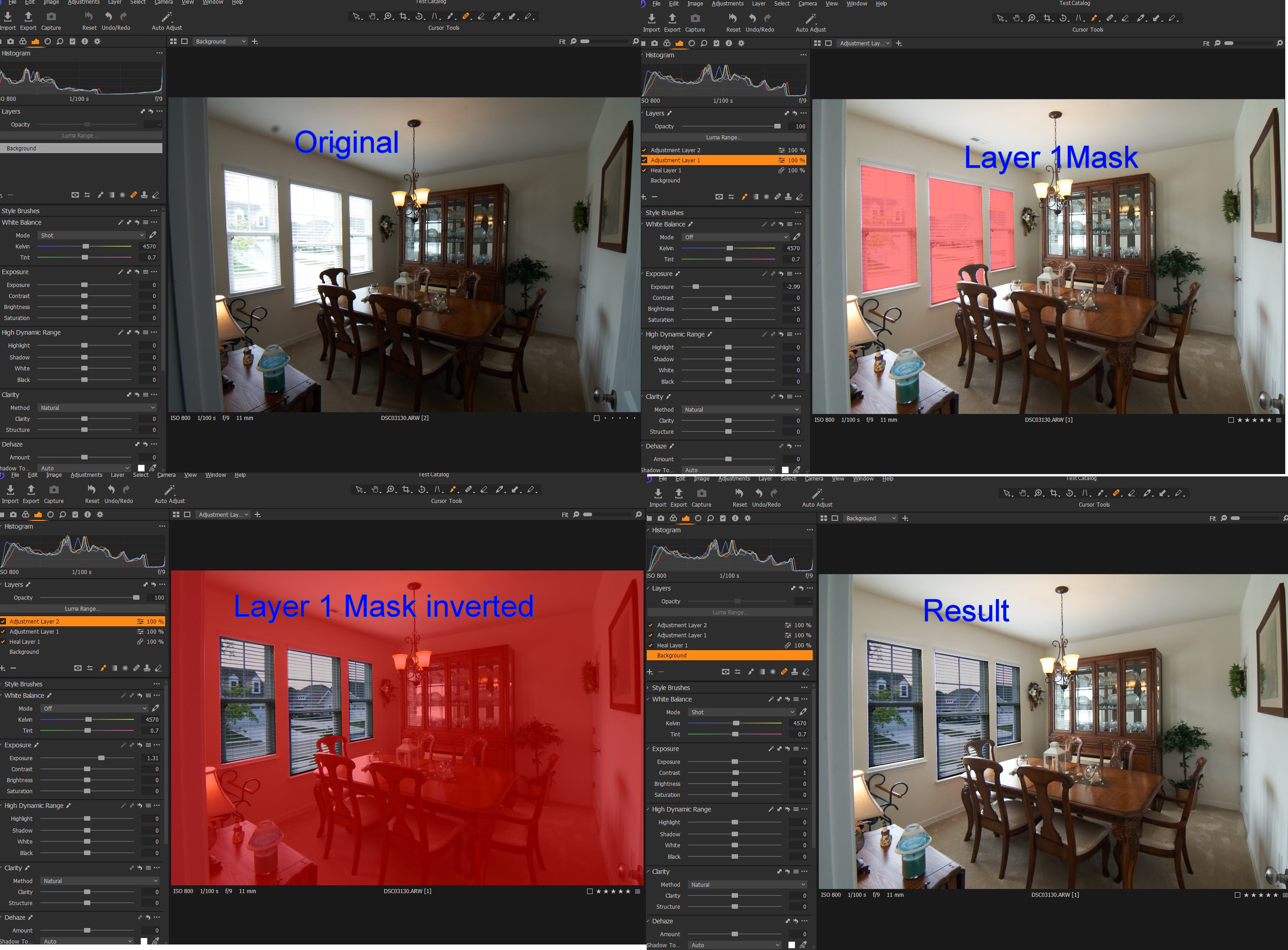 0
0 -

James, I've observed problems similar to those you encountered (V14.4, Windows 10). It seems to depend on how the mask was created and the sequence of steps one follows to create the inverse. I first noticed the problem when using magic brush. Refine mask also seems inconsistent. There may be several situations, haven't systematically tried them all. I did file a support request, so we'll see what comes back.
0
Post ist für Kommentare geschlossen.
Kommentare
4 Kommentare