Removed keywords keep re-appearing after each restart.

Pictures I would like to post to Flickr have a keyword flickr_pipeline. After I posted such a picture I am removing the keyword and that worked great for a while, but stopped working since a few releases (can't tell exactly, when it started).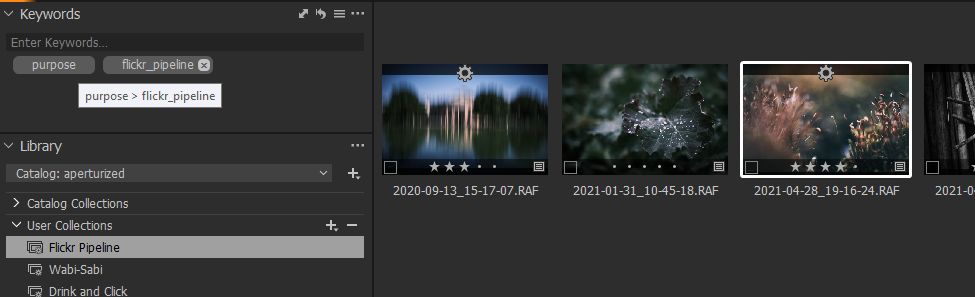
I am clicking on the x next to the keyword and the keyword is gone. I have have a collection that filters for this keyword and I see the picture being removed from there. 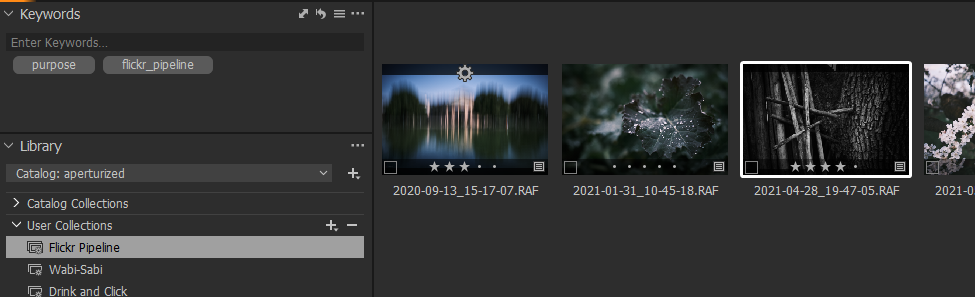
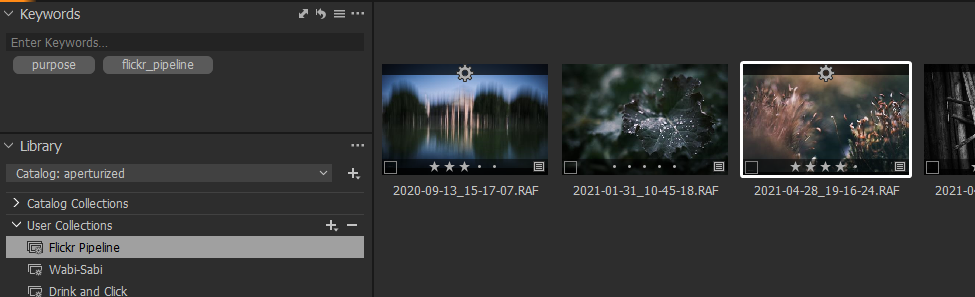
Now I can change to different collection, or folders and get back to the collection - the keyword is still gone. Even when going to the picture in the folder and looking at the keyword - it appears to be gone.
Until I restart Capture One - suddenly the removed keyword us back and the picture appear in the collection again.
I tried several sync settings from Full Sync to no sync at all, but wasn't able to resolve the issue with that.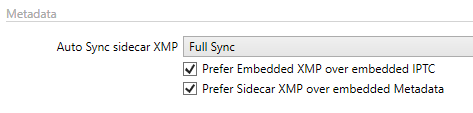
-
It looks like the issue appears, if you remove the keyword from a smart album that filters for that keyword that you are removing.
If I am removing the keyboard from other folders, like the Folders or Recent Imports, then removing the keyword seems to be properly persisted.0 -

If the source keywords are embedded in your original image file or in the XMP sync file they would be re-read next time the file is selected and loaded into memory.
The available basic data and the results of filtering for information within that basic data are different things.
I would check the "original" files that are being discovered and what is in your Synchronisation files. Full Sync is not really something to use all of the time. Maybe just for an initial load of files coming from a pre-existing source - for example coming from the catalog of a different application.
0 -
HI SFA,
I suspected the XMP sync rules to be a source of this issue as well, however I tried various synchronization settings and nothing helped.The problem really seems to be if you delete a keyword from a smart album, where this keyword is used to filter for that.
A workaround for the problem is instead of removing the keyword while you are in the smart album view, click on 'Show in Library' in the context menu first, and then remove the keyword.
0 -
OK, are you finding that, in effect, you are just removing the KW from the Smart Album search parameters currently functional in memory at the time?
And that the next time you use the Smart Album it still has the "removed" KW in its search criteria?
In such a result I think the only way to make the full delete for the file is how you have already discovered.
To change just the Smart album filters and leave the KW in the file may require saving a new Smart Album definition.
Any of that really only applies to C1 edited KWs rather than KWs embedded in the original file AND of course with one eye watching whatever may be happening with XMP file synchronization, etc.
Based on your description I am wondering if the terminology for the KW removal in the Smart Albin context might need so clarification. Or perhaps there is an error in the functionality and the KW should be deleted just as can be delivered via "Show in Library".
I think that question is one for the developers.
0 -
I am not removing the key word from the smart album search parameters, I am removing it from the image.
To reproduce
- Add a keyword "foo" to some images.
- Create a smart album that filters for images that have the keyword "foo" attached.
- Open the smart album in grid view and verify that now you see all the images that have "foo" attached as keyword.
- While the smart album is open in grid view, from one of the images remove the keyword "foo"
-> OK: Image is removed from smart album and no longer listed - Find the image in your library and check the keyword
-> OK: Keyword foo is gone - Close Capture one
- Start Capture one
- Open the "foo" smart album again
-> FAIL: Image previously removed from smart album is there again - Check the keyword on the image
-> FAIL: Keyword is attached to image again - Right click image, select "Show in Library"
- Remove the keyword "foo"
- Open Smart Album again
-> OK: Image is gone from album - Close Capture one
- Start Capture one
- Open Smart Album again
-> OK: Image is still gone from album - Check the keyword on the image
-> OK: Keyword is gone
Looks like removing the keyword from the filtered smart album directly does not trigger a sync.
Also note that this worked properly previously with Capture One 20
0 -
Got curious, whether this is because of the smart album, or because of the filter and tried to reproduce it with a filter on a folder, where one image had a tag assigned. So I opened the folder, filtered for a tag in that folder and then removed the tag.
In this scenario I was unable to reproduce the issue. After restarting the tag was still removed from the image.
0 -

Hi Carsten,
1) Thank you so much for the detailed description. I really appreciate the time you took to investigate it (I work for Capture One).
I also noticed that you reported it via zendesk (official support channel) - thank you also for that. All that work you put into that makes it much easier to address the issue.
2) Quick investigation showed that the problem appears only if you work within smart albums during application's lifetime. Until we fix the issue, I recommend you to load "All Images" collection after you start Capture One and only then you move to whatever work you need to do (fx. add/remove keywords)
Best regards,
Tomasz0 -
Hi Tomasz,
thank you very much for confirming this issue and very glad to hear that you will be working on a fix.
Best regards,
Carsten0 -
Just got a response from the Capture One team that this issue has been fixed with 14.4 and I can confirm it.
Thank you very much, Capture One!
0
Post ist für Kommentare geschlossen.
Kommentare
9 Kommentare