How to Restore catalog

Something happened and now it says that the catalog cannot be found. I have the folder with all the files but it cannot open it. I tired creating new catalog and putting in all the files from older catalog. But that did not work. How can I restore the adjustements or something?
-
Tell us more if you'd like us to help.
Have you moved the catalog file? Can you restore it from a system backup (or from a Capture One generated backup)? Can you see the catalog file in Windows Explorer? If so, what happens if you double click it? Has anything changed in your setup since it last worked OK? (new versions of Windows, or of Capture One, for instance?)
Ian
0 -
I have not moved the catalog file. I dont have backups enabled, but I do have files like "Adjustments", "Cache", "Originals", cocatalogdb file. Ok, I tried to open the catalog file from the explorer now it works, not sure what happened. Since I have already made a post. How do you transfer the catalog to a different location? Mine is 13 gb and I would like to transfer it to other driver.
Plus I have 2 the same Adobe RGB (1998) in ICC profile. How do I remove one?
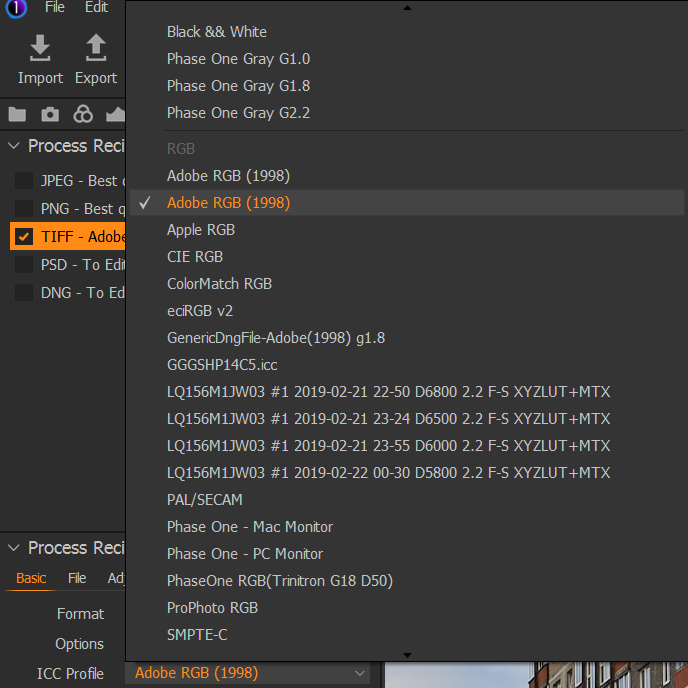 0
0 -

I just relearned how to move a catalog and the files to another drive. I only do it once a year and now I have it documented....
Outside C1:
1) Copy the existing directory (2022, 2021, etc) over to another drive.
2) rename the existing directory so C1 says that all the files are missing when you go into the catalog in C1
Inside C1:
Use the locate (right click) function to show C1 where the files are now (new drive location)
It should find all the files. With perhaps some trial and error
DO NOT DO THIS:
Inside C1:
Use the move function to move the files to the new drive. That will loose all of the editing you have done on the files.--1

Post ist für Kommentare geschlossen.
Kommentare
3 Kommentare