missing folders in the library

After the new version has been installed all the folders in the library are missing.
I have been contacted by the assistance 3 times then abandoned without fixing the issue
-

I had a similar experience in the past after updating an earlier version of CO1... what worked for me was:
After opening the new version of CO1 I navigated to the folder containing my CO1 catalogs and one by one double clicked the "****.cocaloglibrary" files which then opened in CO1 and populated CO1's catalog list. Hope this works for you.
0 -

Thomas, when you say "folders in the library are missing" do you mean this section:
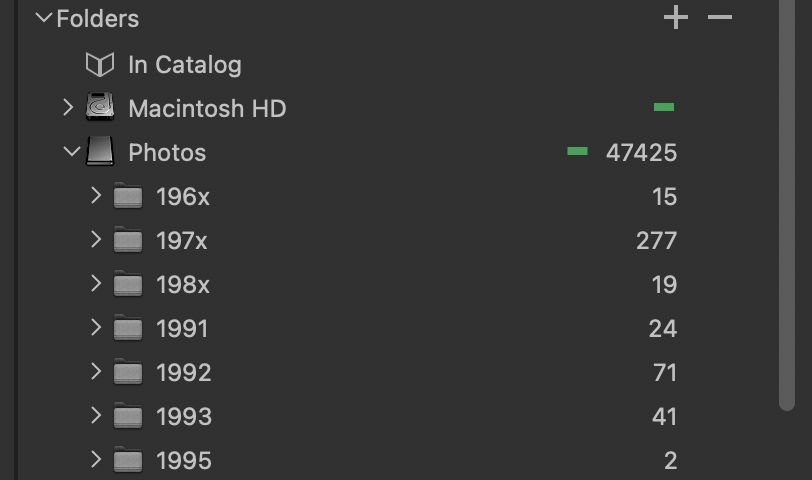
is empty? Or do you mean this list
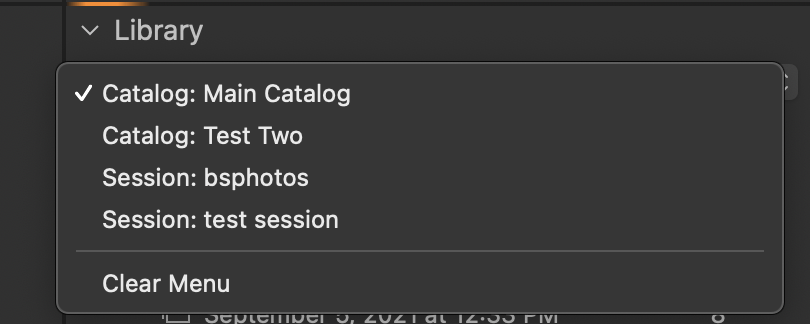
is empty. If you mean the latter that is normal. It is a list of most recently visited Catalogs and Sessions. Running a new version of Capture One resets that list. If you look in the File menu the "Open Recent" list will also be empty. Resetting the list of recently opened files is done, I believe, by macOS. From the perspective of macOS you are running a program that has never been run before so there can't be any recently opened files. As you visit each Catalog and Session the list will be automatically populated.
If folders in an open Catalog are missing then you may need to ask Capture One for help.
0
Post ist für Kommentare geschlossen.
Kommentare
2 Kommentare