Stange bokeh

Today, I took this image on my Canon RF with an RF 100-500 lens at 500 mm, ISO 500, 1/640s, f11. It is not the best image, but it shows the problem. It was a windless day. It has a really odd focus in the background and somewhat in the foreground. It is most obvious in the background. Some areas look smudged and there seem focused in a swirl pattern. The dead tree branch at the top of the image is in ficus, but is quite a distance from the subject prairie dogs.Some of the branches show a double image, much like you might get shooting though double thermal pane glass. This is not the usual smooth bokeh I have otherwise seen with this camera and lens. I have never seen this sort of artifact with this camera and lens. Other images shot the same day do not show this. The image looks the same with C1, DP4, and Preview. Any ideas?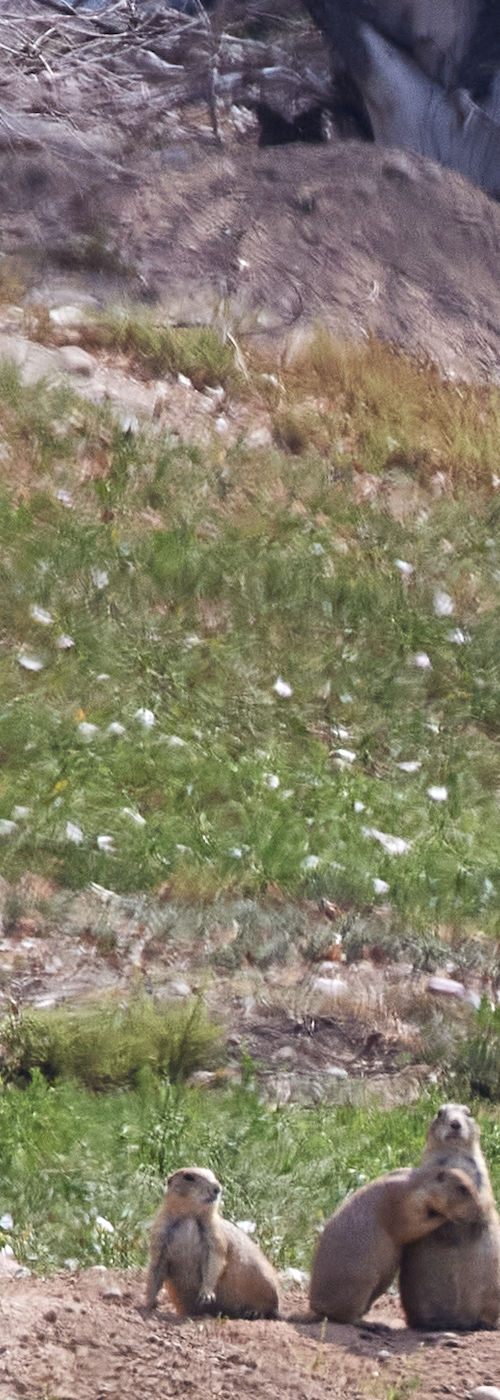
-
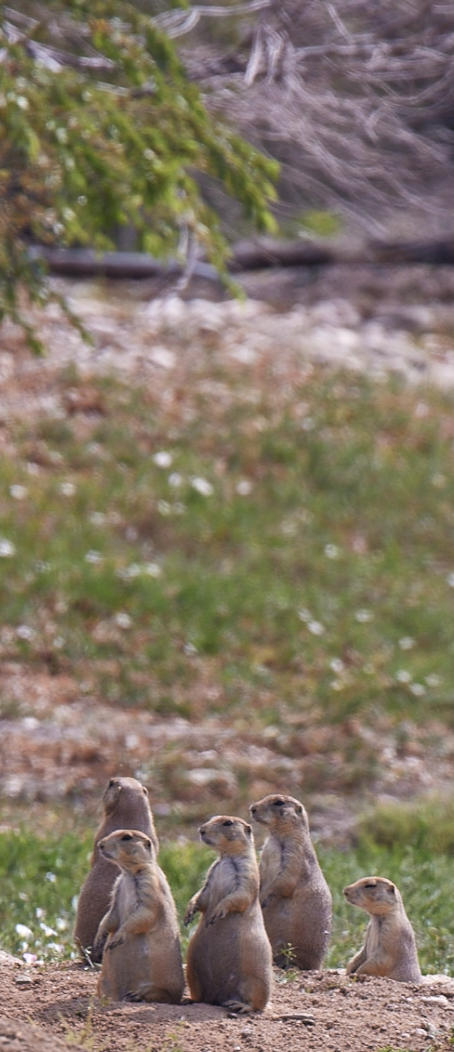
Same scene at slightly different angle. All setting were the same. No obvious bokeh artifacts. So what happened to the first image? Oversharpening the first image makes the artifact stand out.
 0
0 -
Note, these are screen grabs, but they show the point. Also, I can't spell Strange. To be clear, the first image is not shown with over sharpening.
0 -

What shutter mode are you using? This could be an artifact of using EFCS or ES. I use EFCS and sometimes see similar things, but never see it with purely mechanical shutter. I also have seen your kind of artifacts when using ES, especially on high-speed burst mode while tracking fast moving subjects (different from your image). Despite all I've ready about EFCS, I'm seriously considering going straight Mechanical most of the time.
Have you tried posting to DPReview's "Canon EOS R Talk" forum, or Fred Miranda's "Canon" forum? Both have a lot of threads about R5 behavior under the various shutter modes.
0 -
I was using mechanical shutter. The interesting thing is the artifact only appears in this and one other image I took right after it. If I sharpen both posted images maximally, the artifact in the affected image is grossly exaggerated, but the second image only shows the expected over sharpening effect.
I sent the raw file of the first image to Canon and they looked at it and did not immediately have an explanation.
Thanks for the suggestion about posting on DPreview or Fred Miranda. Unless someone else has seen this, or I see this again and can associate it with something specific. Perhaps the demosaicing process had a short mini stroke. If so, it should happen again, otherwise , it may remain a mystery.
0
Post ist für Kommentare geschlossen.
Kommentare
4 Kommentare