Capture one all versions PREVIEW PROBLEM

I have tried every single version i possibly can get my hands on to try and fix this issue, I have just finished my studies and wanted to purchase capture one to start using it professionally, so I trialed it multiple times and keep having the same issue. The files tether or no tether are pixelated and low quality, I have tried every fix I can try to find.
Drivers, reinstalling, trying different versions, changing the preview settings in capture one, moving slider, tethering. NOTHING works, I don't think it has anything to do with not having the full version because my friends trailed the trial version on their pcs with 0 problem.
SO WHY IS THIS happening, sorry for the anger, this is just so frustrating. the picture load perfectly into lightroom and even in photoshop...I am using capture one at work but when I move the files to my pc at home, boom low preview PLEASE HELP.
I have attacthed the picture loaded into capture one and just a preview of the same file in photoshop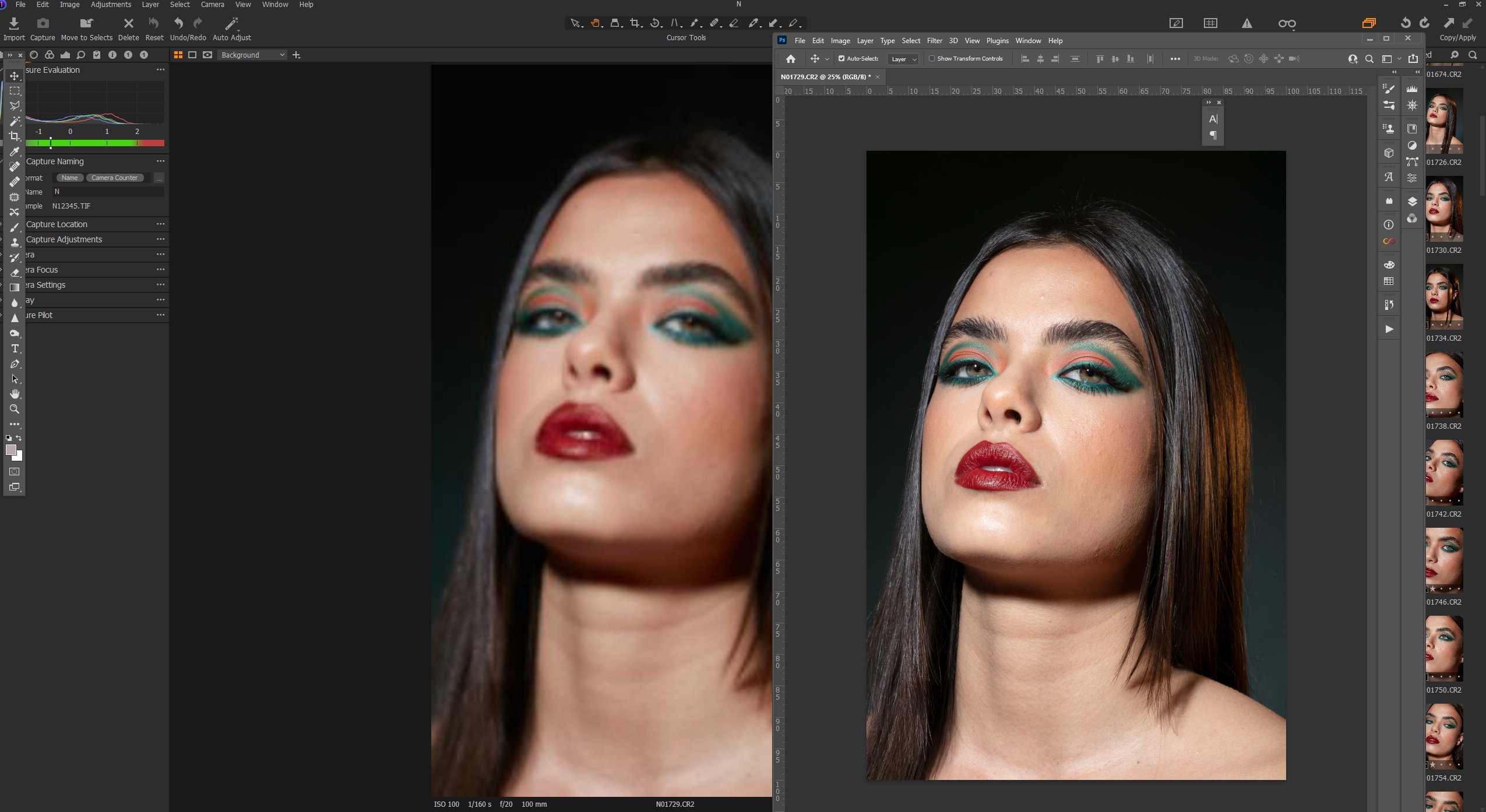
-

A silly question, did you set the size of the thumbnails correctly? It should be equal to or slightly below the resolution of your monitor. The setting can be found in the Edit menu under Preferences / Image.
1 -
Hi, thanks for the fast response! im still ripping my hair out over this, what you suggested was the first thing I tried, i have tried pretty much every solution to this problem available online.
Today i discovered when i change the settings of a picture nothing happens like if i move the sliders, however the thumbnail changes? so the preview is not even loading...how does that make sense?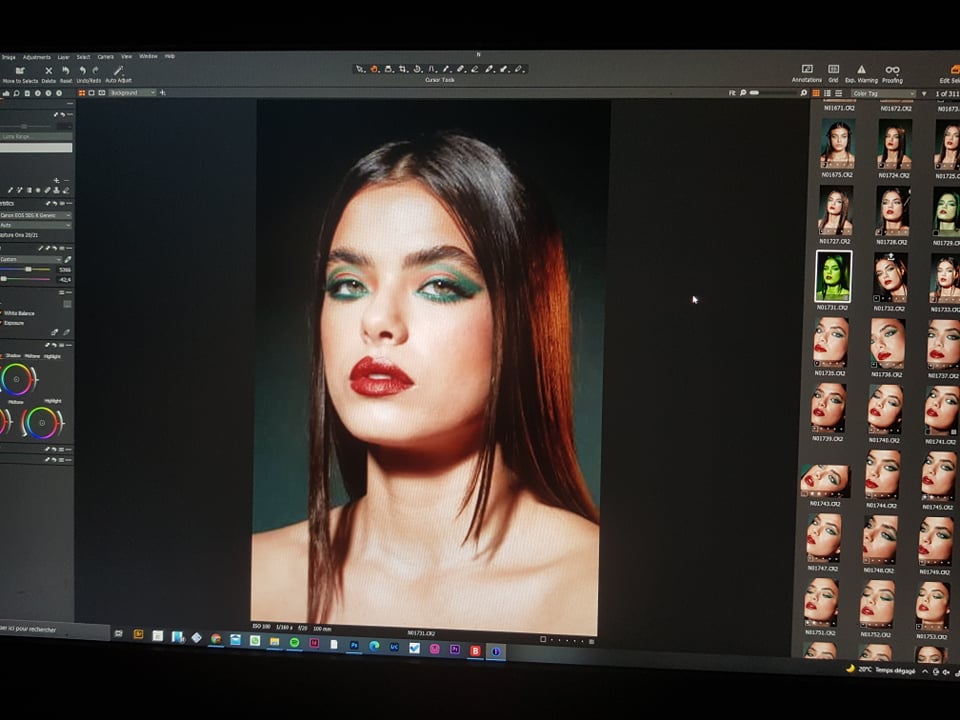 0
0
Post ist für Kommentare geschlossen.
Kommentare
2 Kommentare