Problem with searching a file

Hi, when searching the result is not correct; maybe the search answers with the previous number before renaming ?
see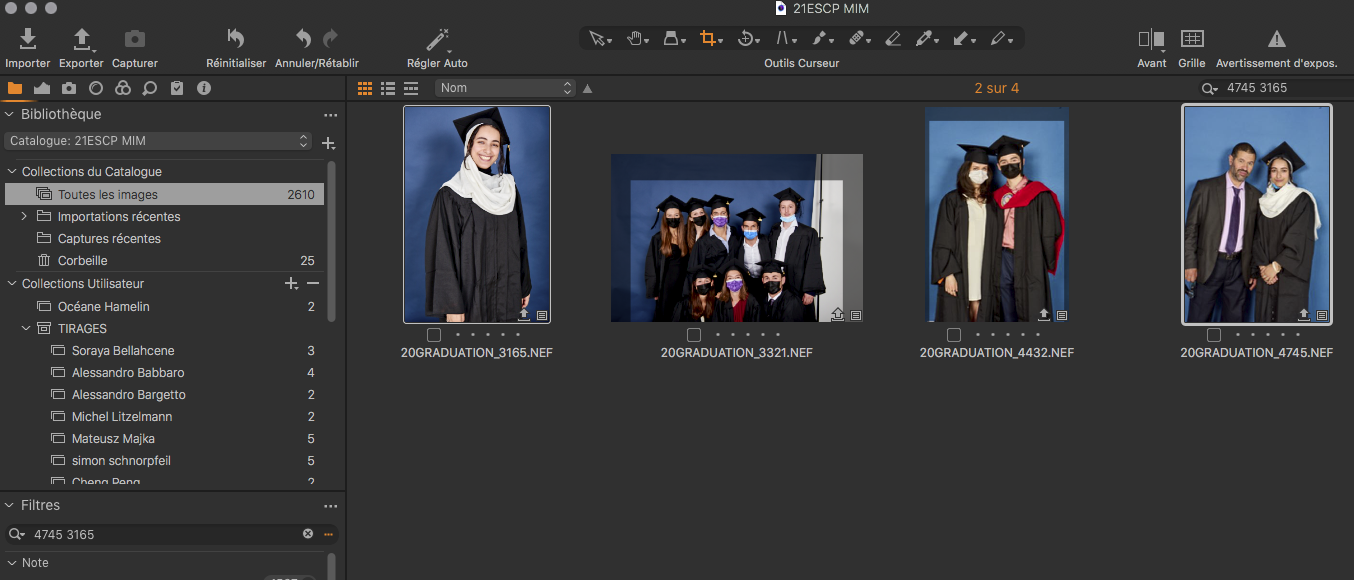
-

Did you rename using the finder or Capture One ?
And check if, by chance, there won't be 4745 or 3165 hidden somewhere in the metadata, other than the name itself.
0 -
To add to what Robert said, if you renamed the file outside of Capture One (using the Finder, for example), then Capture One won't be able to match any adjustments you made under the original filename with your new filename. One should always rename, move, and do other image file oriented operations from within Capture One.
Yes, the search will only return values in Capture One's database. If the image has been renamed, then it might return the image name and show it as being offline (because the image no longer has its old name).
0 -
The search capabilities of Capture One are just lousy, to say the least. I can provoke the same failure like Thierry is showing us any time. I was just typing in any number with 4 digits. 10 times, different numbers. Only once C1 found the pictures belonging to the numbers
And no, it's no EXIF data included - except GPS data, which then is even more useless - who knows coordinates like 47,17.0865N and 7,22.9254E by heart and what if it's not .9254 but .9255?
And if it would have been renamed outside with the finder, the pictures would show a question mark as they are no longer referenced.
0
Post ist für Kommentare geschlossen.
Kommentare
3 Kommentare